- Open Up Twilio
- Go to Phone Numbers -> Manage -> Active Numbers
- Click Buy a number or click on an existing number
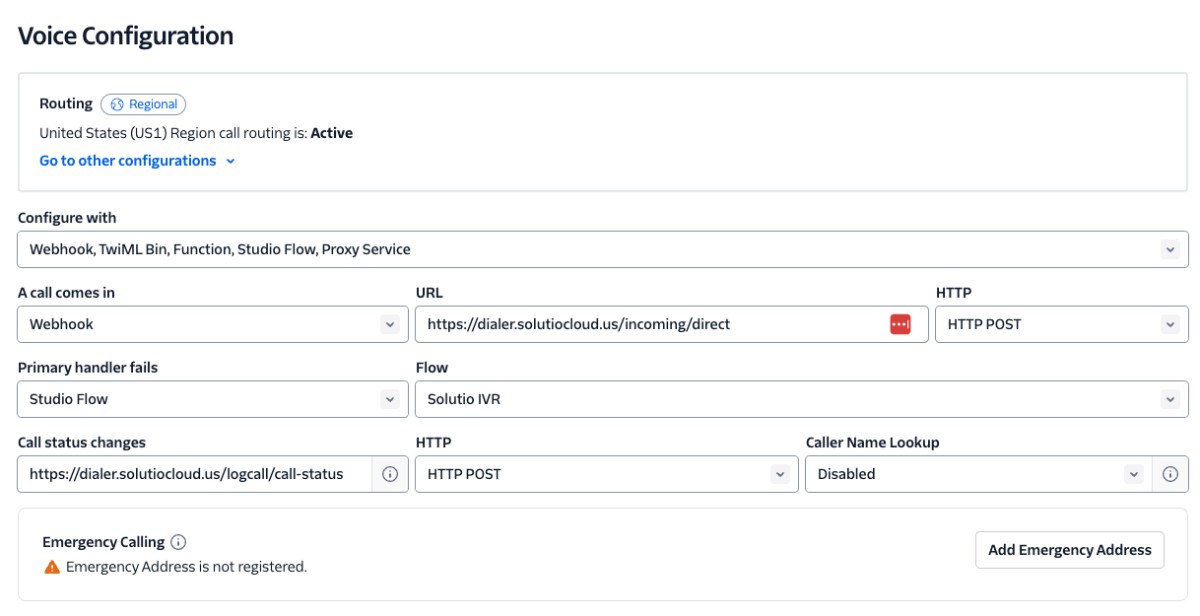
- Set Voice Configuration
- A call comes in -> Webhook
- URL
https://dialer.solutiocloud.us/incoming/direct
- Primary handler fails -> Studio Flow
- Flow -> Solutio IVR
- Call status changes
https://dialer.solutiocloud.us/logcall/call-status
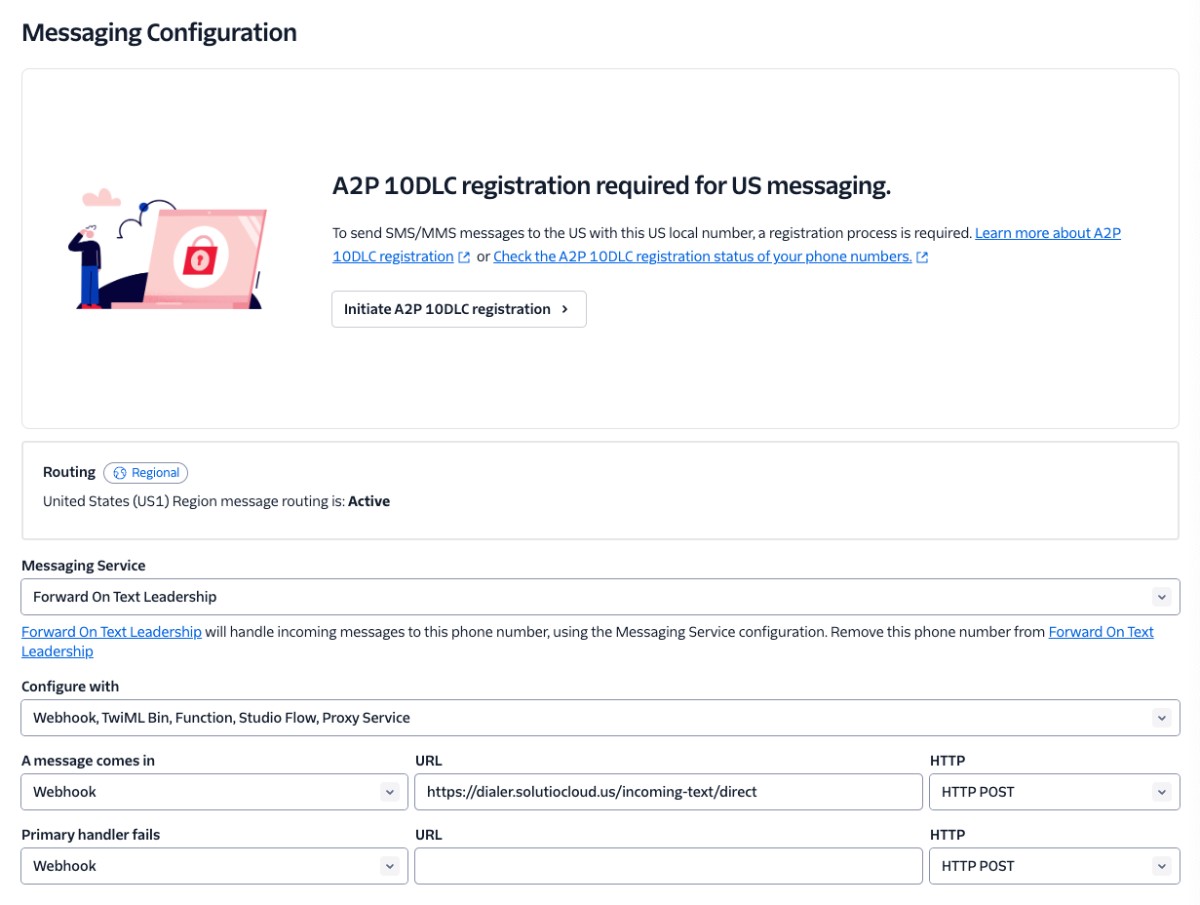
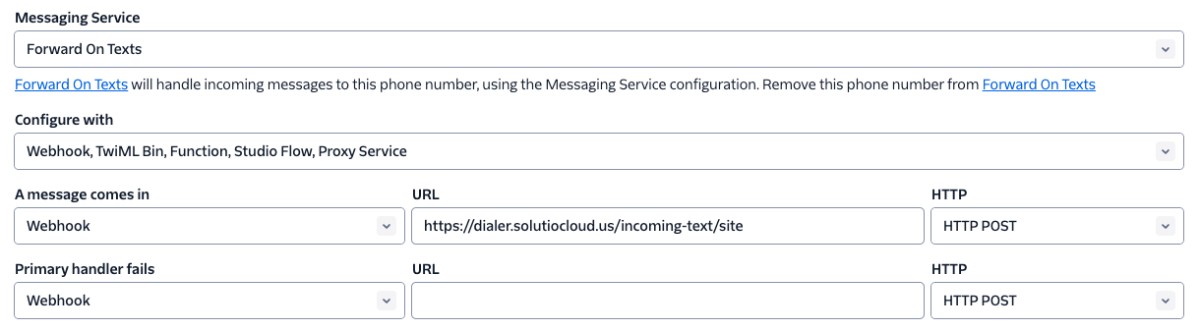
- Set Messaging Configuration
- Setup their number and client id Doma
- https://doma.solutiocloud.us/users-com-setup
- Phone -> type in new number
- Calling Method -> Dialer
- Mobile Phone (optional) -> their private cell phone if they want the system to call them
- Twl Client Id -> type in their resource code
- Voicemail -> record an audio file and then drag into the field