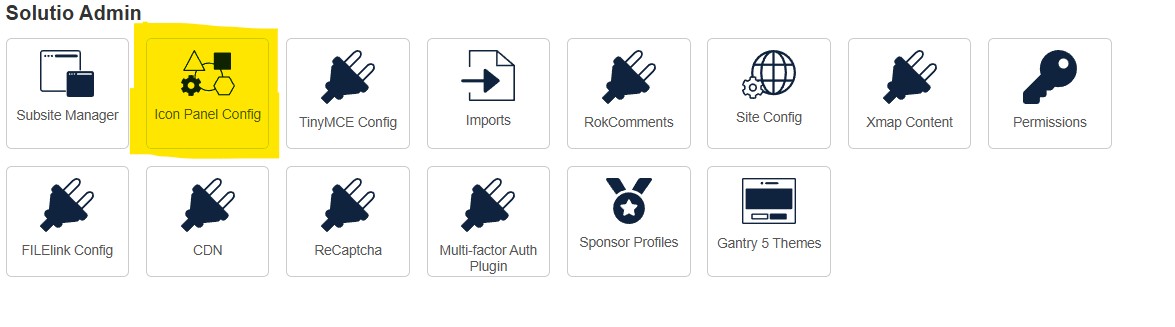
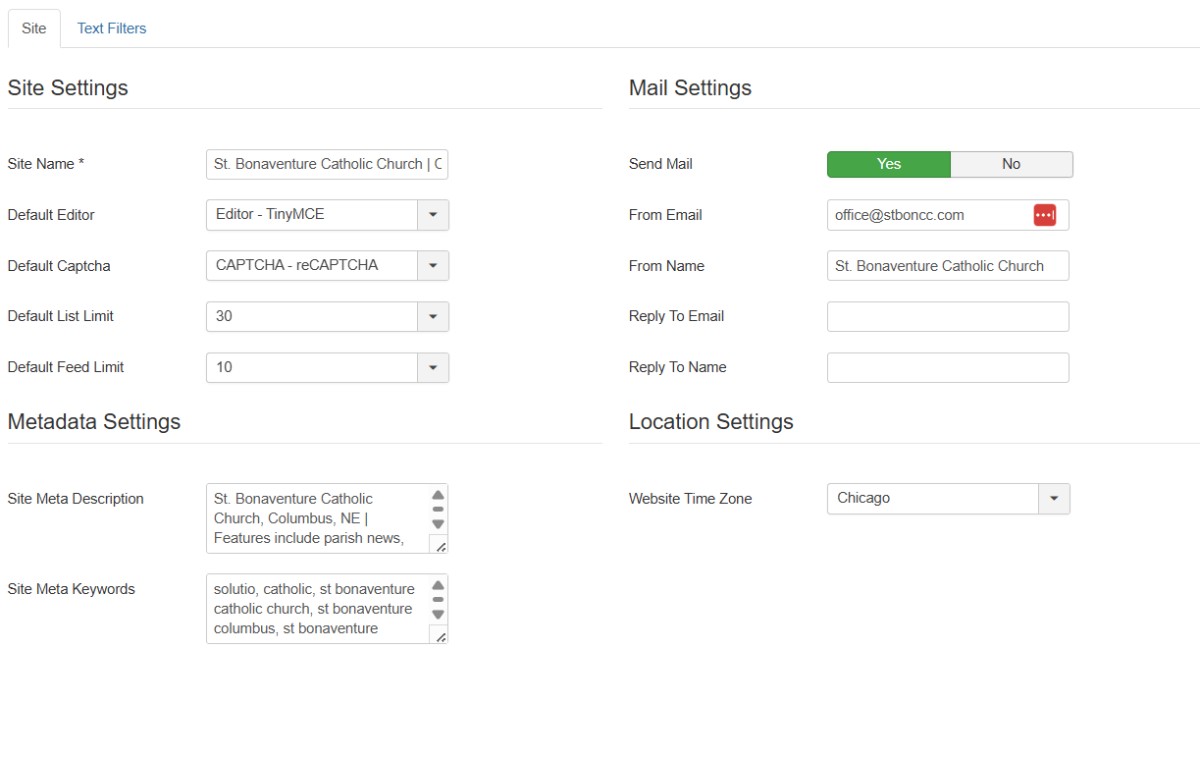
From the Control Panel Select Site Configure (under the Solutio Admin Section) a) Change title name of the Site Name to the name of the actual church, include city and state
b) Add Meta Description (example below) “XXXXXXXX. | Features include school news, event schedule, lunch menus, forms, school calendar, descriptions of all school programs, information and much more! ”
c) Add Meta tags(Example below, you can also use Chatgpt to create the tags) “'st john the beloved catholic school', 'st john school wilmington, de', 'wilmington, delaware catholic school', 'catholic school', 'st. john catholic school, de,' 'catholic school in delaware, ' 'st. john catholic school wilmington,'
d) update the timezone to match the client physical location
e) if you can/have one, add a functional email address to the From Email field for the client. Best if generic (office@ or info@) but don't make one up.