


Each teacher must have two categories:
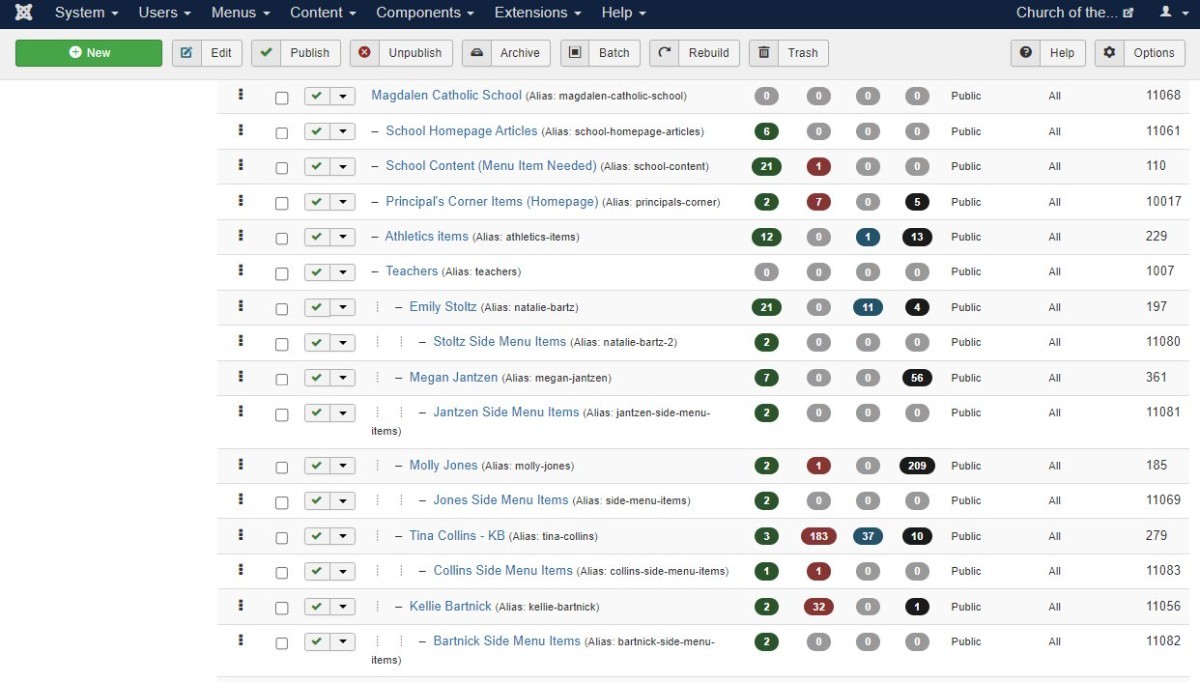
Create Categories
- Grade & Teacher Name category (e.g. 3A -Smith)
- Side Menu Category (e.g. 3A Side Menu Items)- The side menu category will contain additional pages such as assignments, newsletters, etc. (click image to enlarge)
Create Teacher Profile Article
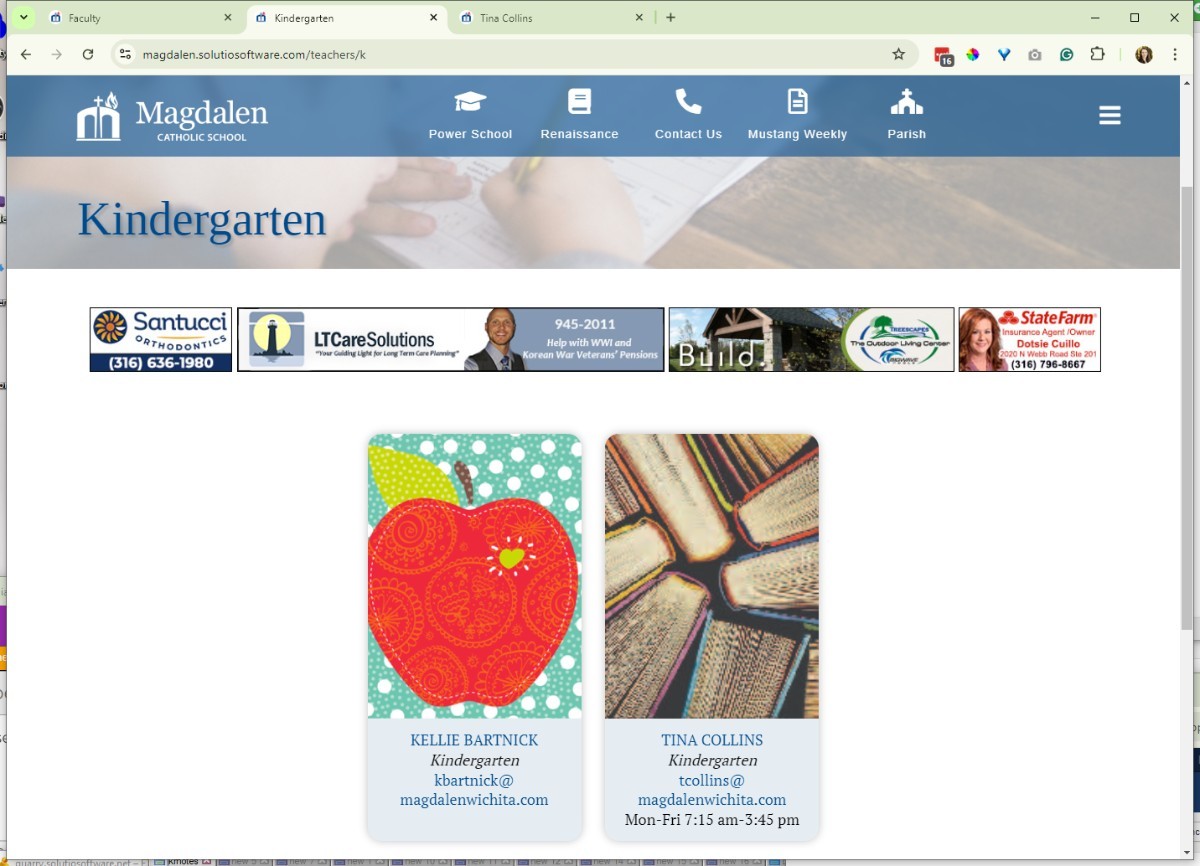
(This article contains the teachers contact info, i.e. photo, name, title, email, phone, bio etc.)
- The articles will be added under the "Grade & Teacher category"
- This article will be set to featured and will appear in the sidebar contact section.
Create Grade Page Articles
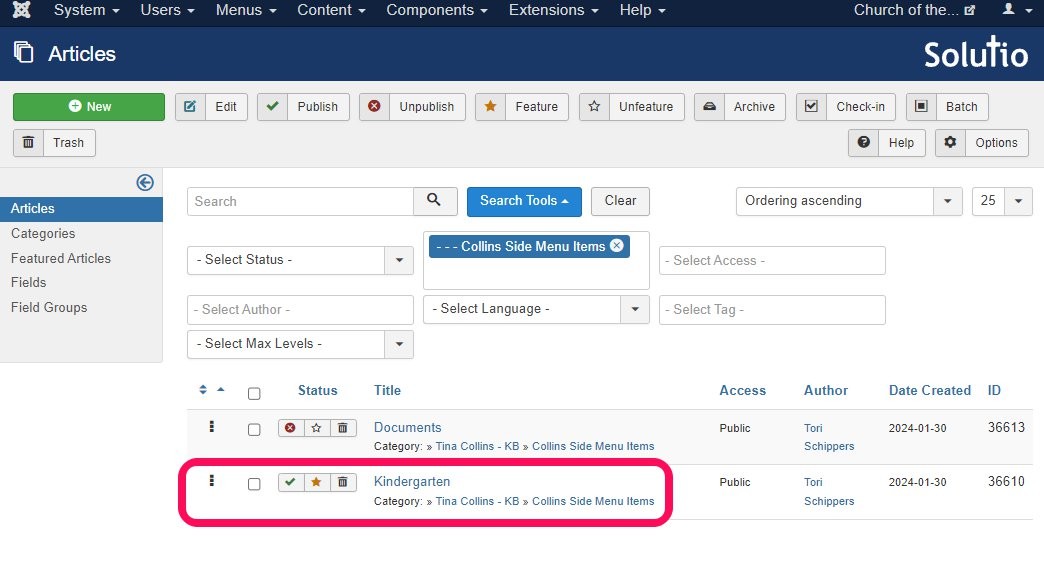
- Tile should be the name of the grade/class
- Set to featured
- Saved under the Side menu category
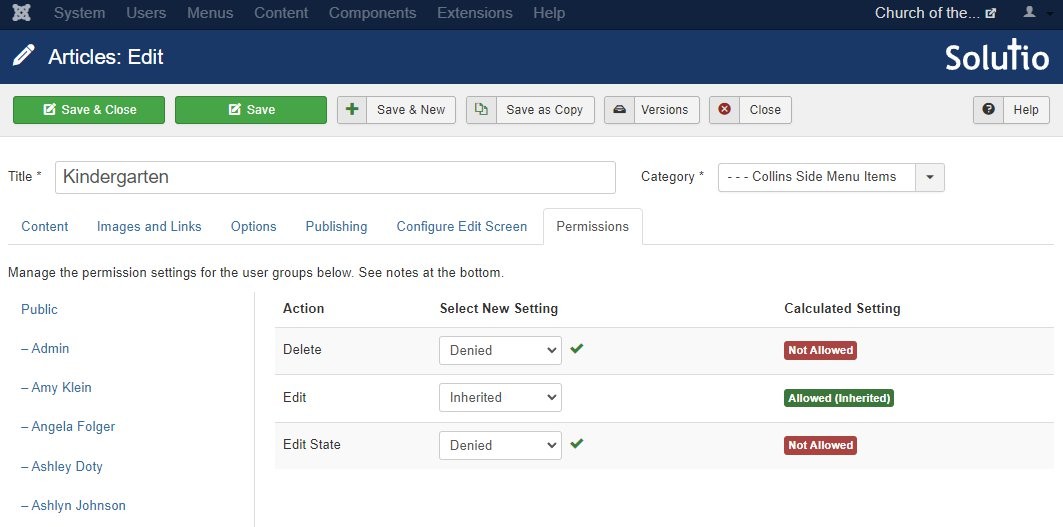
- Set permissions so that the teacher does not delete or unpublish both/either of these article:
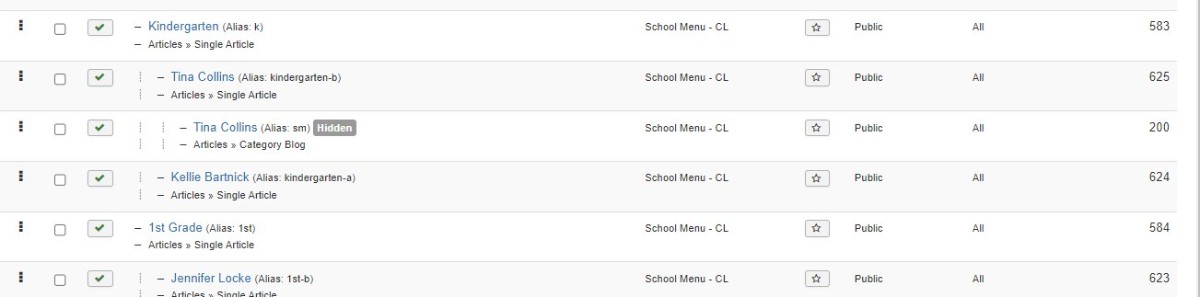
Create Menu Items
(Match the existing teacher menu structure on the site for each teacher)
- Create a single article menu item pulling from the Grade page article we just created.
- Set page class to school-staff-layout
- Create a blog or category list submenu item (otherwise side menu articles will not have a menu item to anchor from. But set it to hide in gantry settings)
Modules
(Each teach pages needs multiple grids)
- Page grid -Blog layout used for the main page content
- Featured article (Sidebar) Displays the teacher profile/contact info.
- Side Menus (Sidebar) - Shows the subcategory list of teacher pages.
- Documents - Only required if the site is older and already uses document modules.
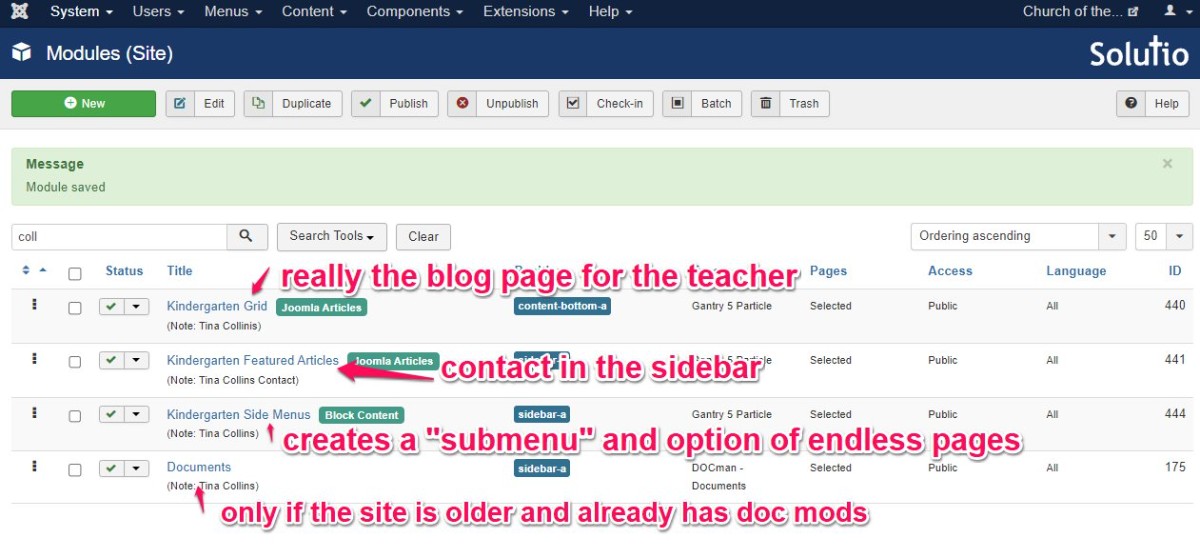
- There will also be a staff grid module on the class page (especially on bigger schools) if not one for all staff
User Group
Create a user group for the teacher.
- User Group - name by grade and teacher last name - so it is easy to update when teachers change - give permission access to their parent category (the child category will inherit the permissions) Naming format (e.g. 3A-Smith)
- User account with access to basic editor and their respective user group
Final Check before Completion
- Categories are created correctly
- Profile article is featured
- Grade page article is featured
- Menu item uses school-staff-layout
- Hidden category menu exists
- Modules are assigned
- User group and user account are set correctly