

- Email Andy to add Podcasting to website (if the parish wants it)
- Check the Feature Notes section in SBS to see if the client will be doing podcasting. if blank, assume no. -- Andy will create a category that links to the Podcast Manager
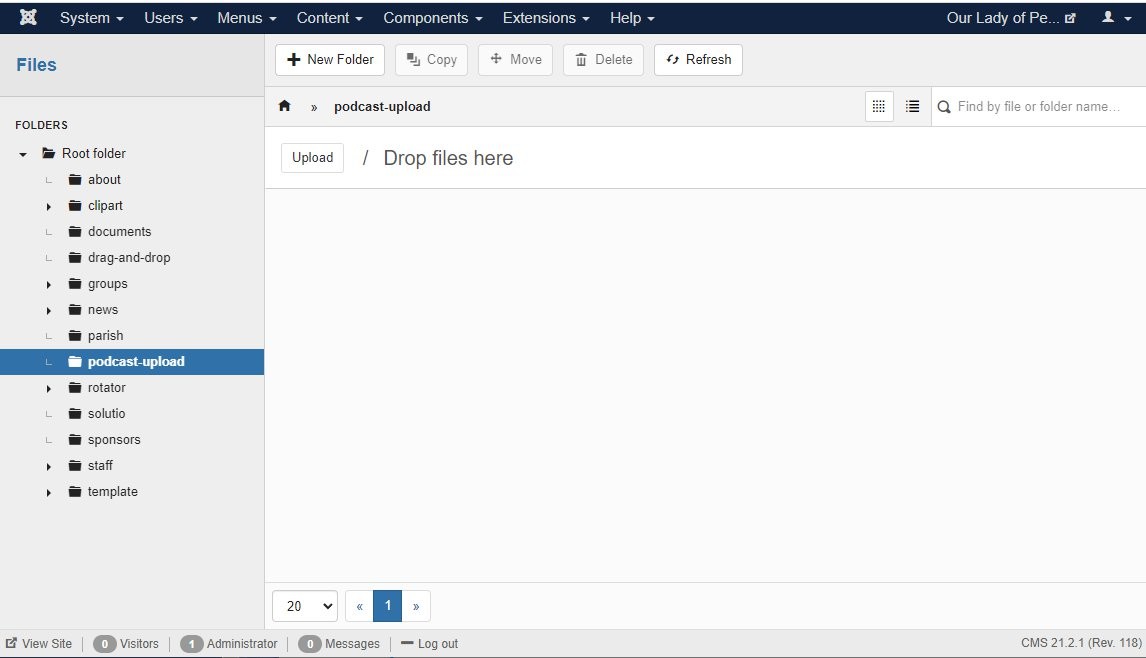
- Create folder in image manager, "podcast-upload" in the root folder
- Publish podcast upload and podcast manager icons in the icon panel manager

- Add this to the category description:
<table style="width: 100%;" border="0">
<tbody>
<tr>
<td>
<p>Podcasts are an easy way to listen to audio from Our Lady of Perpetual Help Catholic Church. <br />Click on a link below to listen to the various podcasts.<br /><br />RSS Feed<br /><a href="/podcasts/homilies.xml" target="_blank" rel="noopener noreferrer">http://SITEDOMAIN.ORG/podcasts/homilies.xml</a></p>
</td>
<td align="center">
<p><a class="readon" href="https://SITECODE.solutiosoftware.com/">Subscribe with iTunes</a></p>
<p>Coming soon</p>
</td>
</tr>
</tbody>
</table> - Create podcast or homily menu item: Category Blog --> two columns, set category description to show and hide article titles.
- Check to see that the podcast feature functions by uploading a mp3 to the site. HailMary-MP3.mp3
- User Information for all sites
- user: manager
-password: portal3pod
-
Menu & Content

- Podcasting
Podcasting
- Details
- Tori Schippers