

-
Articles

- Redesign Setup Steps Items
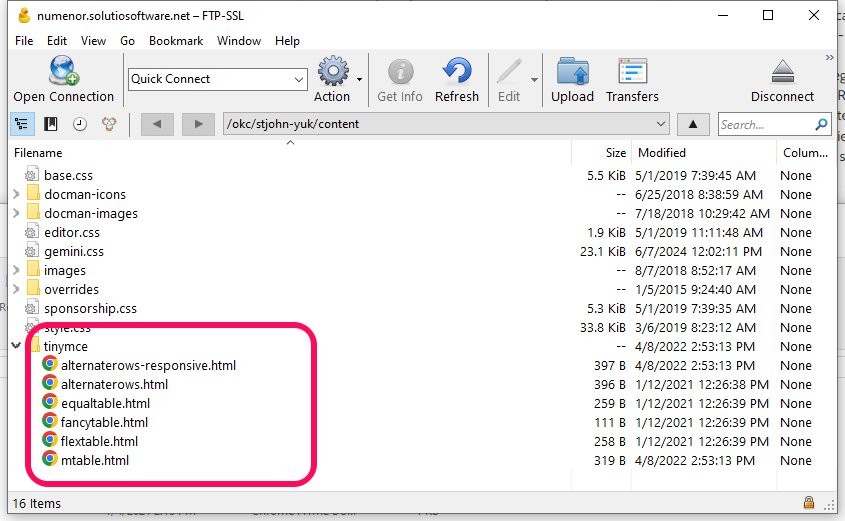
11. Check if TinyMCE templates are added
- Details
- Jackie Riddel
File path: Dropbox\Web\tinymce
The bilingual table should be listed first
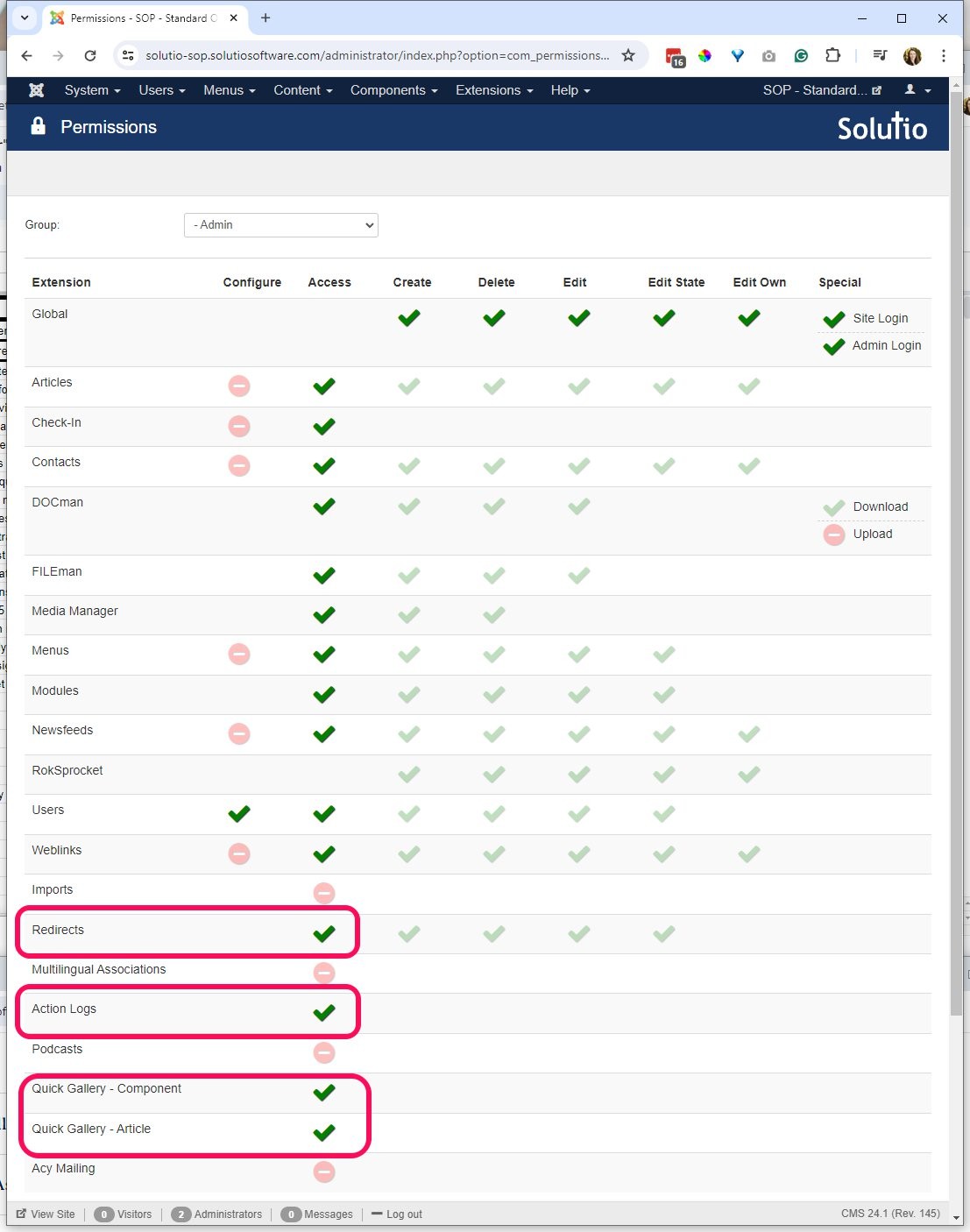
10. Give Admin permissions
- Details
- Jackie Riddel
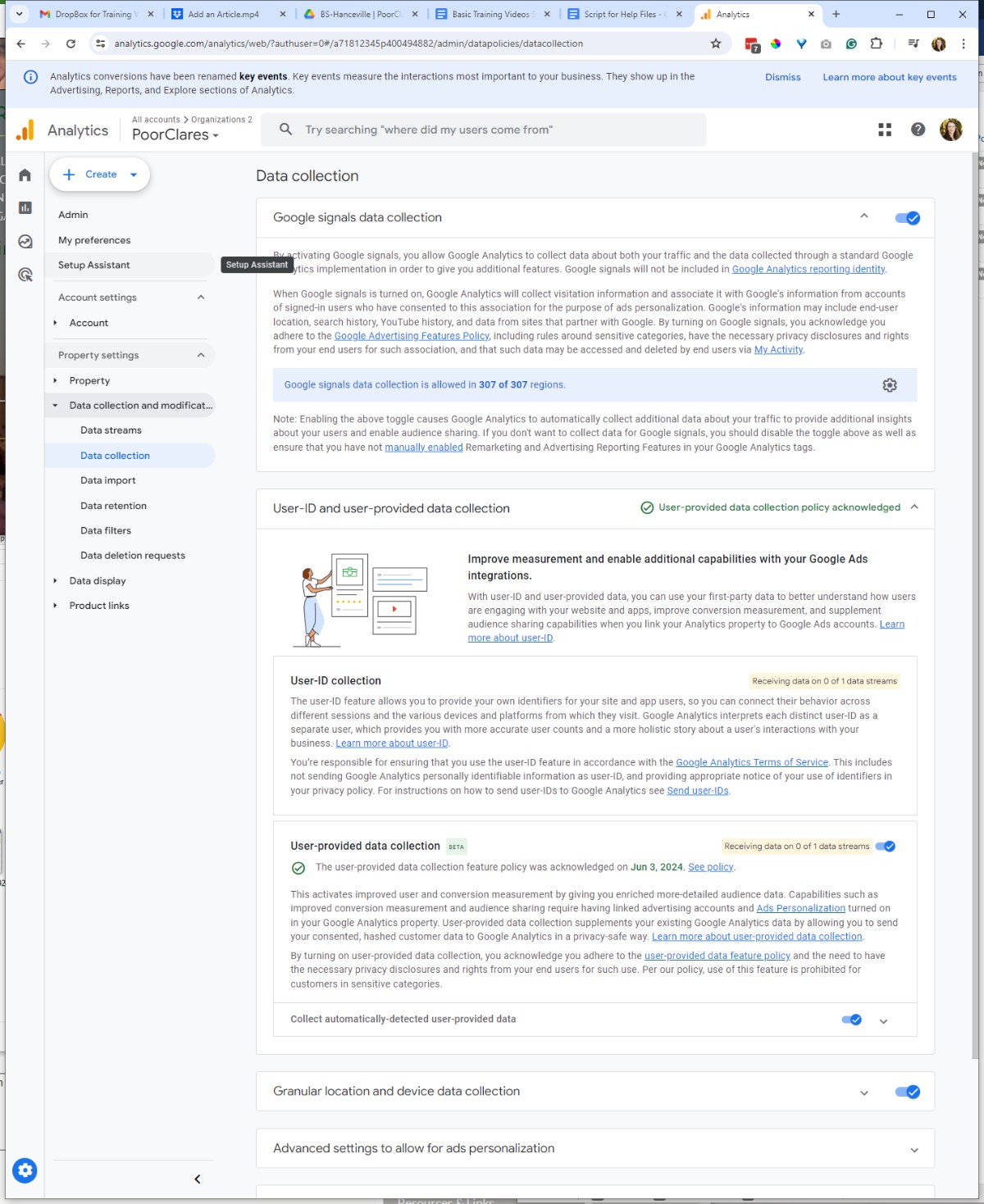
9. Activate Google Signals
- Details
- Jackie Riddel
Turn on the first, and the last (acknowledgment) setting in the property.
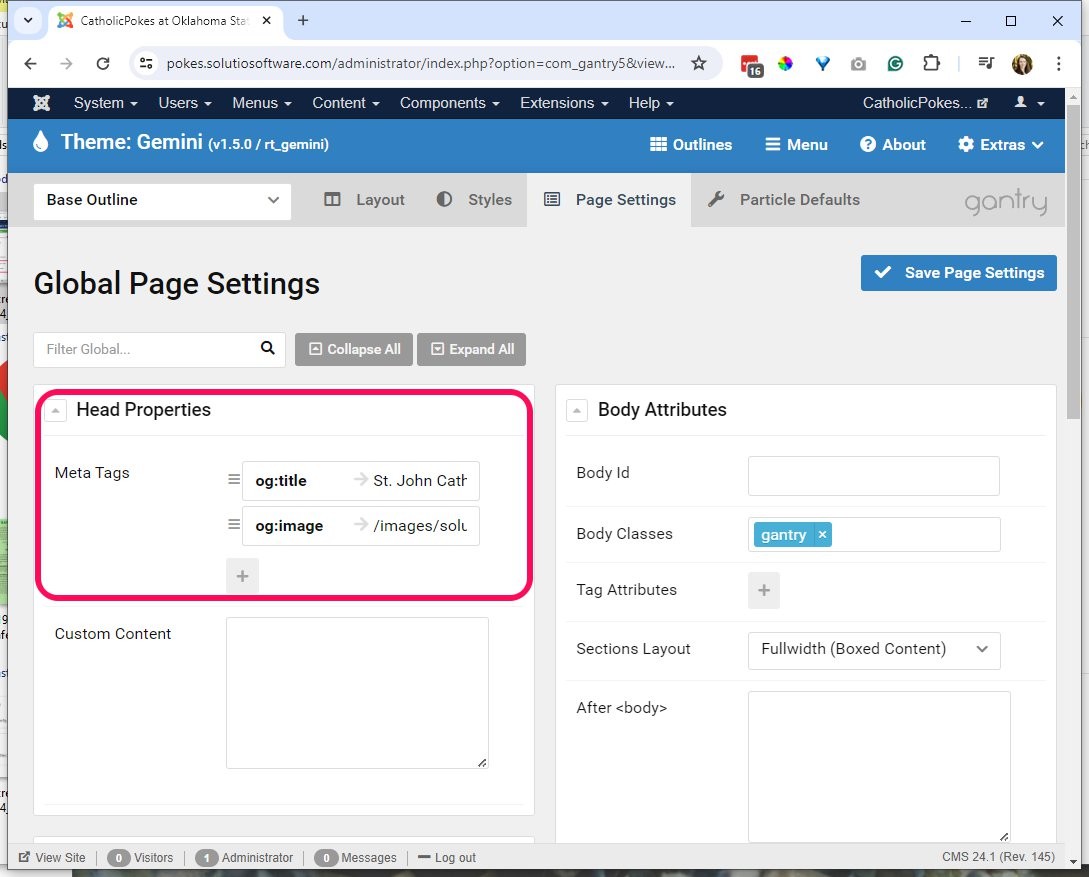
8. og:title and og:image
- Details
- Jackie Riddel
| <meta property="og:title" content="St. John Catholic Student Center" /> | |
| <meta property="og:image" content="/images/solutio/new-church-2023.jpg" /> |
St. John Catholic Student Center
/images/solutio/new-church-2023.jpg"
7. Activate Side Menu Module
- Details
- Jackie Riddel
- If not launched yet, copy existing Side Menu for Main Menu
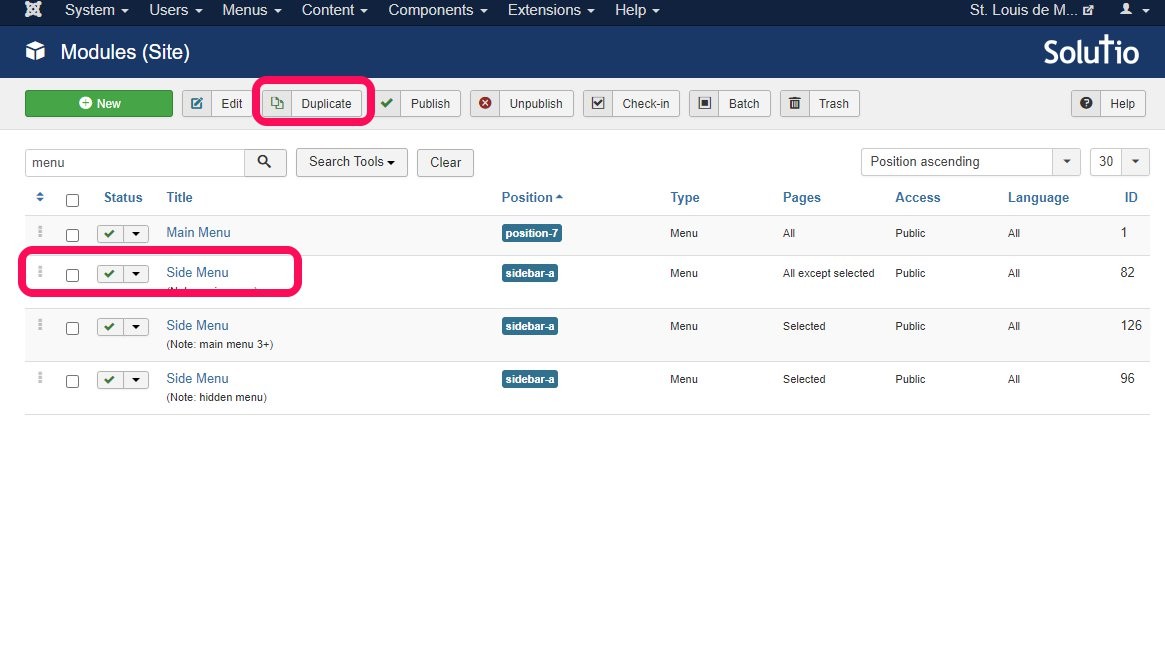
- Remove the position, assign to all pages, update the note to reflect new menu set - input the ID in the module instance particle in the site outline / base
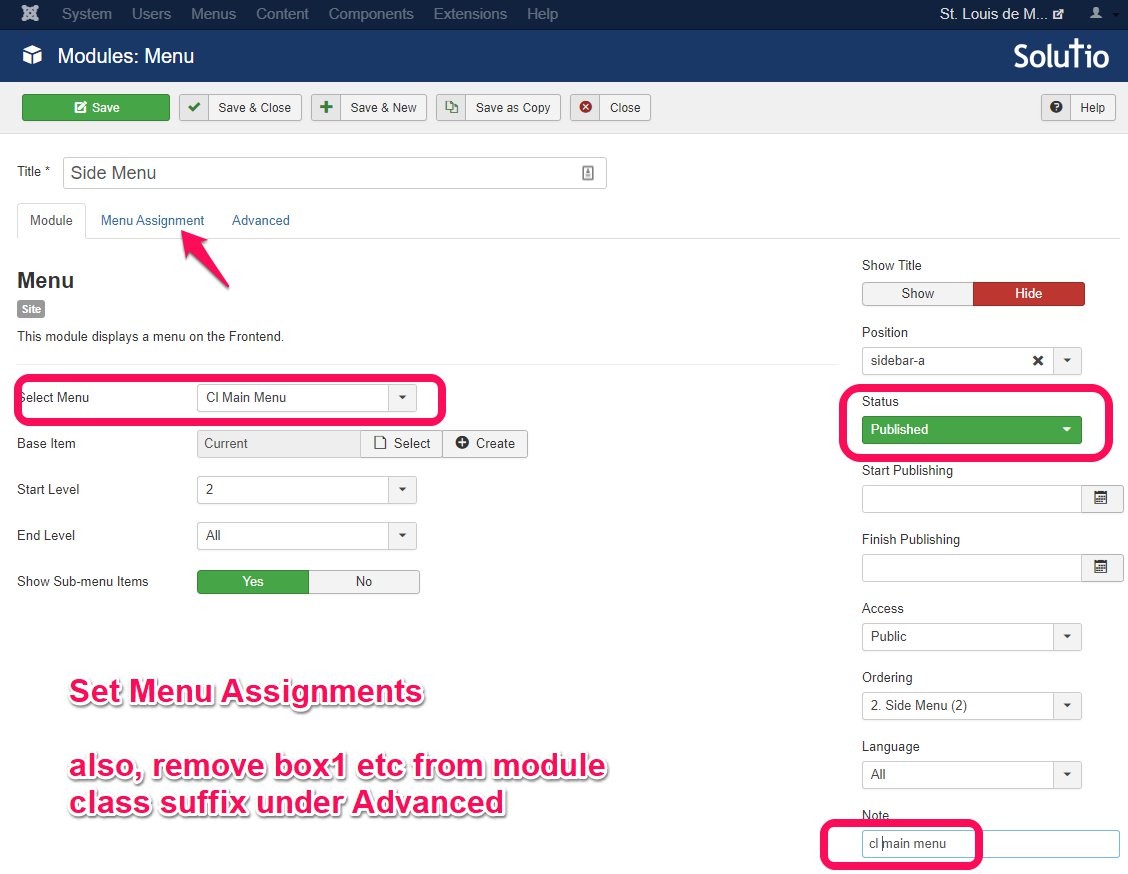
- Check the site to see that the side menu is actually appearing.
6. Page Title is not Home
- Details
- Jackie Riddel
(this will be complete already if new menu set copied the Home menu item in redesigns)
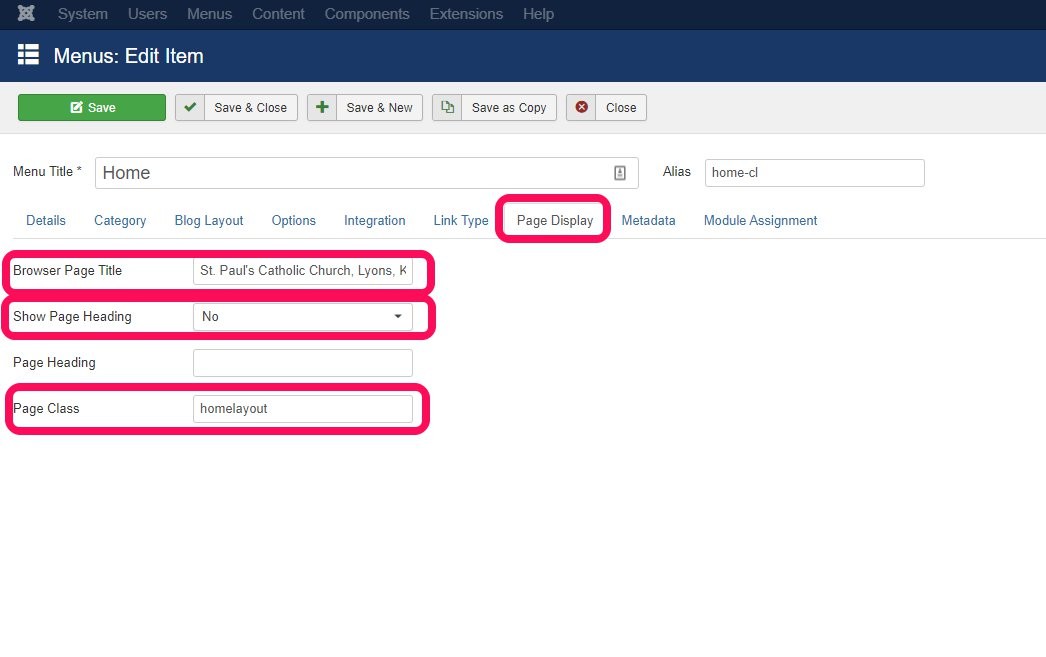
- On the home-cl menu item, visit the page display tab
- Updated the Browser Page Title, be sure to include city and state. Can likely copy from the existing home menu item
- Show Page Heading set to No or Use Global
- Page Class = homelayout
5. Create New Menu Sets (redesigns only)
- Details
- Jackie Riddel
Create New Menu Sets (Only applies to redesigns, not new sites)
- CL Main Menu
- CL Hidden Menu
- CL Secondary Menu
What are the New categories??
4. Replace PNGs with SVG icons on the Control Panel
- Details
- Jackie Riddel
See SVG import instructions / video
https://sop.solutiosoftware.com/defaults-setup/svg-control-panel
3. Tiny MCE Editor editor.css setting
- Details
- Jackie Riddel
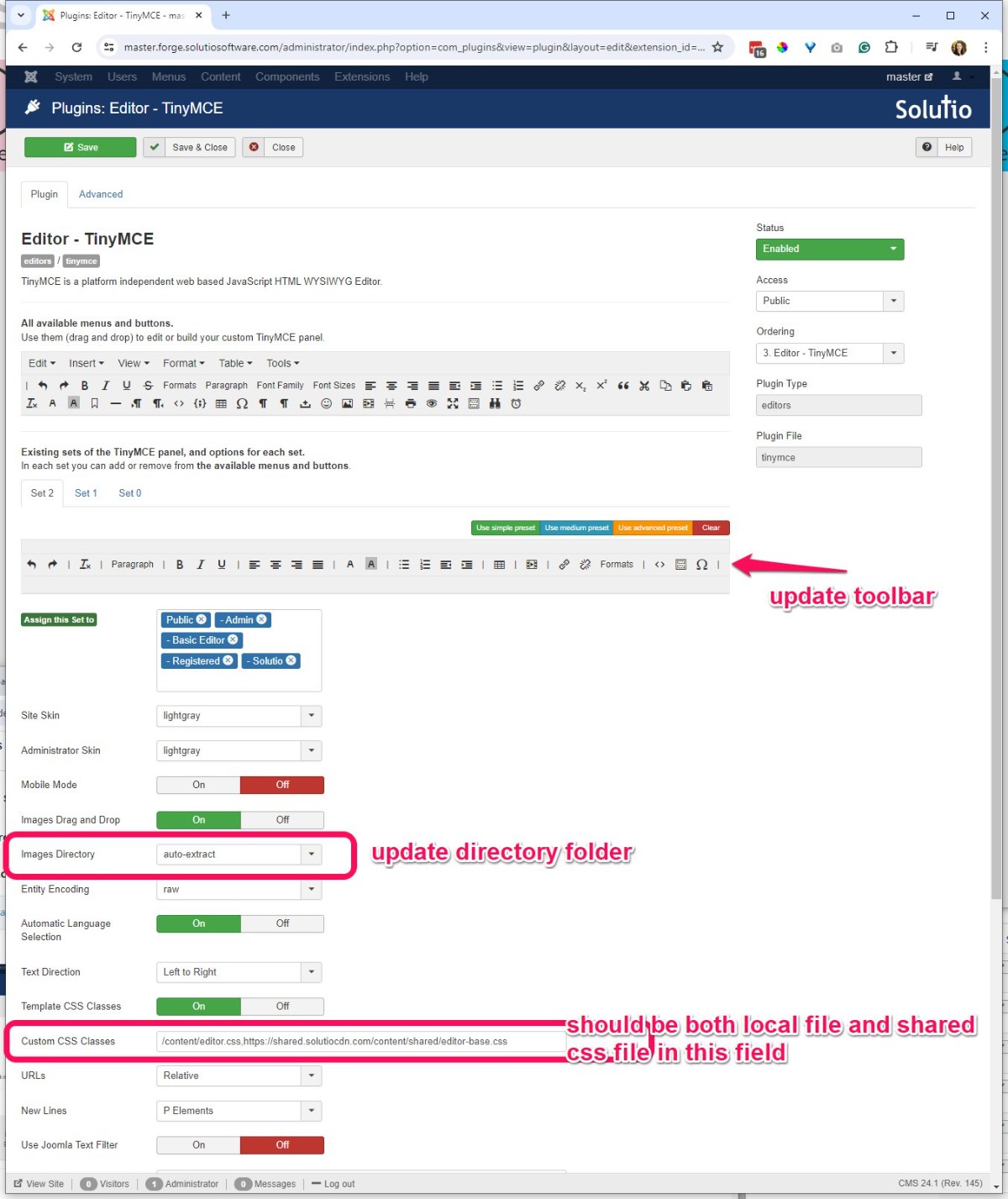
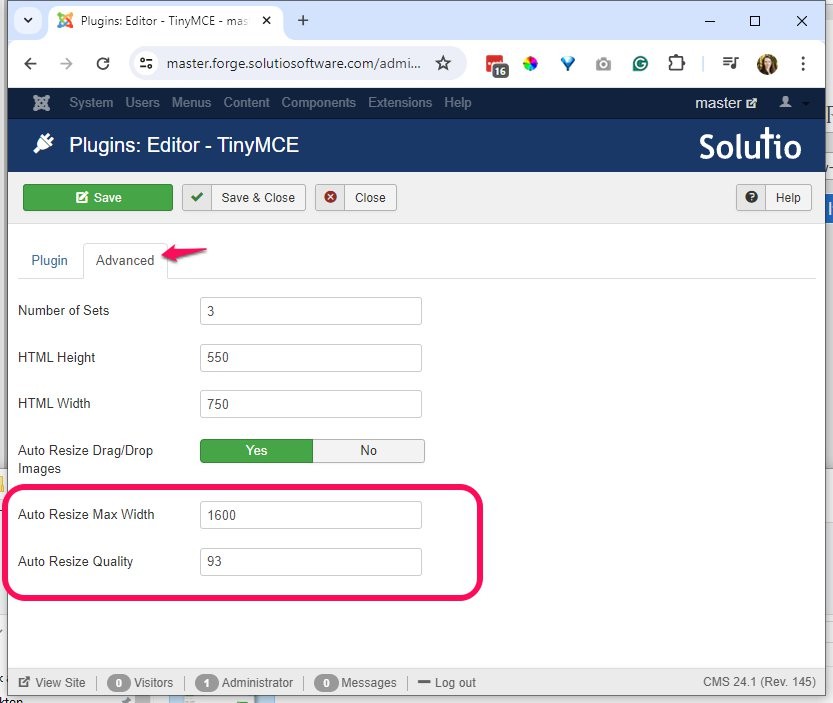
Visit Tiny MCE Editor from the control panel -- update the tool bar to match Manual Version 3.8 - check the custom CSS Classes for the editor.css files
-
Default editor.css and shared editor.css
/content/editor.css,https://shared.solutiocdn.com/content/shared/editor-base.css
2. Site Assets in Page Settings
- Details
- Jackie Riddel
These should be imported along with the template 6.4.2024.
- Assets
- Visit https://styles.solutiosoftware.com/other-effects/default-css-for-editor to see the most recent list of assets to add -- if it does not match what is below
8.14.20
Fav: gantry-media://template/favicon.png
Touch: gantry-media://template/apple-touch.pngUPDATED 2.24.22 : https://shared.solutiocdn.com/content/shared/ ...
content/override.css priority 1
//shared.solutiocdn.com/content/shared/fonts.css priority 2
//shared.solutiocdn.com/content/shared/clarity2.css priority 5
//shared.solutiocdn.com/content/shared/particle.css priority 6
//shared.solutiocdn.com/content/shared/sponsorship.css priority 10 (only if sponsorship)
//shared.solutiocdn.com/content/shared/base2.css priority 10Before June 2022
//shared.solutiocdn.com/content/shared/base.css priority 10
//shared.solutiocdn.com/content/shared/sprocket.css priority 6Javascript
//shared.solutiocdn.com/content/shared/particle.js
//www.solutiocloud.us/js/directory.js (only if sponsorship) - Recommend checking the most recently launched site to check and compare --- be careful not to confuse the two sites and make edits to the already launched site.
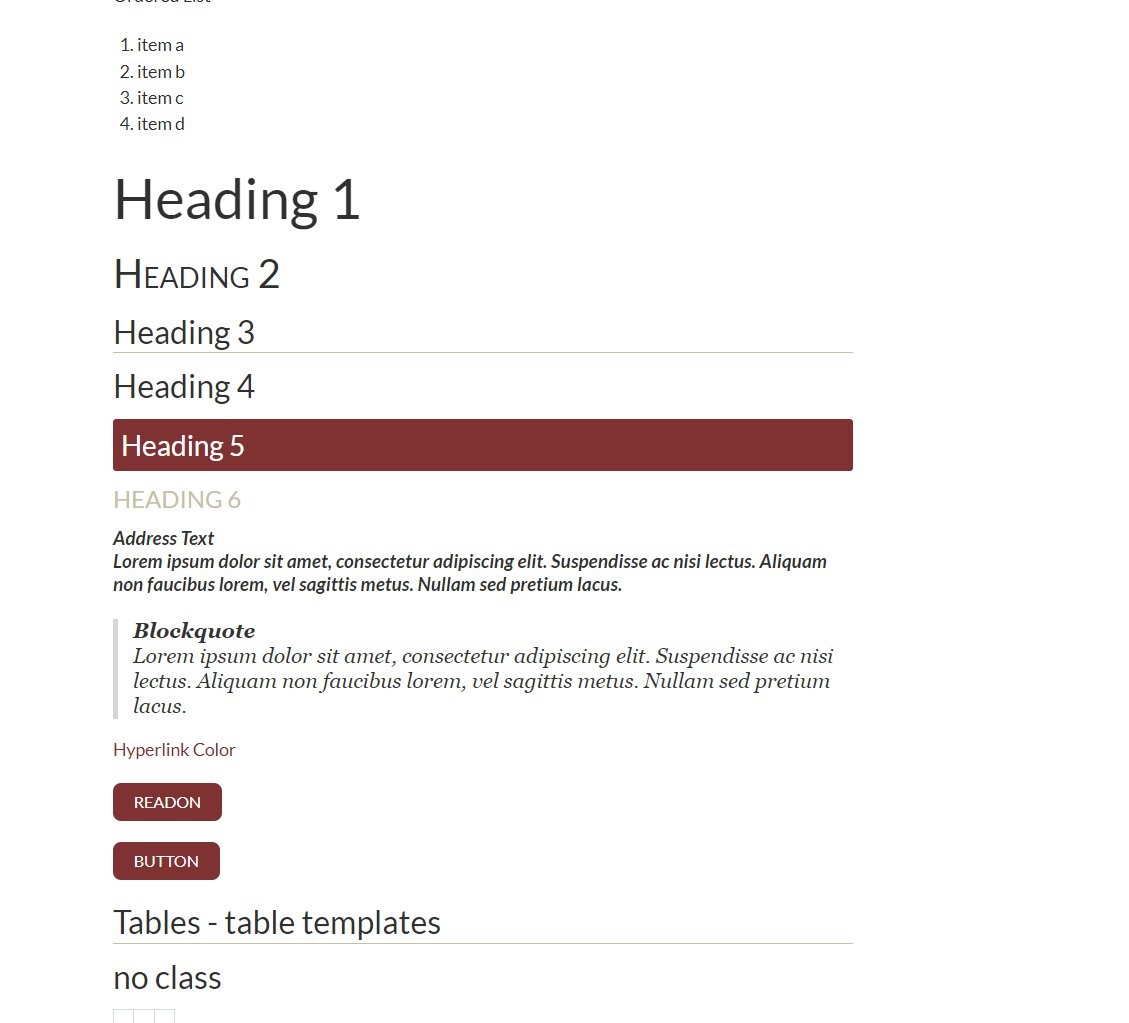
- Visit /styles on the site to see if /fonts.css is working. Heading 5 should have a background like screenshot. If not something is wrong with the asset (i.e. wrong URL or space at the end of the file path)
- Visit https://styles.solutiosoftware.com/other-effects/default-css-for-editor to see the most recent list of assets to add -- if it does not match what is below