

-
Articles

- Homepage Build Articles
Animate on Scroll (Studius)
- Details
- Al Jirak
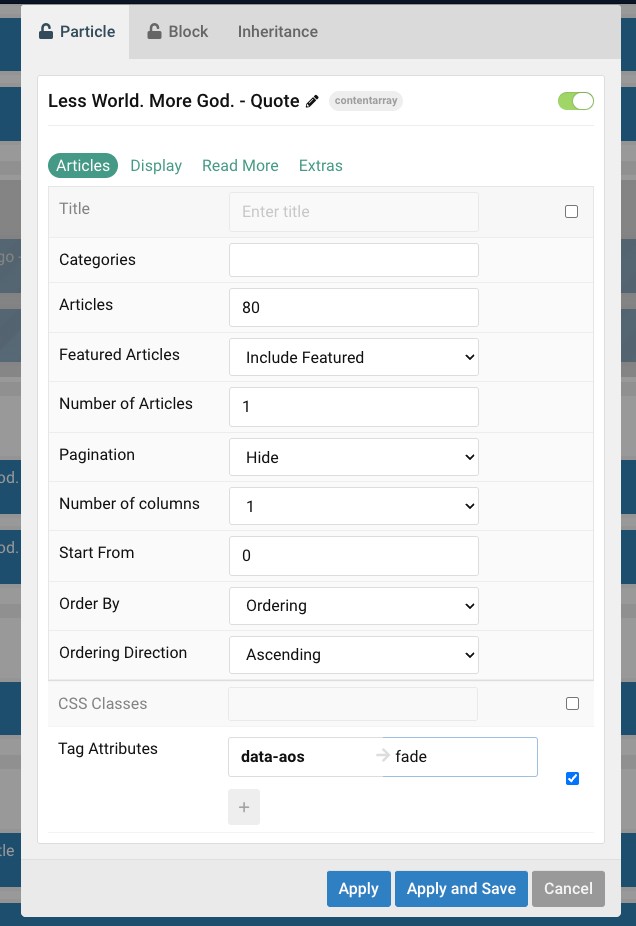 Common Fade Animations:
Use these attributes to make elements fade into view from different directions:
data-aos="default-animation": Jeremy's custom fade in (more subtle).data-aos="fade": Simple fade-in effect.data-aos="fade-up": Fades in from the bottom.data-aos="fade-down": Fades in from the top.data-aos="fade-left": Fades in from the right.data-aos="fade-right": Fades in from the left.data-aos="fade-up-right"data-aos="fade-up-left"data-aos="fade-down-right"data-aos="fade-down-left"
Common Slide Animations:
Use these attributes to make elements slide into view from different directions:
data-aos="slide-up": Slides in from the bottom.data-aos="slide-down": Slides in from the top.data-aos="slide-left": Slides in from the right.data-aos="slide-right": Slides in from the left.
Example Usage:
Here's how you would apply these attributes directly in your HTML:
<div data-aos="fade-up">
    Your content here will fade in from the bottom.
</div>

<img src="/your-image.jpg" alt="Description" data-aos="slide-left" data-aos-delay="300">
Controlling Animation Behavior (Optional)
You can further customize the animations using these additional data-aos attributes:
Default is 1000ms
data-aos-duration="[milliseconds]":- Sets the animation duration.
- Example:
data-aos-duration="1000"for 1 second. - Values: From 0 to 3000 milliseconds, with a step of 50ms.
data-aos-delay="[milliseconds]":- Sets a delay before the animation starts.
- Example:
data-aos-delay="500"for a 0.5-second delay. - Values: From 0 to 3000 milliseconds, with a step of 50ms.
data-aos-easing="[easing-function]":- Sets the easing function (how the animation progresses over time).
- Example:
data-aos-easing="ease-in-out". - Common values include:
linear,ease,ease-in,ease-out,ease-in-out,ease-back,ease-out-back,ease-in-back,ease-sine,ease-out-sine,ease-in-sine,ease-quad,ease-out-quad,ease-in-quad,ease-cubic,ease-out-cubic,ease-in-cubic,ease-quart,ease-out-quart,ease-in-quart.
data-aos-once="true":- Makes the animation happen only once when the element first enters the viewport while scrolling down.
- If set to
false(default), the animation will re-trigger every time the element enters the viewport.
data-aos-offset="[pixels]":- An offset (in pixels) from the original trigger point.
- Example:
data-aos-offset="200"will trigger the animation when the element is 200px from the bottom of the viewport.