-
Articles

- Setup & Default Items
Google Analytics GA4 & Website Traffic
- Details
- Tori Schippers

Documentation updated 2/21/25 check Alex's instructions
New video created 7.7.25
Check to see if analytics is created
25 seconds - create a new property in analytics
2:00 - plug in measurement ID to google tools module
2:20 - activate google signals
3:00 - set up key events
4:00 - add webmaster verification via google search console
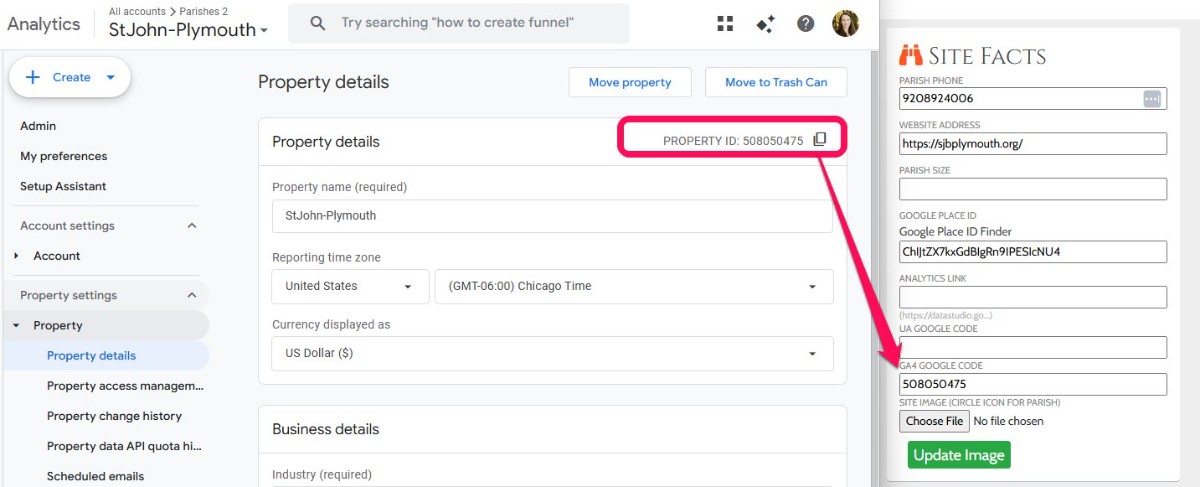
4:45 - add property ID to Site Facts in SBS profile
5:00 - update website traffic control panel icon
5:30 - update directory passcode in business directory and sponsorship articles
====================================================================================
ADD Dimensions to the new GA4 Property (Alex's instructions)
Setup
NOTE: modified 2.19.25
1. create a new GA4 Property
2. copy the measurement ID (eg, G-LK87PRH95E) and paste into the Google Tools module
3. Switch toggle to the GTag Format
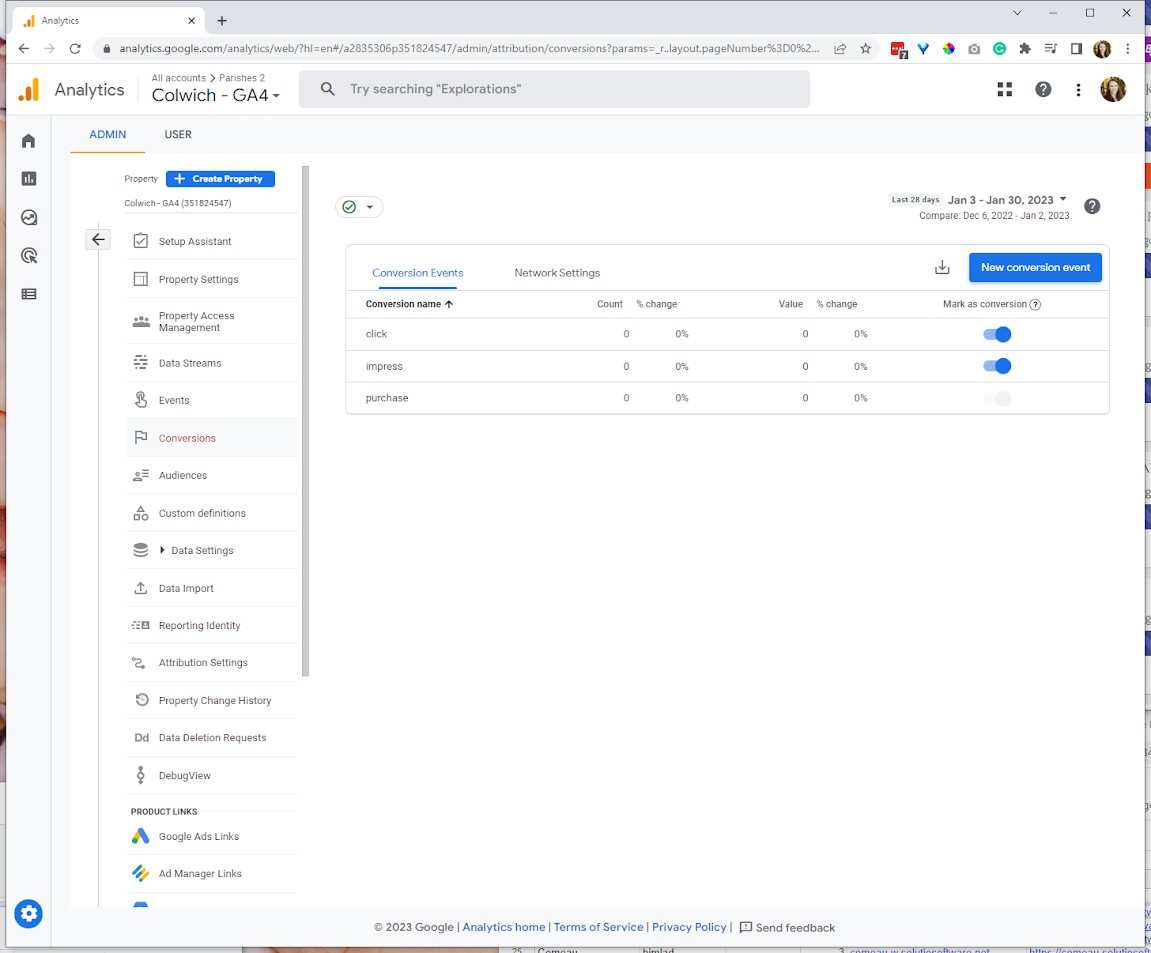
4. In Admin->Property Settings->Data display->Key Events --- CREATE new key events
click
impress
make sure the toggle the switch under "Mark as key event" is on
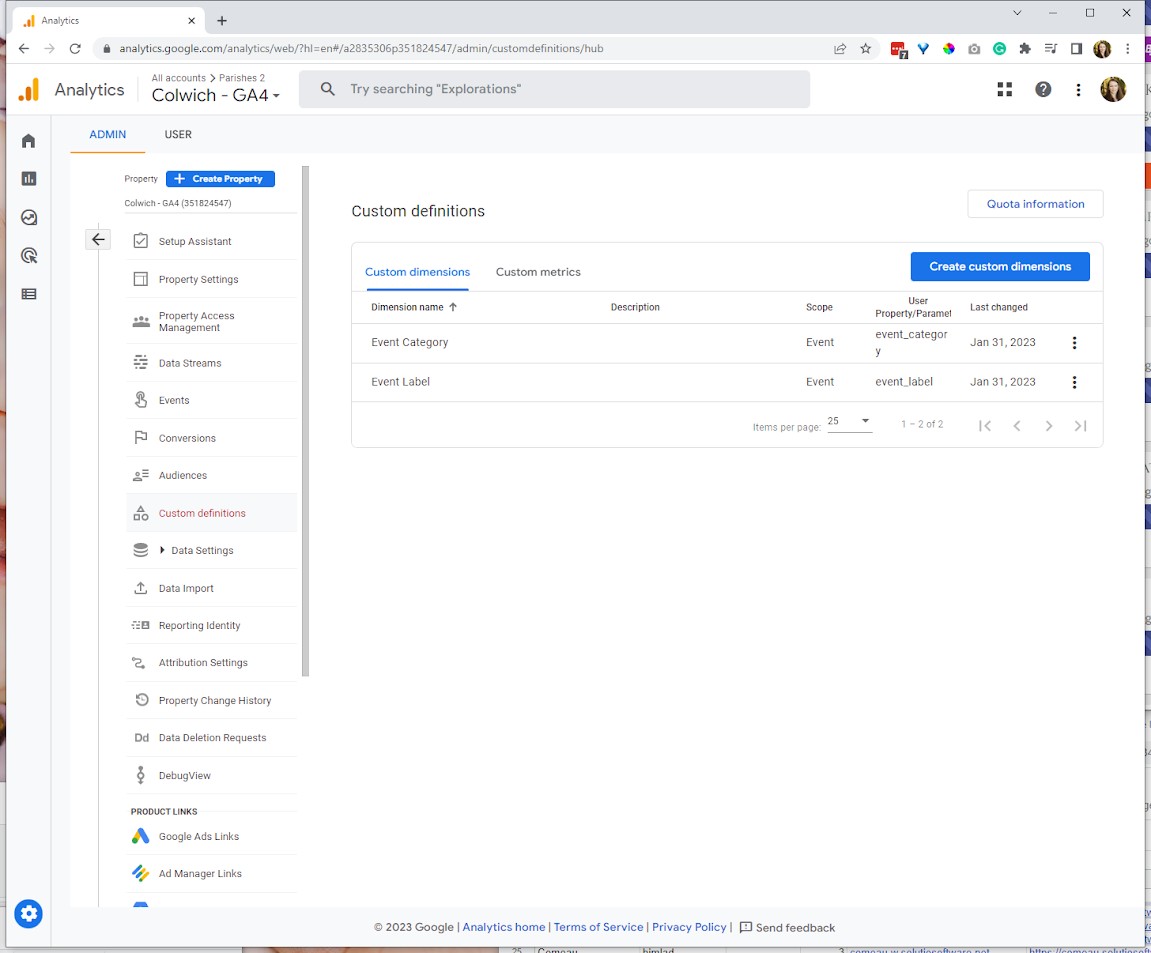
5. In Admin->Property Settings->Data display->Custom definitions add two new custom dimensions
(see below):
First Dimension:
- Dimension Name is "Event Category"
- Scope is "Event"
- Description - leave blank
- Event parameter (most important) is "event_category"
Second Dimension:
- Dimension Name is "Event Label"
- Scope is "Event"
- Description - leave blank
- Event parameter (most important) is "event_label"
Data
- to see the data go to Reports->Engagement->Event and select either the "impress" or "click" event
Site Title, Description, and Tags
- Details
- Tori Schippers

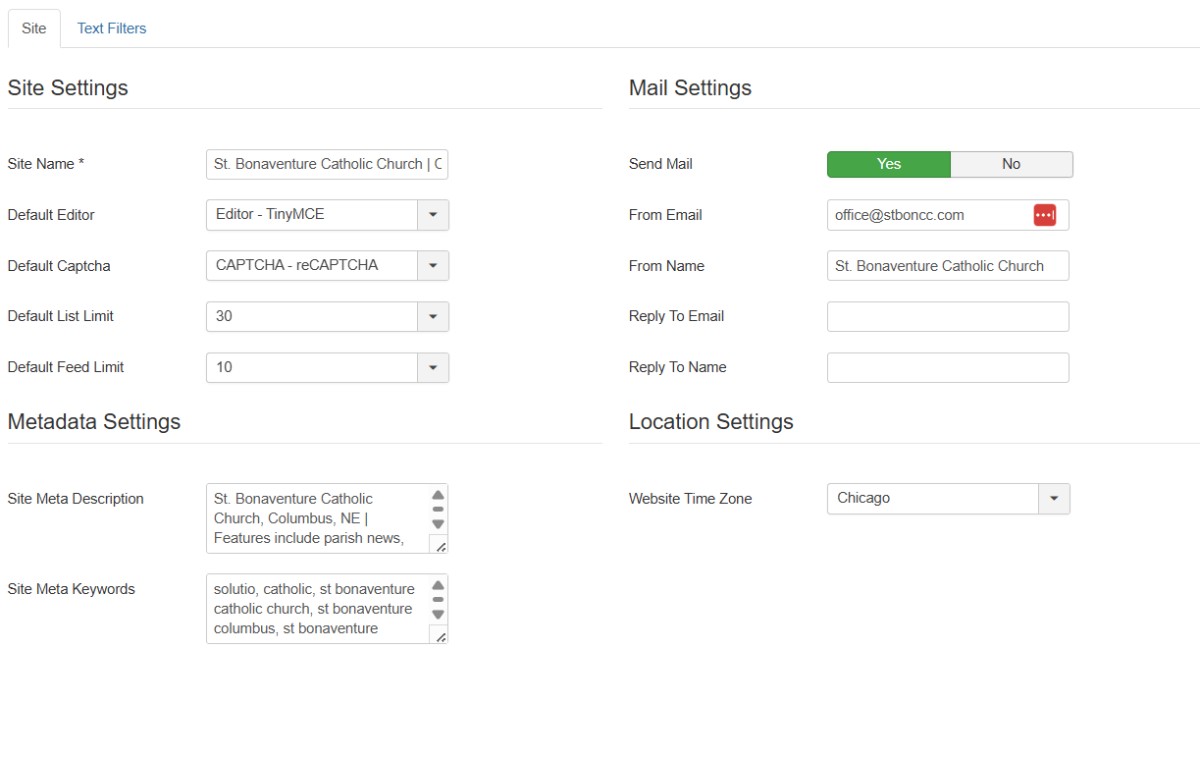
- From the Control Panel Select Site Configure (under the Solutio Admin Section)
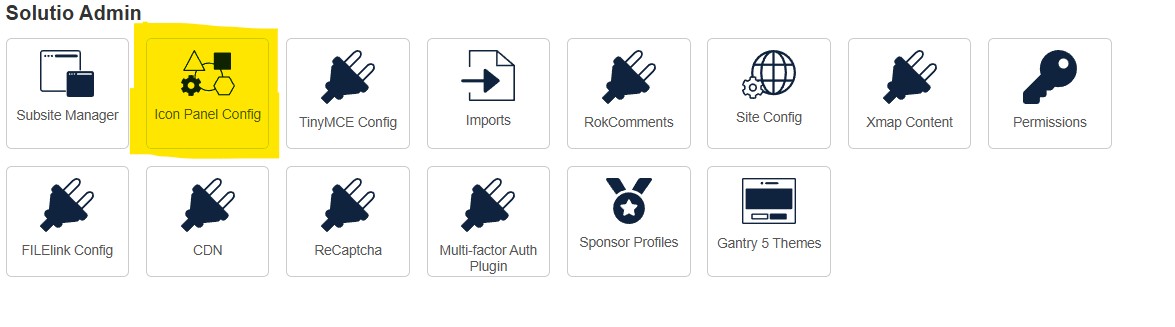
a) Change title name of the Site Name to the name of the actual church, include city and state
b) Add Meta Description (example below)
“XXXXXXXX. | Features include school news, event schedule, lunch menus, forms, school calendar, descriptions of all school programs, information and much more! ”
c) Add Meta tags(Example below, you can also use Chatgpt to create the tags)
“'st john the beloved catholic school', 'st john school wilmington, de', 'wilmington, delaware catholic school', 'catholic school', 'st. john catholic school, de,' 'catholic school in delaware, ' 'st. john catholic school wilmington,'
d) update the timezone to match the client physical location
e) if you can/have one, add a functional email address to the From Email field for the client. Best if generic (office@ or info@) but don't make one up.