


Google workspace is starting to require all workspace administrator accounts and Google cloud accounts to activate 2 Step authentication. The problem is that if these settings are not allowed then users can't set it up on their own. If a workspace account does not have 2 step set up already or our workspace admin account is locked out this is likely the issue.
If you are unable to login to google workspace because its already locked out you will need to fill out this form for the account and request an extension to the 2SV enforcement date. After Google lets you back in be sure to set up these settings and activate 2-step on the account so we don't get locked out again.
https://toolbox.googleapps.com/apps/recovery/form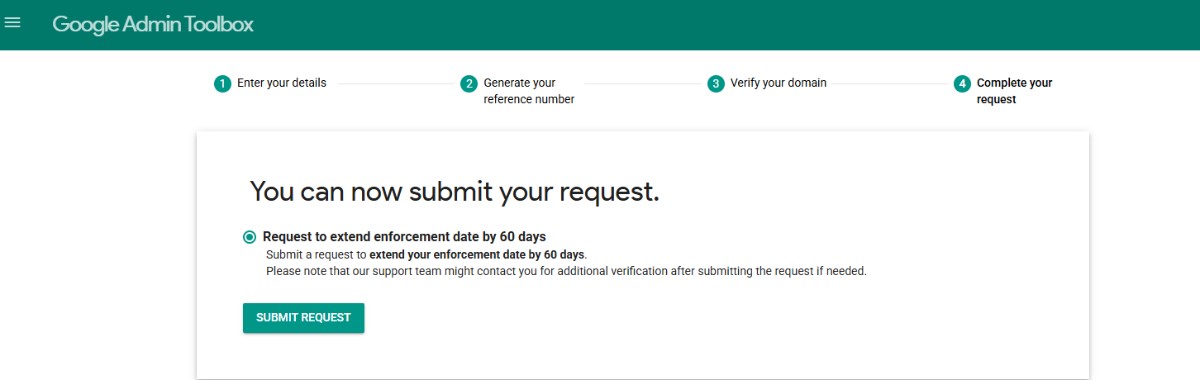
Updated settings in google workspace.
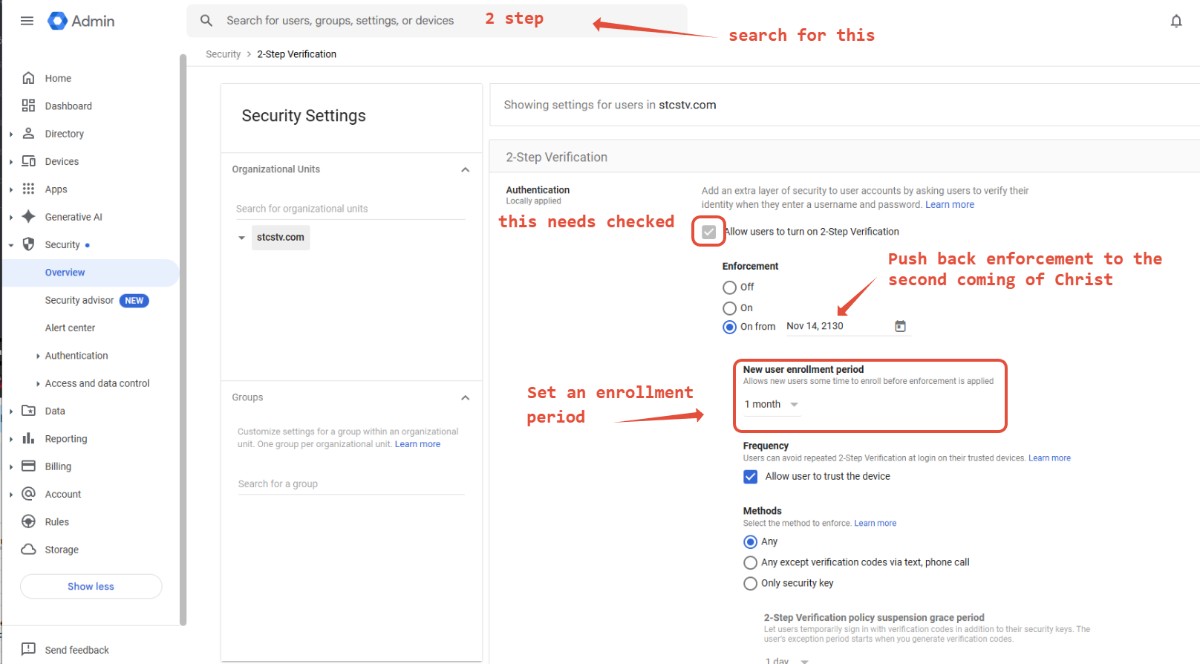
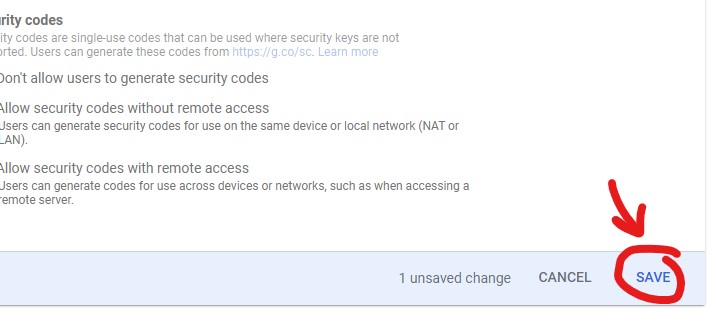
Don't forget to save these:
After those settings are set up the next time you sign into the account it should request you to set up 2 Step verification. Make sure to do that.