Sync is only once every 24 hours.
If an event changes details, the sync will not detect event changes. Instead, remove the event and re-add with correct details for the event to sync correctly.
Has to be the main calendar of an outlook account to be able to be set to public.
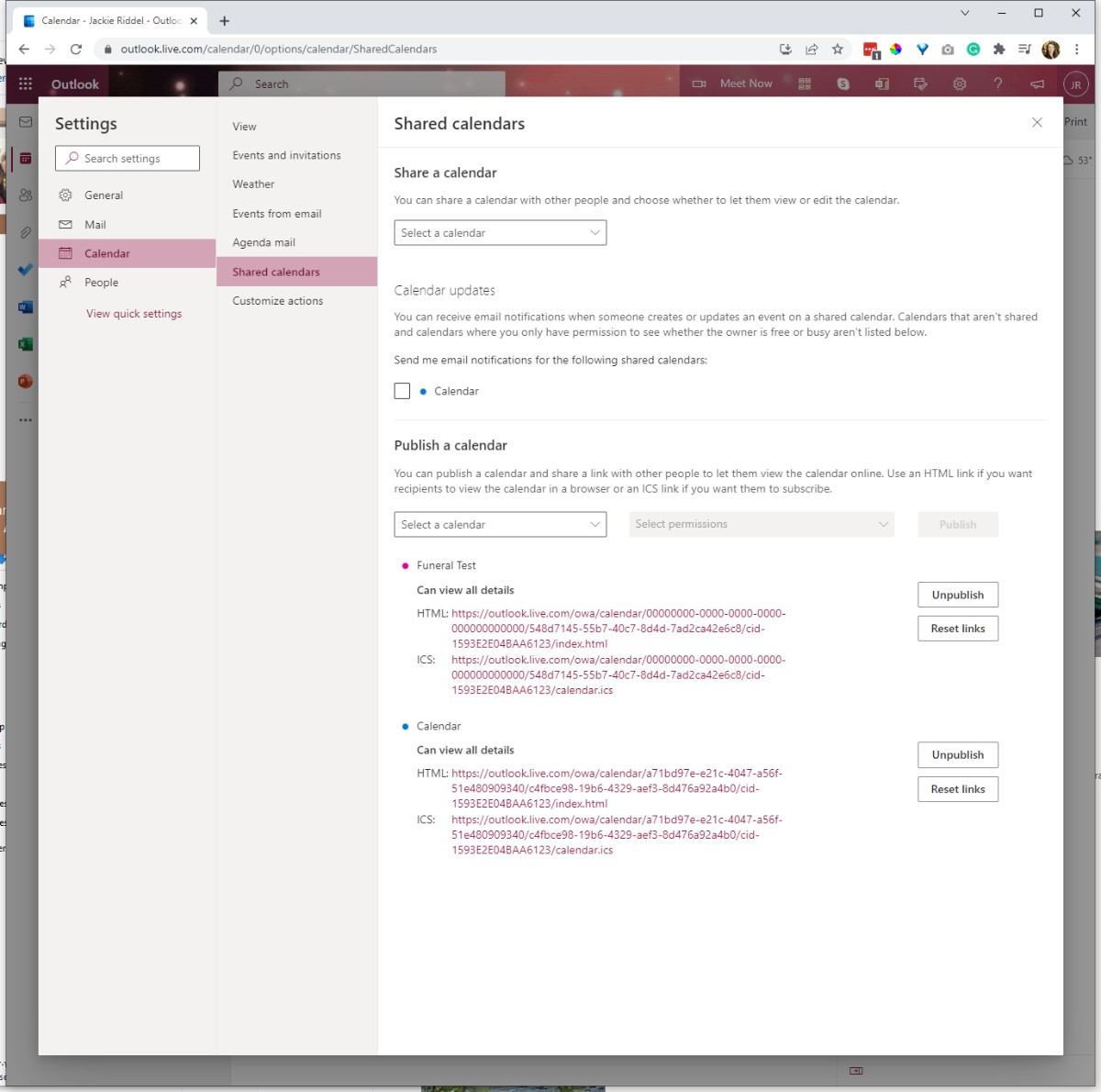
How to publish an outlook calendar:
In Calendar settings, you can publish your calendar so anyone can view your calendar or subscribe to it.
-
In Calendar view, select Settings
 > View all Outlook settings.
 -
Select Calendar > Shared calendars.
-
Under Publish a calendar, choose which calendar you want to publish and how much detail people can see.
-
Select Publish.
-
If you choose an HTML link, recipients can copy and paste the URL in a browser to view your calendar in a new browser window.
If you choose an ICS link, recipients can download the ICS file and import it into Outlook. This will add your events into their calendar, but recipients won't automatically receive any updates to your calendar. Alternatively, recipients can use the ICS link to subscribe to your calendar through Outlook. They'll see your calendar alongside their own and will automatically receive any updates to your calendar.