

-
Articles

- Setup & Default Items
Image Manager Setup
- Details
- Tori Schippers
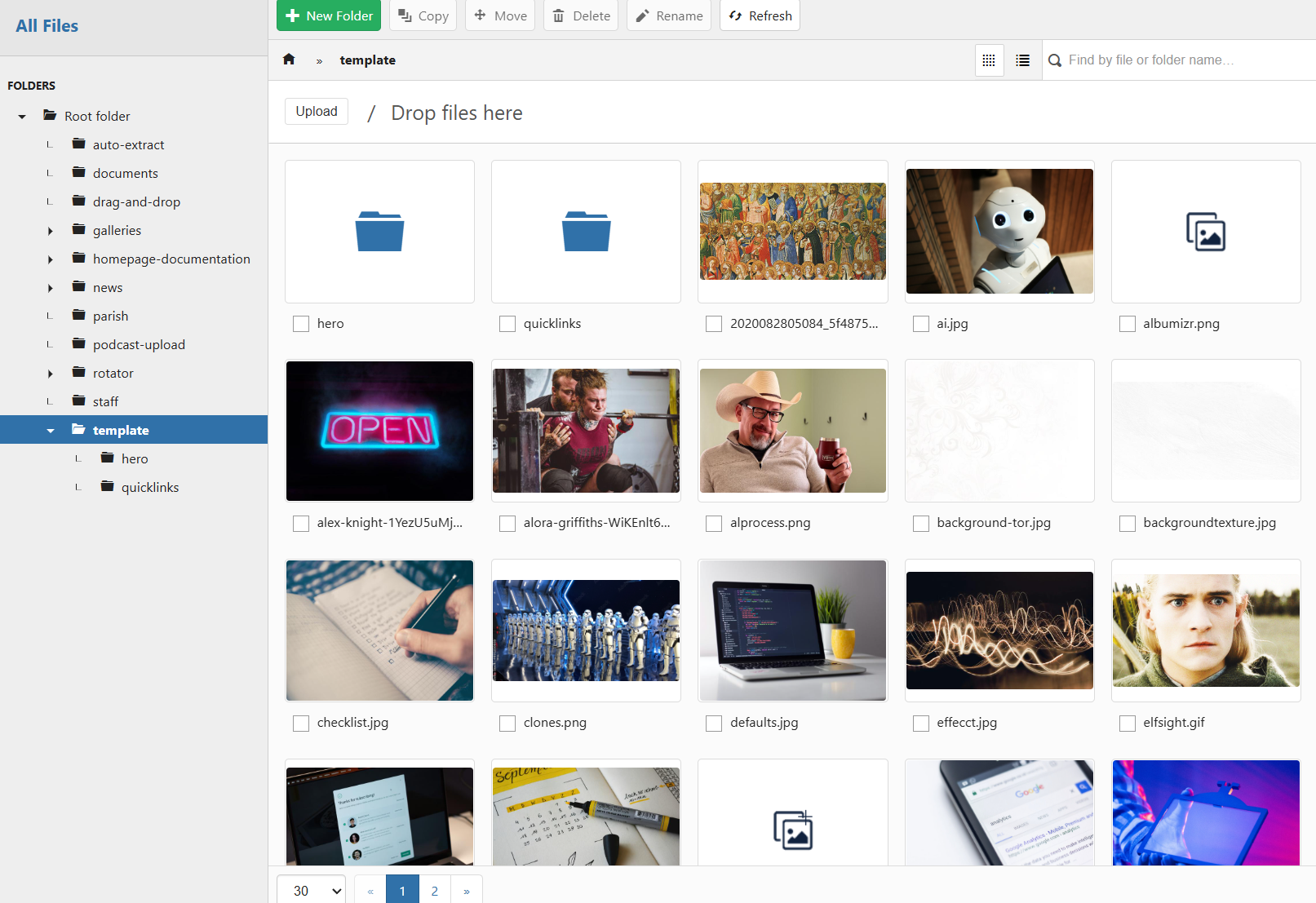
Forge & Clones
- Details
- Tori Schippers

Google Workspace
- Details
- Tori Schippers

Redesign Checklist
- Details
- Tori Schippers
TinyMCE Templates
- Details
- Tori Schippers
SVGs Control Panel
- Details
- Jackie Riddel
A couple of standard changes moving foward:
1) no more Need Help icon or Google Analytics icon
File Path: Dropbox\Web\FORGE Directories\images\panel-icons
Styles
- Details
- Jackie Riddel
font presets
Paragraph Text
Lorem ipsum dolor sit amet, consectetur adipiscing elit. Suspendisse ac nisi lectus. Aliquam non faucibus lorem, vel sagittis metus. Nullam sed pretium lacus, eu euismod urna. Quisque mauris nunc, pretium nec sagittis et, faucibus eu nulla.
Heading 1
Heading 2
Heading 3
Heading 4
Heading 5
Heading 6
Address TextLorem ipsum dolor sit amet, consectetur adipiscing elit. Suspendisse ac nisi lectus. Aliquam non faucibus lorem, vel sagittis metus. Nullam sed pretium lacus.
Blockquote
Lorem ipsum dolor sit amet, consectetur adipiscing elit. Suspendisse ac nisi lectus. Aliquam non faucibus lorem, vel sagittis metus. Nullam sed pretium lacus.
Bulleted List
- item a
- item b
- item c
- item d
Ordered List
- item a
- item b
- item c
- item d
Tables - table templates
no class
| cell 1 | cell 2 | cell 3 |
| cell 4 | cell 5 | cell 6 |
fancytable
| Contact | Fr. Bob 555-555-555 This email address is being protected from spambots. You need JavaScript enabled to view it. |
|---|
equaltable
| Test1 | Test2 | Test3 | Test4 | Test5 | Really really really really long field. Very very long field. |
flextable
| Test1 | Test2 | Test3 | Test4 | Test5 | Really really really really long field. Very very long field. |
alternaterows

Pater Noster, qui es in caelis, sanctificetur nomen tuum. Adveniat regnum tuum. Fiat voluntas tua, sicut in caelo et in terra. Panem nostrum quotidianum da nobis hodie, et dimitte nobis debita nostra sicut et nos dimittimus debitoribus nostris. Et ne nos inducas in tentationem, sed libera nos a malo. Amen.
Pater Noster, qui es in caelis, sanctificetur nomen tuum. Adveniat regnum tuum. Fiat voluntas tua, sicut in caelo et in terra. Panem nostrum quotidianum da nobis hodie, et dimitte nobis debita nostra sicut et nos dimittimus debitoribus nostris. Et ne nos inducas in tentationem, sed libera nos a malo. Amen.
Styles Box JS to add to styles html
<div id="stylesBox"> </div>
<p>
<script>// <![CDATA[
addSiteStyles();
// ]]></script>
</p>
<p style="text-align: center;"> </p>
<p style="text-align: center;"><strong>font presets</strong></p>
<p><strong>Paragraph Text</strong><br />Lorem ipsum dolor sit amet, consectetur adipiscing elit. Suspendisse ac nisi lectus. Aliquam non faucibus lorem, vel sagittis metus. Nullam sed pretium lacus, eu euismod urna. Quisque mauris nunc, pretium nec sagittis et, faucibus eu nulla.</p>
<h1>Heading 1</h1>
<h2>Heading 2</h2>
<h3>Heading 3</h3>
<h4>Heading 4</h4>
<h5>Heading 5</h5>
<h6>Heading 6</h6>
<p><a href="http://www.google.com">Hyperlink Color</a></p>
<p><a class="readon" href="/XXXXX">READON</a></p>
<p><a class="button" href="/XXXXX">BUTTON</a></p>
<p><a class="button transparentbutton" href="/XXXXX">Transparent BUTTON</a></p>
<address><strong>Address Text</strong><br />Lorem ipsum dolor sit amet, consectetur adipiscing elit. Suspendisse ac nisi lectus. Aliquam non faucibus lorem, vel sagittis metus. Nullam sed pretium lacus.<br /><br /></address>
<blockquote><strong>Blockquote</strong><br />Lorem ipsum dolor sit amet, consectetur adipiscing elit. Suspendisse ac nisi lectus. Aliquam non faucibus lorem, vel sagittis metus. Nullam sed pretium lacus.</blockquote>
<p>Bulleted List</p>
<ul>
<li>item a</li>
<li>item b</li>
<li>item c</li>
<li>item d</li>
</ul>
<p>Ordered List</p>
<ol>
<li>item a</li>
<li>item b</li>
<li>item c</li>
<li>item d</li>
</ol>
<p> </p>
<h3>Tables - table templates</h3>
<h4>no class</h4>
<table>
<tbody>
<tr>
<td>cell 1</td>
<td>cell 2</td>
<td>cell 3</td>
</tr>
<tr>
<td>cell 4</td>
<td>cell 5</td>
<td>cell 6</td>
</tr>
</tbody>
</table>
<h4>fancytable</h4>
<table class="fancytable">
<tbody>
<tr>
<th>Contact</th>
<td>Fr. Bob<br />555-555-555<br />This email address is being protected from spambots. You need JavaScript enabled to view it.</td>
</tr>
</tbody>
</table>
<h4>equaltable</h4>
<table class="equaltable">
<tbody>
<tr>
<td>Test1</td>
<td>Test2</td>
<td>Test3</td>
<td>Test4</td>
<td>Test5</td>
<td>Really really really really long field. Very very long field.</td>
</tr>
</tbody>
</table>
<h4>flextable</h4>
<table class="flextable">
<tbody>
<tr>
<td>Test1</td>
<td>Test2</td>
<td>Test3</td>
<td>Test4</td>
<td>Test5</td>
<td>Really really really really long field. Very very long field.</td>
</tr>
</tbody>
</table>
<p> </p>
<p> </p>
<h4>alternaterows</h4>
<table class="alternaterows">
<tbody>
<tr>
<td> </td>
<td> </td>
<td> </td>
</tr>
<tr>
<td> </td>
<td> </td>
<td> </td>
</tr>
<tr>
<td> </td>
<td> </td>
<td> </td>
</tr>
<tr>
<td> </td>
<td> </td>
<td> </td>
</tr>
<tr>
<td> </td>
<td> </td>
<td> </td>
</tr>
</tbody>
</table>
<p> </p>
<div class="primary-back">
<div class="whiteborder">
<p><img style="display: block; margin-left: auto; margin-right: auto;" src="https://dfpjao5r6vmsd.cloudfront.net/images/stories/prayinghands-black.png?1747162635" alt="" /></p>
<p>Pater Noster, qui es in caelis, sanctificetur nomen tuum. Adveniat regnum tuum. Fiat voluntas tua, sicut in caelo et in terra. Panem nostrum quotidianum da nobis hodie, et dimitte nobis debita nostra sicut et nos dimittimus debitoribus nostris. Et ne nos inducas in tentationem, sed libera nos a malo. Amen.</p>
<p style="text-align: center;"><a class="button whitebutton" href="https://sop.solutiosoftware.com/documents/parish/5-paygodacompliment/file" target="_blank" rel="noopener noreferrer">Quote PDF</a></p>
</div>
</div>
<p> </p>
<p> </p>
<div class="secondary-back">
<div class="whiteborder">
<p><img style="display: block; margin-left: auto; margin-right: auto;" src="https://dfpjao5r6vmsd.cloudfront.net/images/stories/prayinghands-black.png?1747162635" alt="" /></p>
<p>Pater Noster, qui es in caelis, sanctificetur nomen tuum. Adveniat regnum tuum. Fiat voluntas tua, sicut in caelo et in terra. Panem nostrum quotidianum da nobis hodie, et dimitte nobis debita nostra sicut et nos dimittimus debitoribus nostris. Et ne nos inducas in tentationem, sed libera nos a malo. Amen.</p>
<p style="text-align: center;"><a class="button whitebutton" href="https://sop.solutiosoftware.com/documents/parish/5-paygodacompliment/file" target="_blank" rel="noopener noreferrer">Quote PDF</a></p>
</div>
</div>
<p> </p>
<p> </p>
Business Directory & Web Sponsorship
- Details
- Jackie Riddel
NOTE:
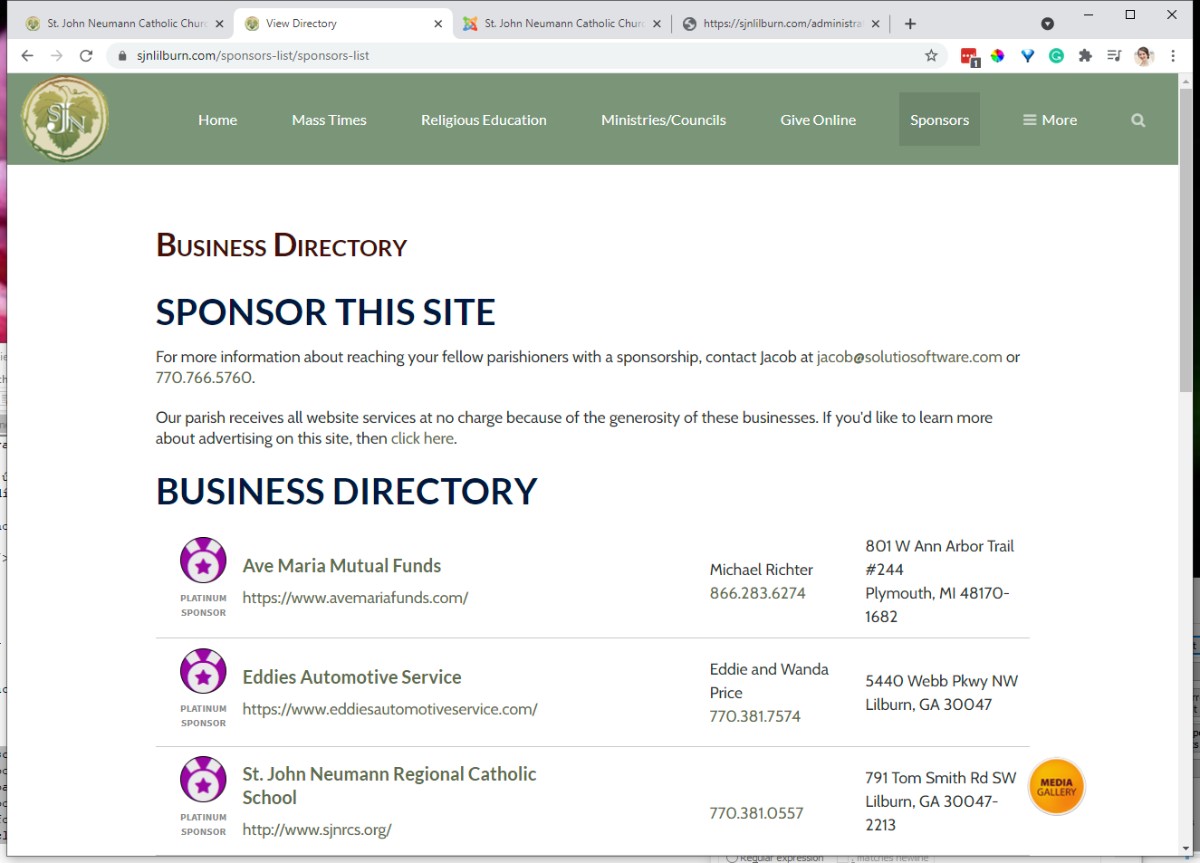
URL of this page MUST be:
/sponsors-list/sponsors-list and /sponsors-list/sponsor-this-site
If the URL, is different, you can update and make changes in Menu Manager.
Updating the Site Code
1) Log into the client's SBS project. Copy the Directory Passcode. Directory passcode is at the top of the project page. See image for reference: 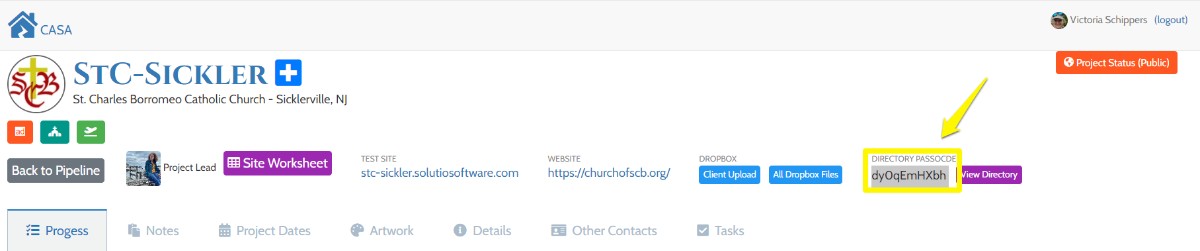
2) Make sure you are in Editor-CodeMirror.
3) From the control panel go to Article Manager and search for the article titled "Business Directory". You should see the code below in the article.
<div id="bizdirectory"><h2>Directory is loading.</h2></div>
<script>getBizDirectoryDos('SITEPASSCODEGOESHERE');</script>
4) Paste in site Passcode into the scrip. Make sure to include '. Save and close
NOTE:
If you do not edit in code mirror, characters will be added and break the script. See example below.
<div id="bizdirectory">
<h2>Directory is loading.</h2>
</div>
<script>// <![CDATA[
getBizDirectoryDos('9ngrssad7J');
// ]]></script>
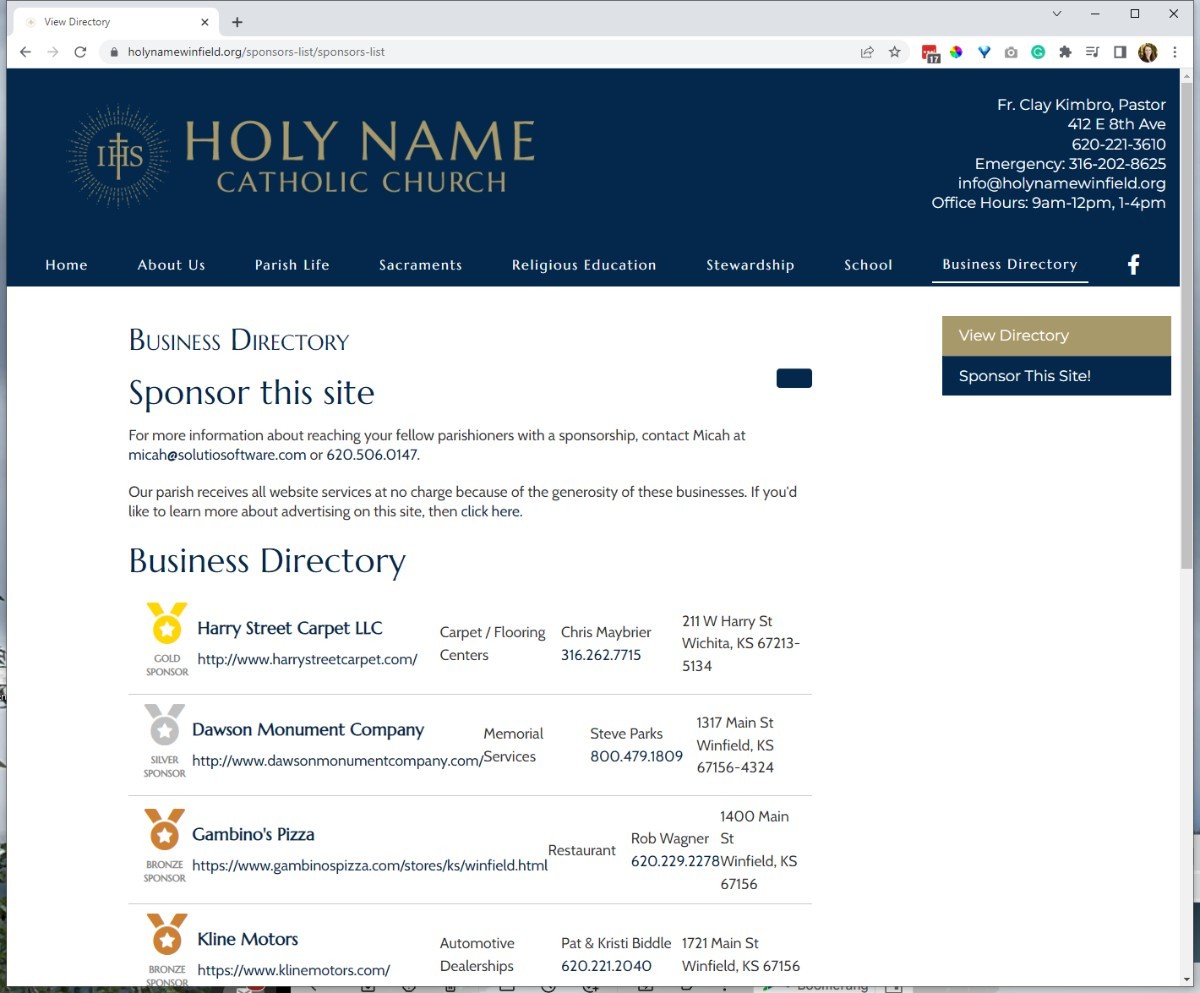
Make sure there are NO Side Menu on this page
Enabling reCAPTCHA
- Details
- Jeremy Meyer
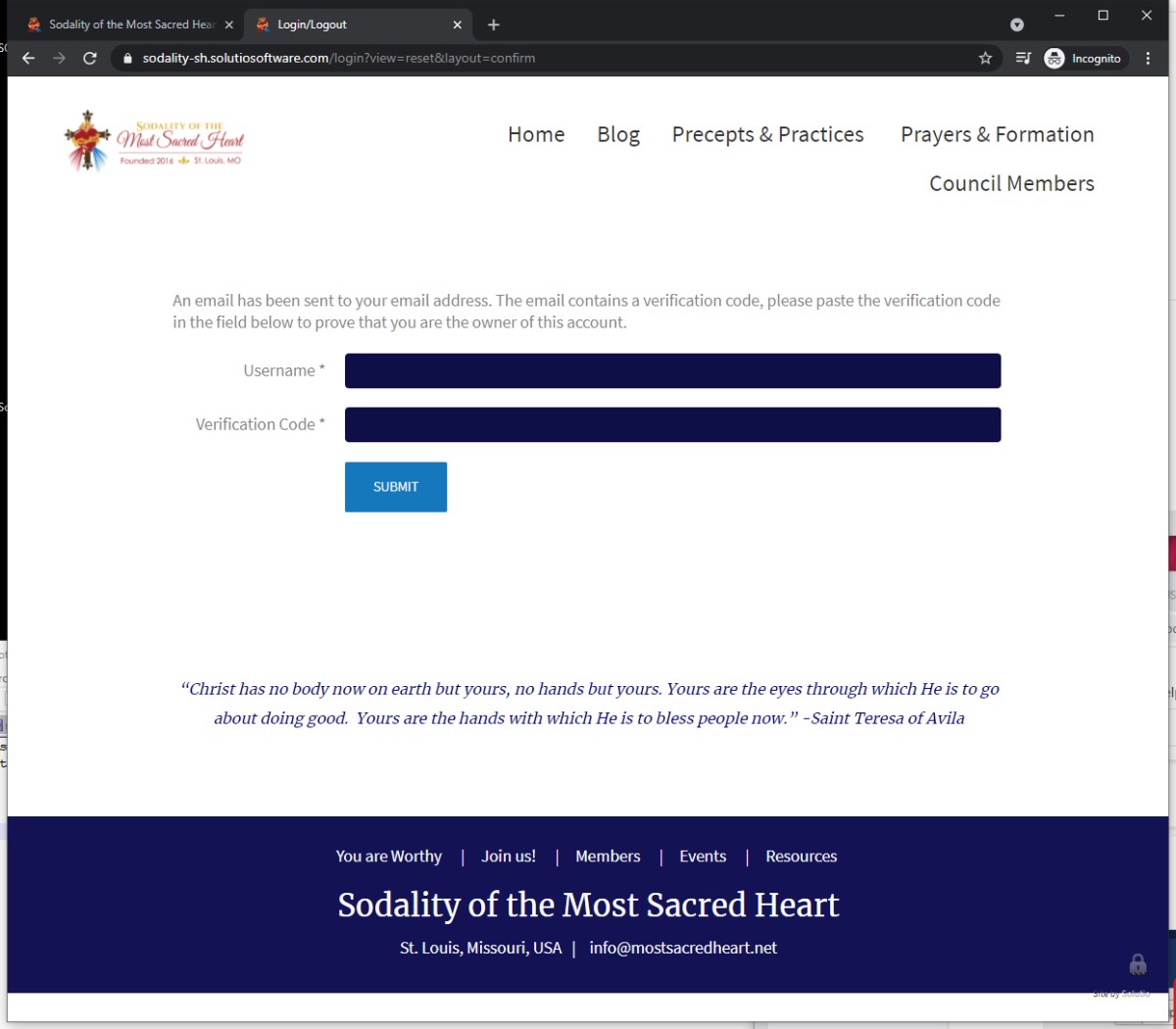
1. Go to the https://www.google.com/recaptcha/about/ in an incognito window
2. Make sure you log into the This email address is being protected from spambots. You need JavaScript enabled to view it. account
3. Click the Get started button or try this link: https://www.google.com/recaptcha/admin/create
4. Fill out the reCAPTCHA fields
- We use v2 checkbox
- add all apex domains to the domains section as well as the site code domain
- You can find domains associated with a site under the components menu under domain manager
- You do not need to add sub domains (except the site code one) add example.com but not school.example.com
- Put all reCAPTCHA Keys into the ReCAPTCHA Keys Google Cloud project
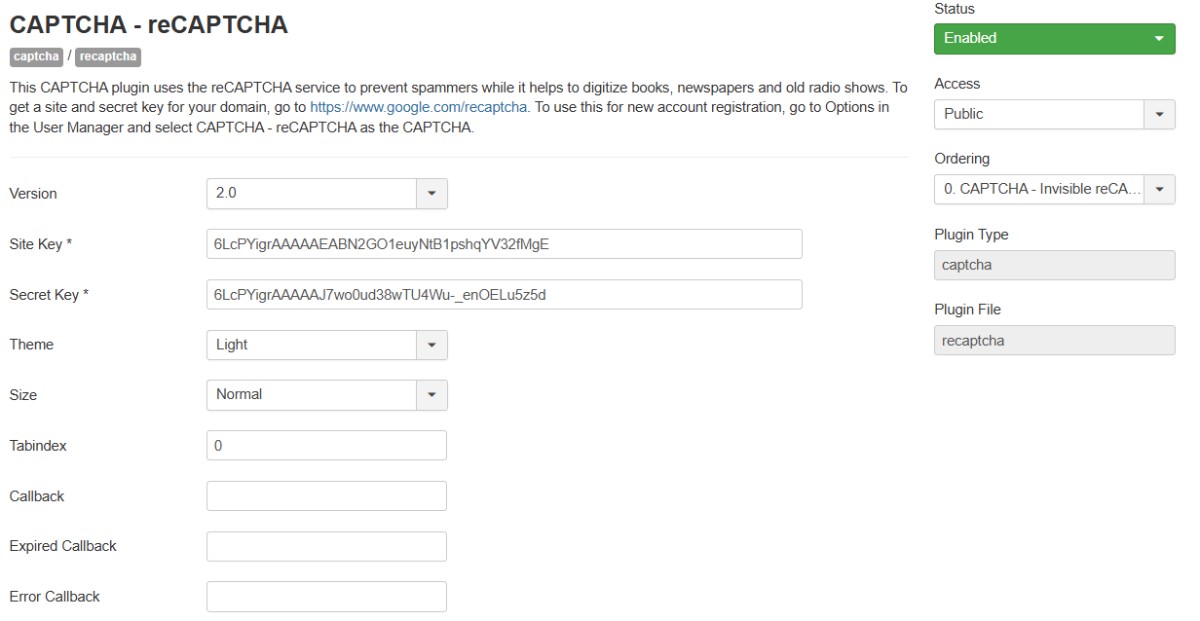
5. Copy the Site key and Secret Key into the ReCAPTCHA plugin on the control panel, enable the plugin and set it to 2.0
This will allow clients to reset their own passwords:
Must have an email address in the From Email Mail Settings in the Site Config for this work
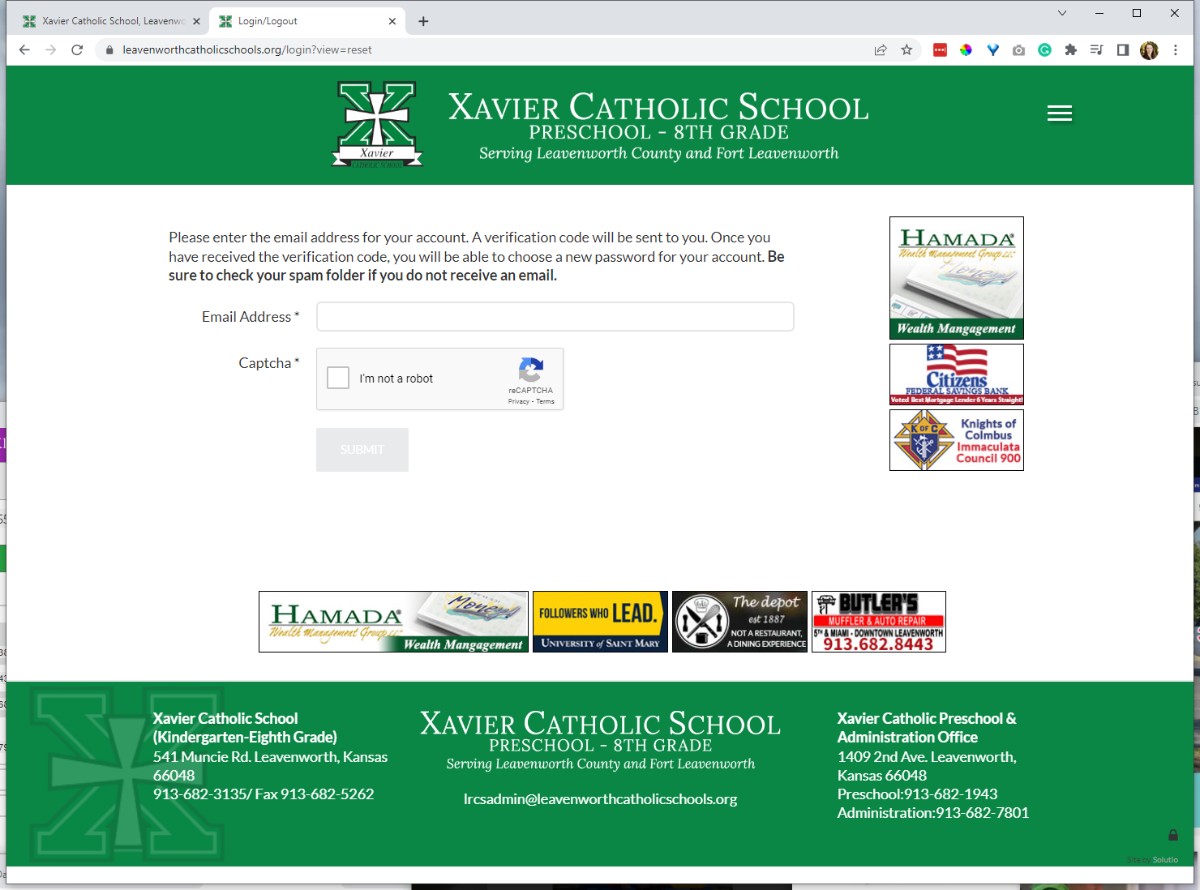
test this by visiting /login
Does the "I'm Not a robot" appear when viewing the password reset screen?
Webmaster Verification
- Details
- Jackie Riddel
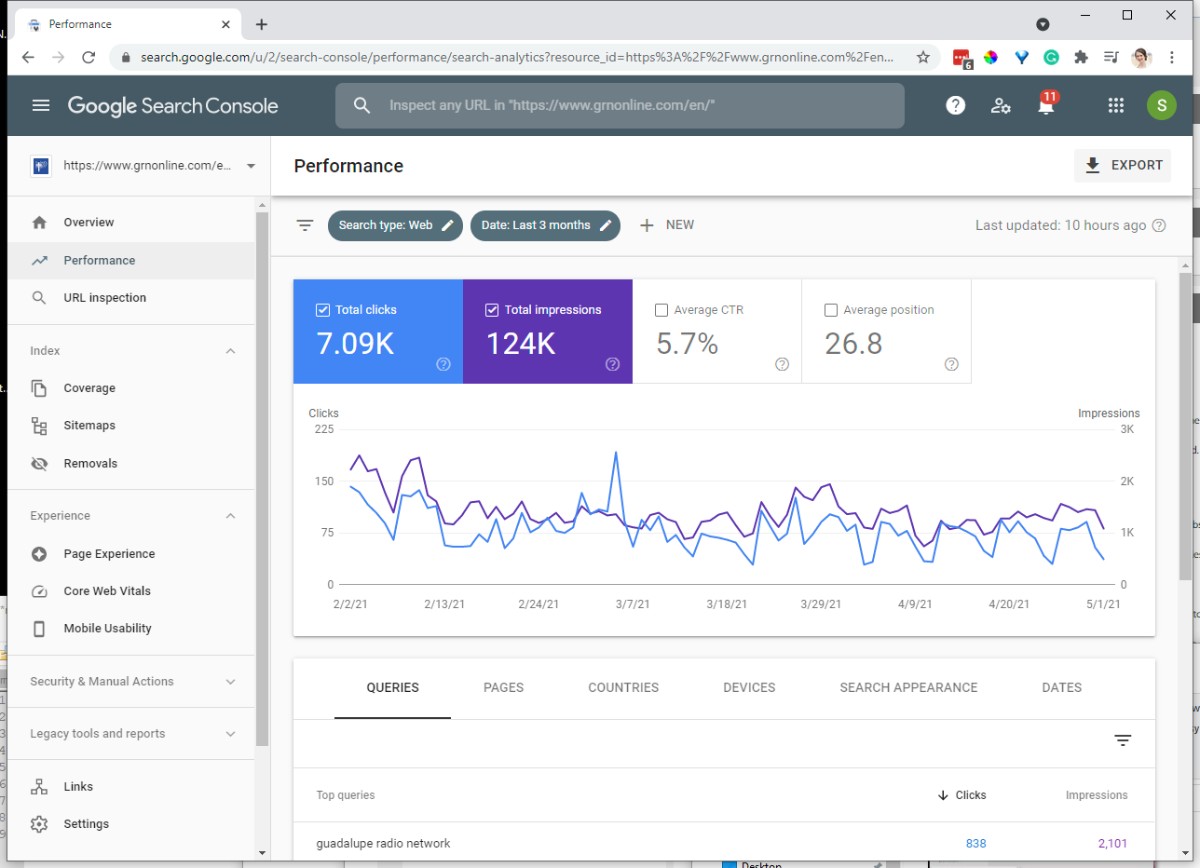
Log in to - https://search.google.com/search-console/
Use This email address is being protected from spambots. You need JavaScript enabled to view it. account
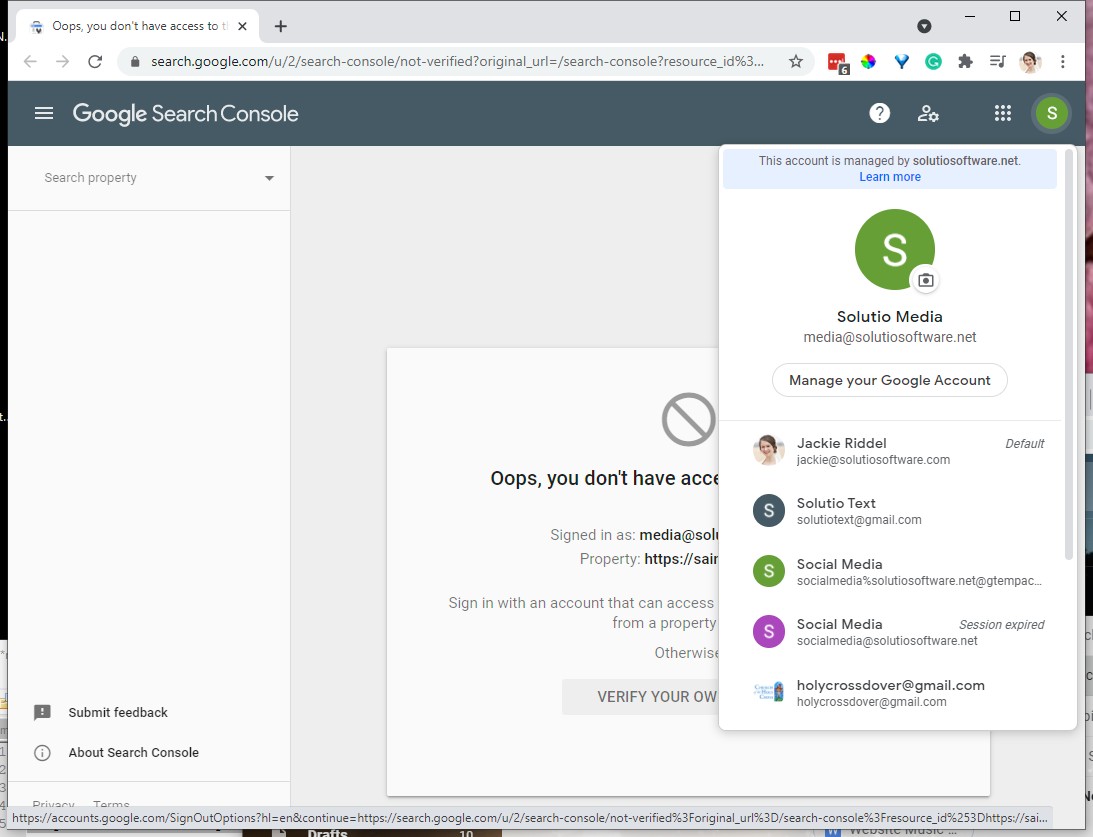
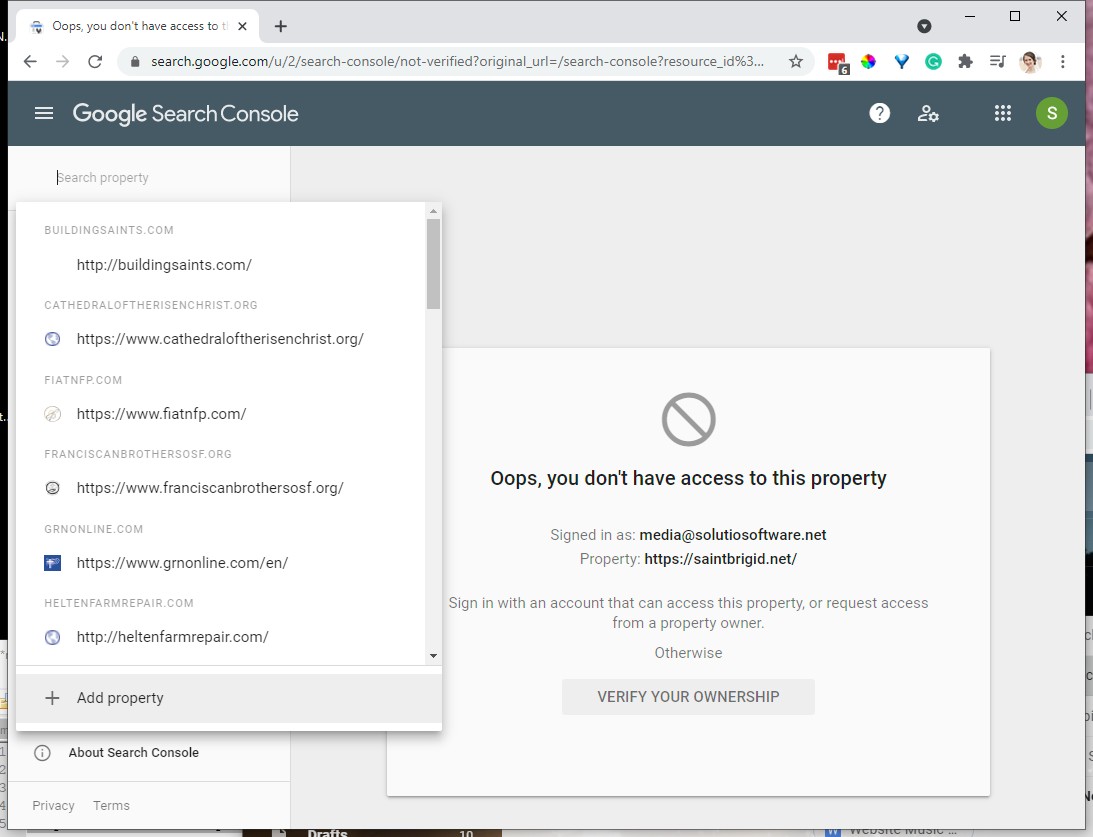
Create New Property - + Add Property at bottom
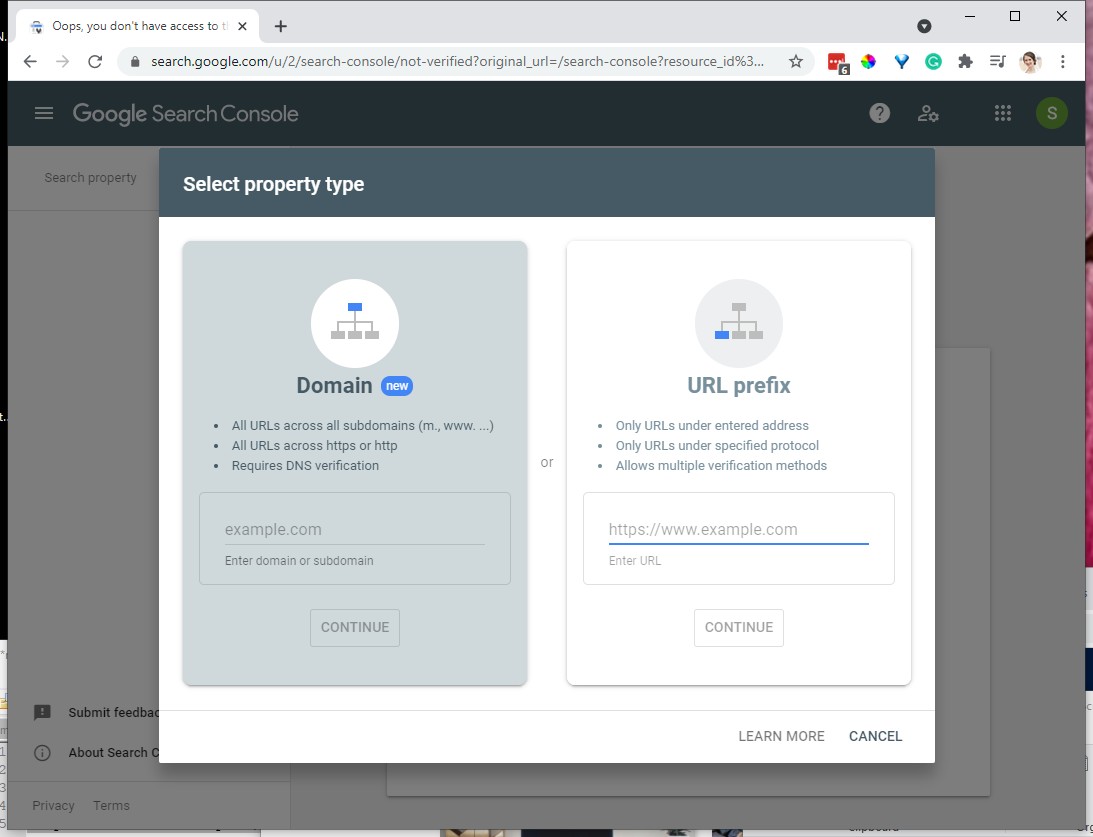
Choose URL prefix. Type in the domain name with HTTPS:// (do not have to capitalize)
i.e. -- https://www.starockypoint.com
Include the www if the domain is staying with the client. Do not include if the domain is at Solutio's registrar. See domain manager tab or next screenshot for example
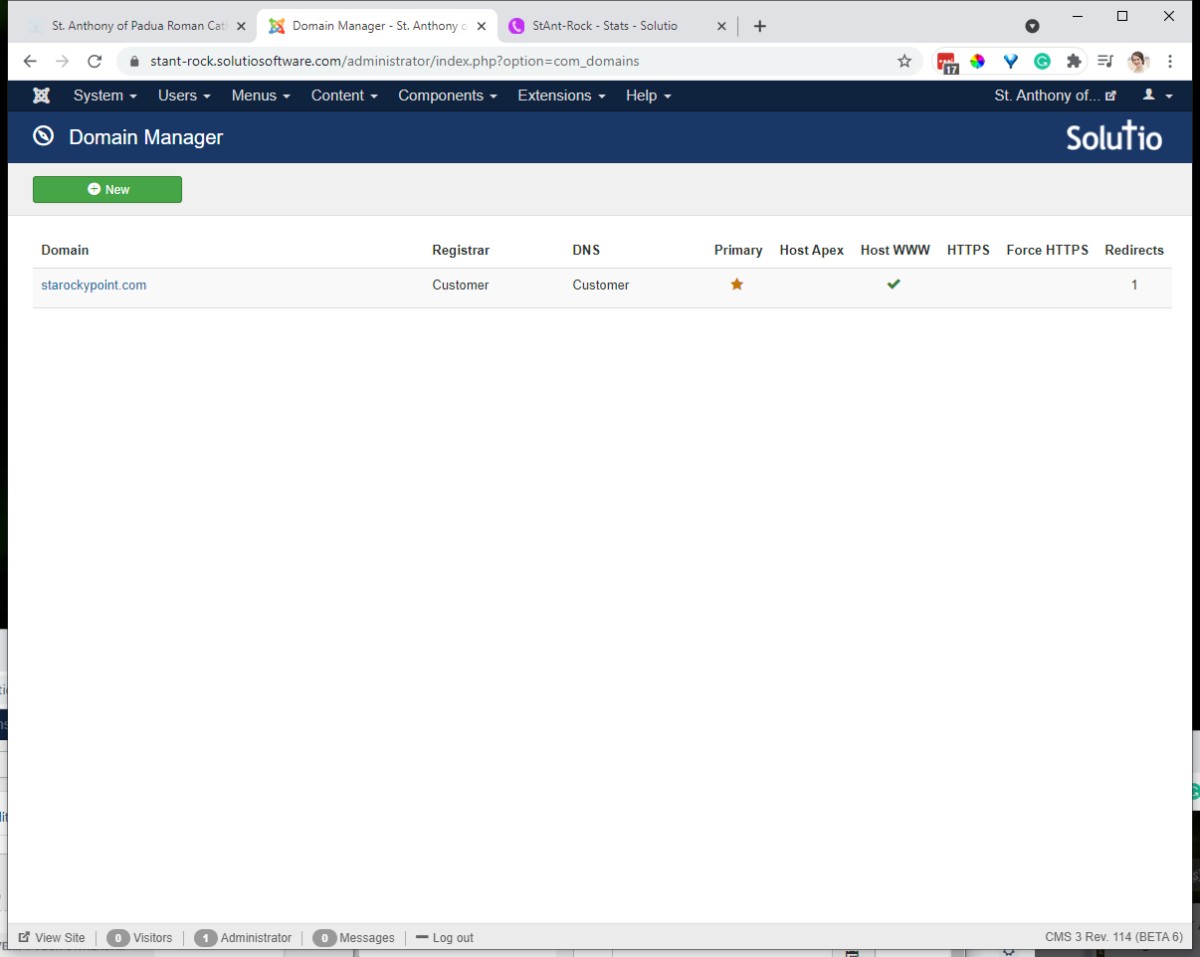
Copy the HTML Tag
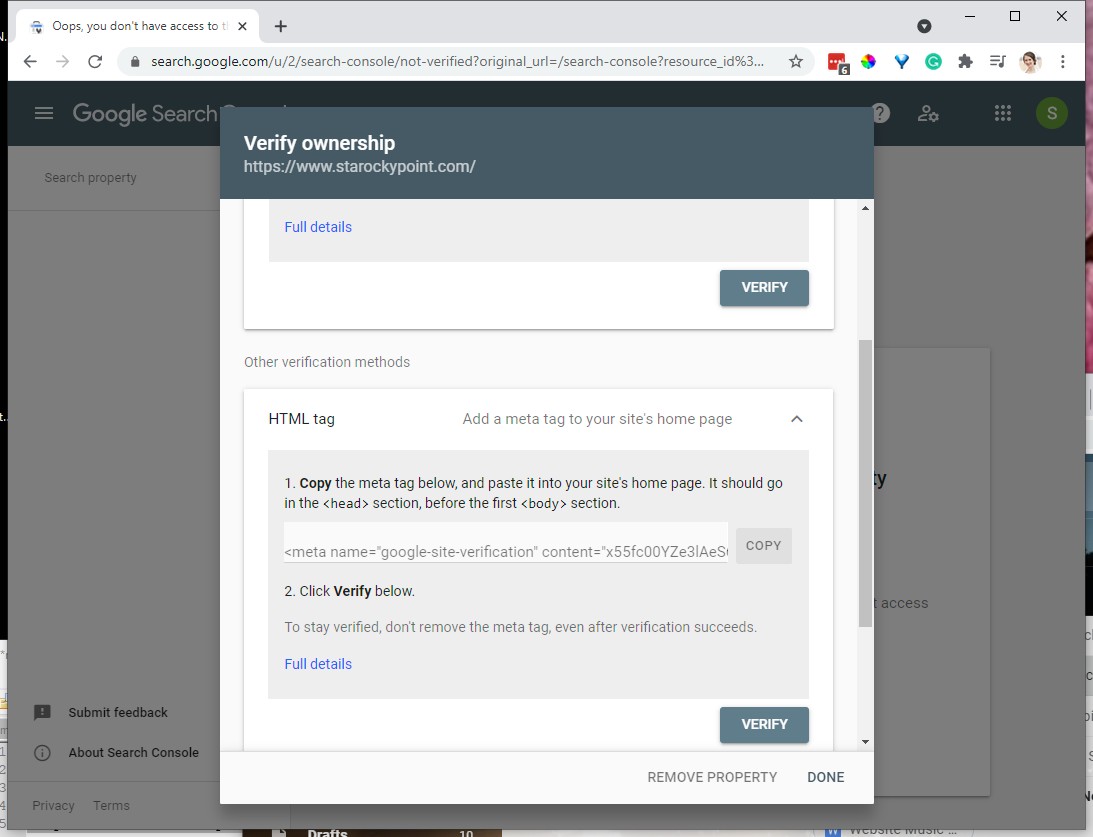
Paste into the Google Tools module, keep on the code within the quotations " "
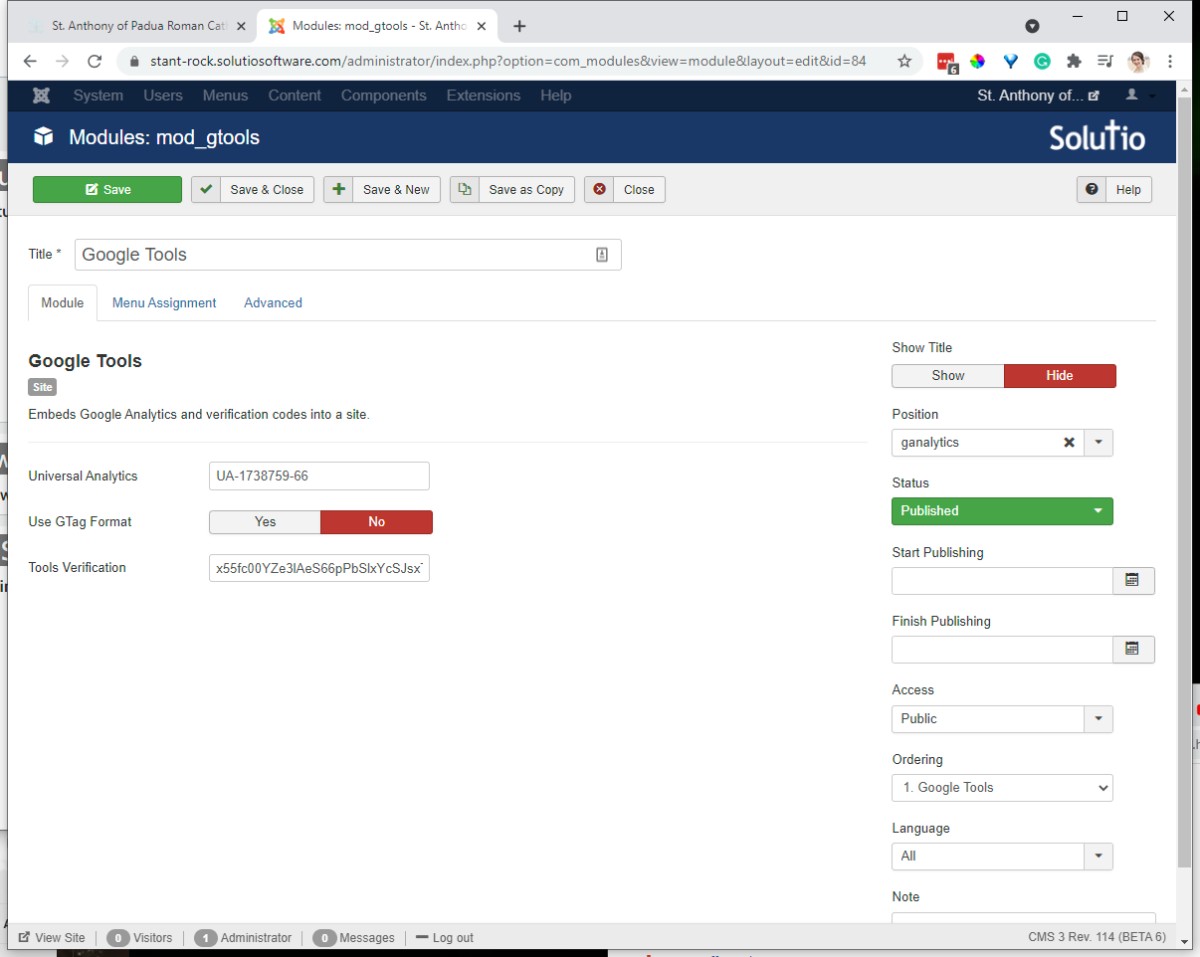
If the site is not launched yet. Click done in the webmaster tools screen. We can't verify until after a site launches.