Launching Websites
Switching the NS Records
When a client transfers their domain to our registrar we can switch their name servers to ours before launch. Once we confirm the existing DNS records on their domain and recreate them on our name servers we can send instructions to switch the nameservers to ours. Once the site is ready to launch Alex can make the DNS updates and initiate the transfer. This prevents issues related to domain registrars shutting down DNS when a transfer is completed before launch. This breaks stuff.
Here are the NS records for our registrar. (NameCheap)
ns10.dnsmadeeasy.com
ns11.dnsmadeeasy.com
Instructions for changing these vary based on who they use as their registrar. They are generally changed in a different place from the other DNS records.
Setting up the Domain Manager
For domains that the Client will be managing, we need to host the www domain and forward the apex to the www. For more context view this.
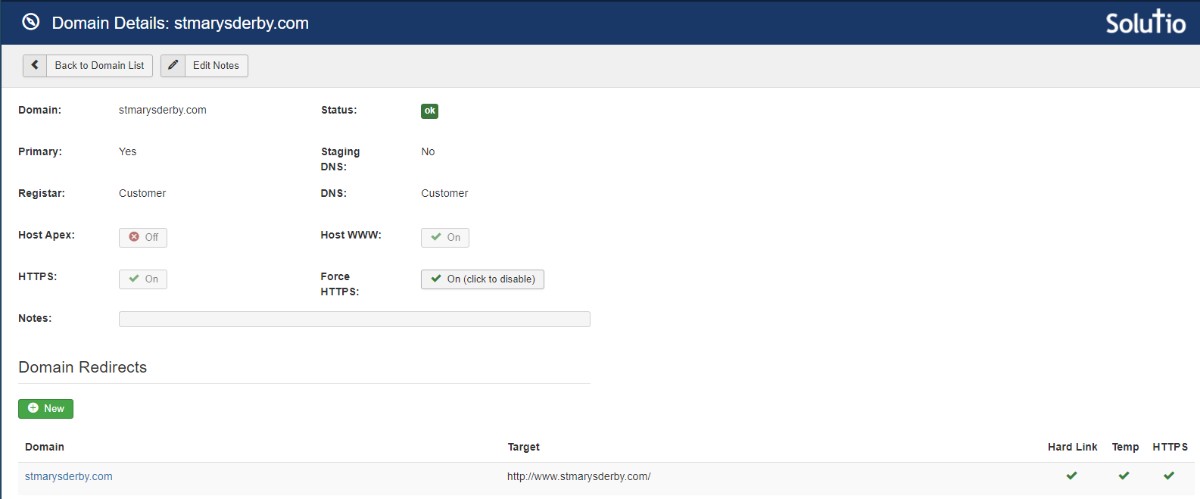
Here are the DNS changes that need to be made on the client's Registrar for each domain we will be connecting to the site. Make these DNS changes only for domains that will be hosting a site. i.e. the primary domain and any secondary domains that will host a site such as a school domain.
remove the www A record
create a CNAME record on the www subdomain (www.example.net)
value: SITE-CODE.w.solutiosoftware.
update the A record on the base domain (BASEDOMAIN.COM)
current value: XX.XX.XX.XX
new value: 54.83.55.79
If the domain just needs to forward all its traffic to a different domain then we need to point both records to our redirect server.
Update the www A record
create/update an A record on the www subdomain (www.example.net)
value: 54.83.55.79
update the A record on the base domain (BASEDOMAIN.COM)
current value: XX.XX.XX.XX
new value: 54.83.55.79
Note: if a record asks for a hostname or host you can insert a @ symbol to represent the apex or insert a www for the www CNAME record.
Be sure to update the site code and do a DNS Lookup to find out the current value of the A record.
Sometimes a client will have multiple A records. Be sure to either forward each A record to the new IP or delete unneeded A records. This will depend on the situation.
EXAMPLE of a sub domain like school.example.com
stjoe-shawnee
https://school.stjoeshawnee.org/school
Full Domain Redirects
When a domain is registered with our registrar and the domain is redirected to a different domain Alex will set it up to use the launch button. This will make the necessary DNS changes to get the domain working.

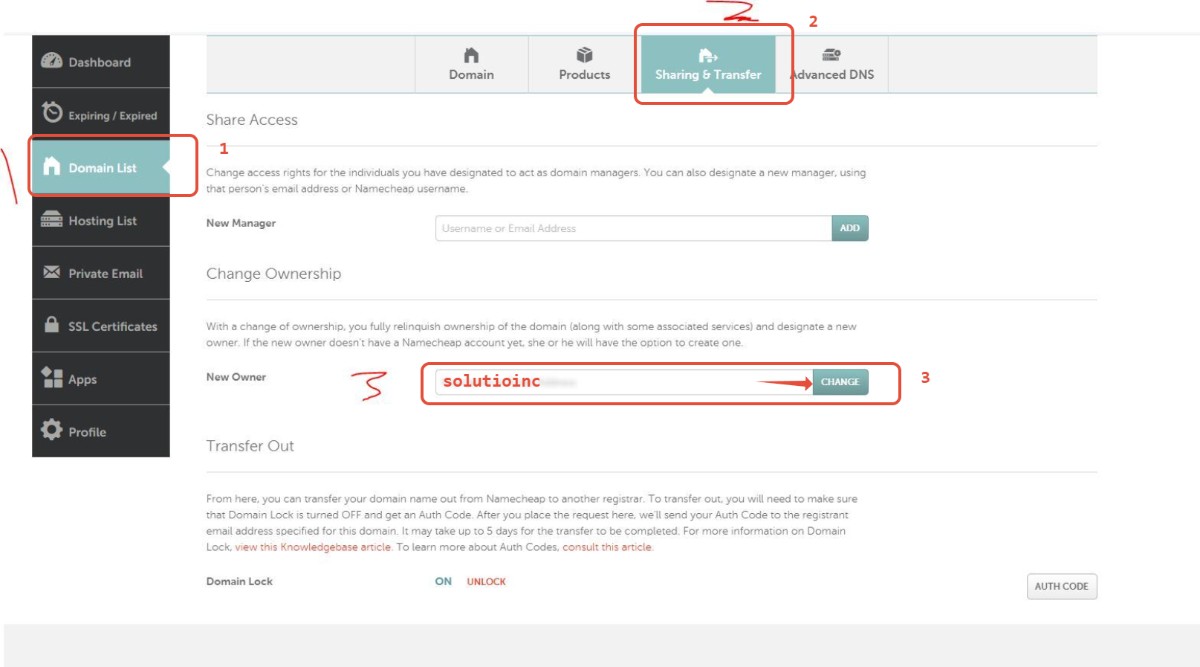
NameCheap Transfer Instructions:
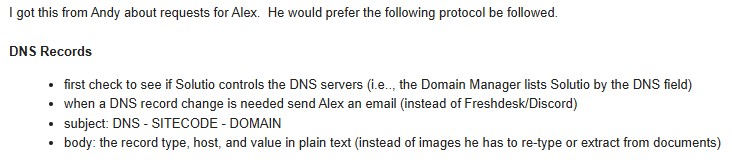
Email Protocol for sending DNS changes to Alex