

-
Articles

- Page Content (Menu Item Needed)
Team Philosophy & Tools
- Details
- Tori Schippers
GETTING THINGS DONE® is a personal productivity methodology that redefines how you approach your life and work.
GTD methodology helps use to assure that details, projects and tasks do no fall through the cracks or get left undone. If a project or task gets assigned to you from another person, put it back into their inbox when complete in order to close the loop.
Learn More at https://gettingthingsdone.com/what-is-gtd/
Read or Listen to the book
Your Leadership Edge from the Kansas Leadership Center
Terms & Tools
What is Joomla?
- Joomla is an open-source platform on which Web sites and applications can be created. It is a content management system (CMS) that connects your site to a MySQLi, MySQL, or PostgreSQL database in order to make content management and delivery easier on both the site manager and visitor.
- We do not use every extension available, but Andy has engineered a version of Joomla to simplify the overwhelmingly powerful software to be more friendly for our clients, especially parish secretaries.
- We have built 2 sites in Wordpress as of 12/30/20 - cfnga.org and
- there is a search function for funds that both foundations use in Wordpress
What is Rocket-theme?
- RocketTheme has an extensive collection of premium Joomla templates available for purchase and download. Each of our templates are built from the ground up to be easy to use, extremely customizable, and optimized for the latest browser standards.
- New Joomla templates are being released regularly featuring modern, responsive design. The powerful Gantry framework makes our products easy to install, customize, and deploy.
- As of 12/30/20 - we install the Gemini template on all sites and customize 100% to match mockup
What is Gantry 4 ….. Gantry 5?
- http://gantry.org/ -- allows us to customize the layout of the template. Gantry 4 we were limited to predetermine module positions, etc.
What is Google...
- Drive
- Client documents: a folder for almost every client, built by year and client-code, contains forms and results, some relevant files
- Forms: often used for parish registration
- Client Data, etc. spreadsheets
- Google apps accounts; to manage set up of email @domainname.com
- Domains: transfer or send instructions to launch; contact information; date processed
- Calendar accounts: most website have and use google calendar;
Dropbox
- Every Project gets a Dropbox folder. This is first created / default folders copied in the Working Sites - On Deck folder
- contains: Documents, Images Created (mockup and website images), Images Provided
- Images edited for the project, including hero images, and files downloaded from their existing website should be added to the client's dropbox folder
- The Images Provide folder is connected to a dropbox request, noted on the client's project status page, so that the client can upload images or other files for website use
- A client's folder moves from Working Sites - On Deck to Working Sites when the graphic designer starts to work on the mockup.
- A client's folder is moved to Archive Sites after the project is closed in SBS
Grid Gallery Set up
- Details
- Jackie Riddel
SAMPLE: https://www.franciscansisterstor.org/gallery
Image Manager:
- Gallery (folder)
- Album name
- Sample
Simple content grid roksprocket module: no pages, no module class suffix
- 3 columns if ads, can be 4 columns if no ads
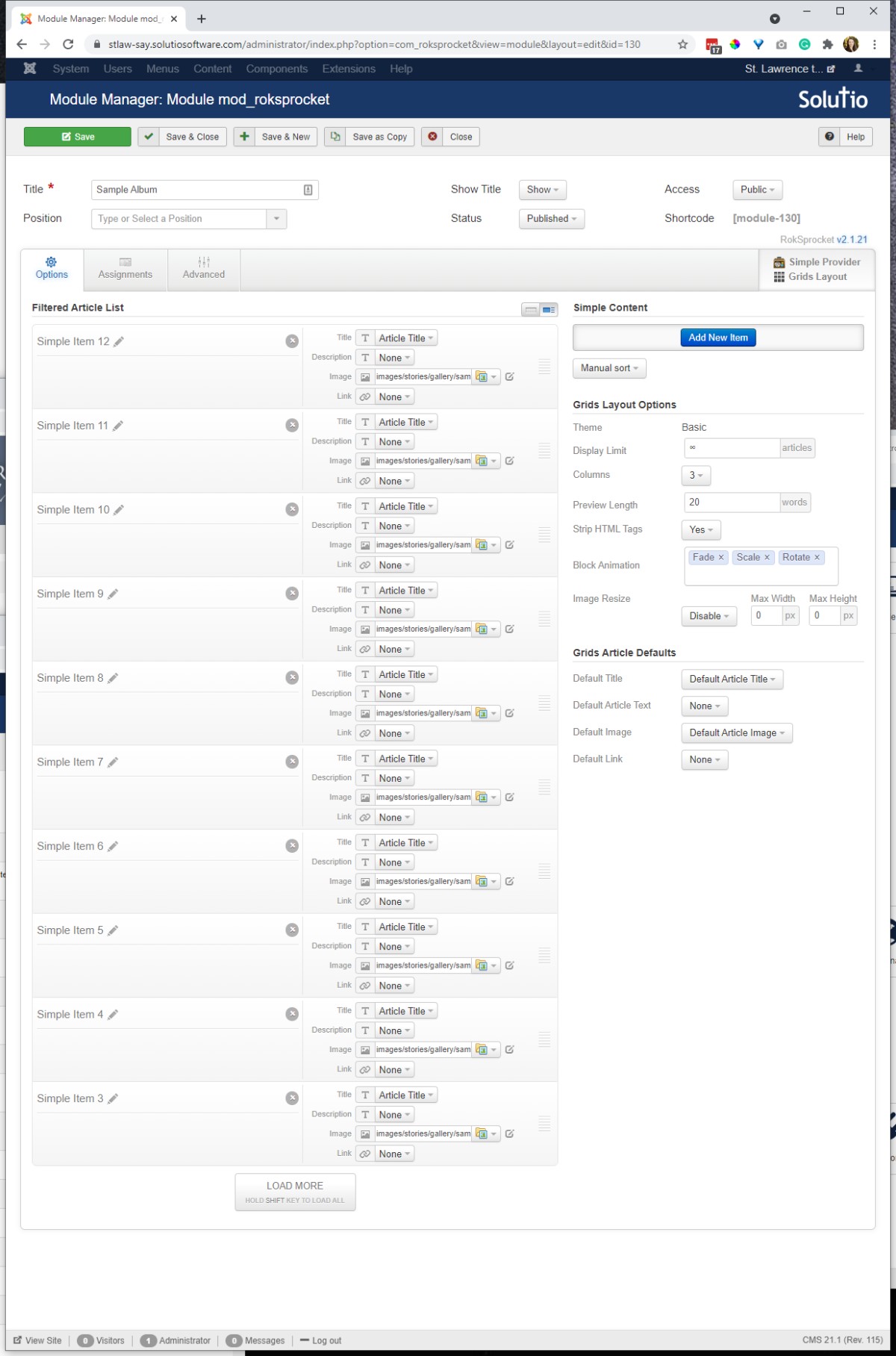
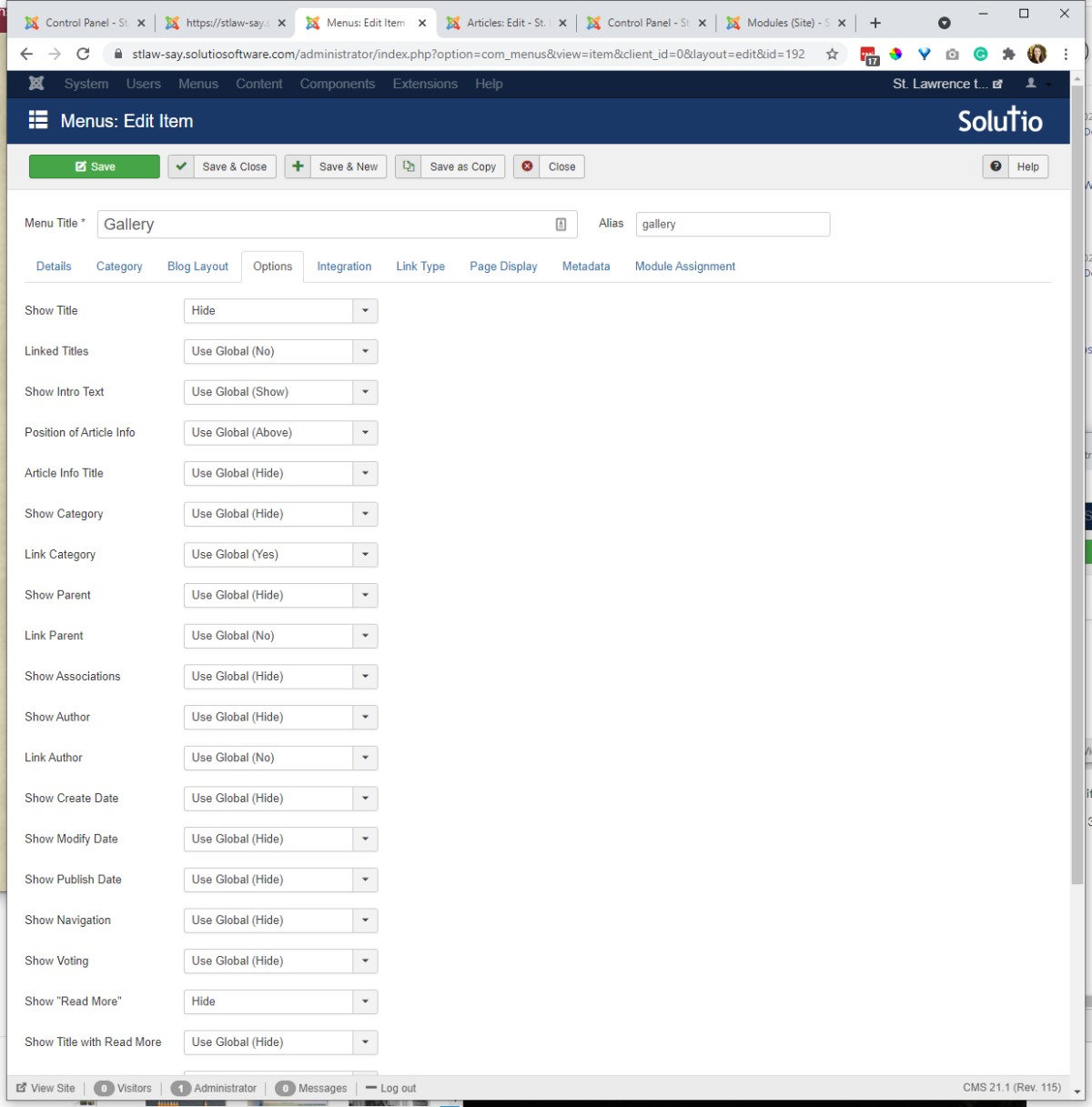
Menu item settings:
- 3 columns, can have a leading article if desired
- Article title: hide
- Read more: hide
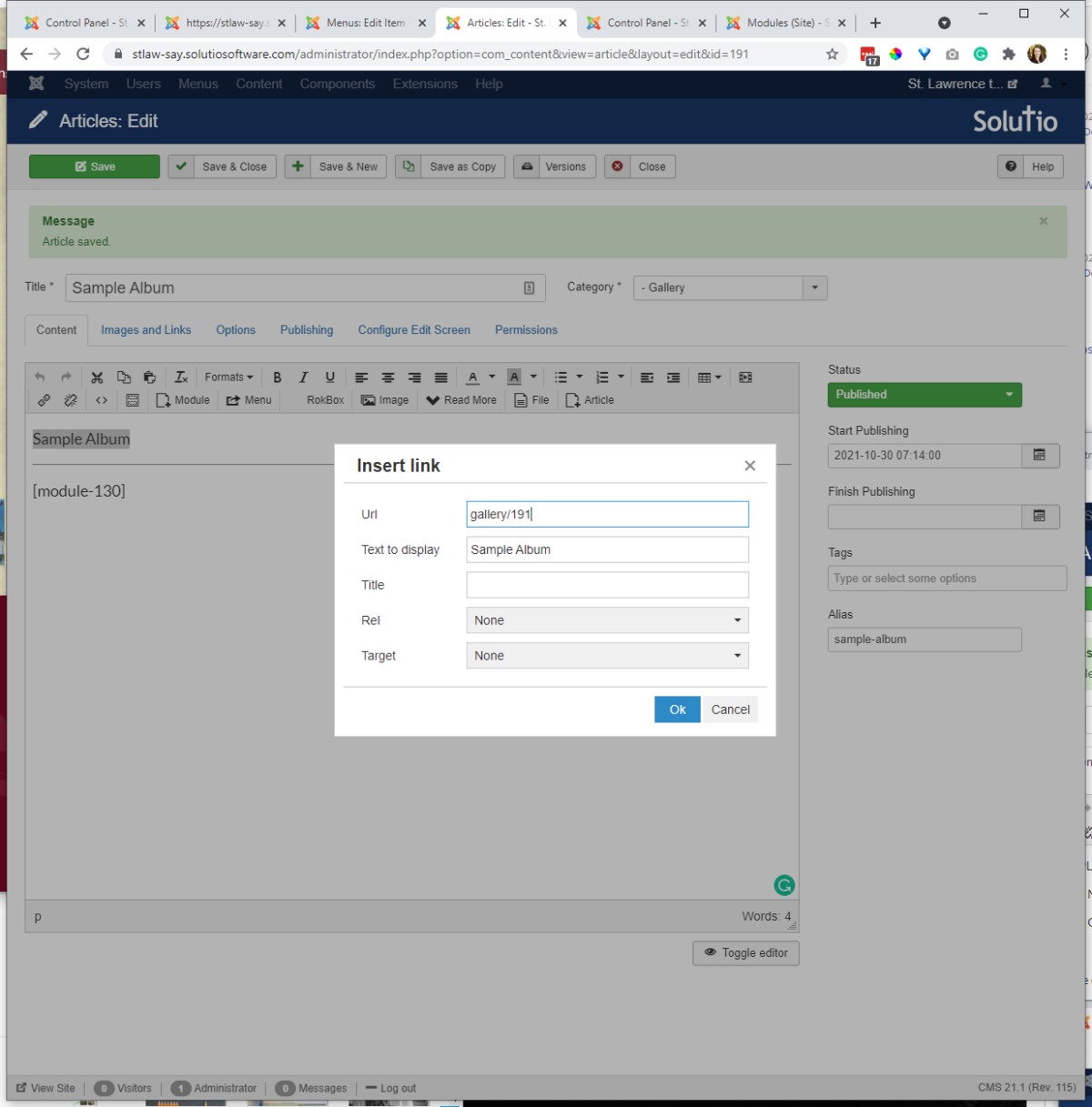
Article set up
- Intro image
- linked text (gallery/articleID) or whatever the gallery page URL is /articleID
- read more
- module-ID in brackets
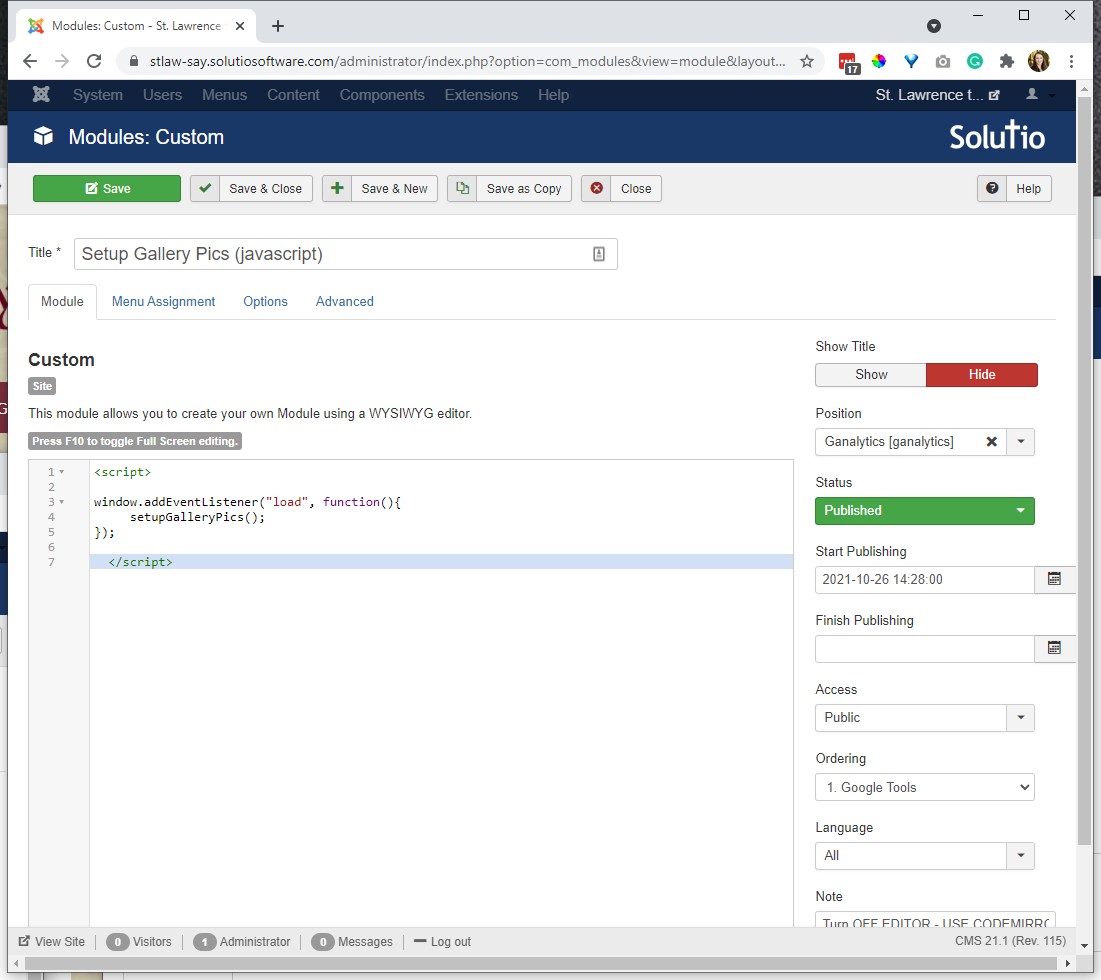
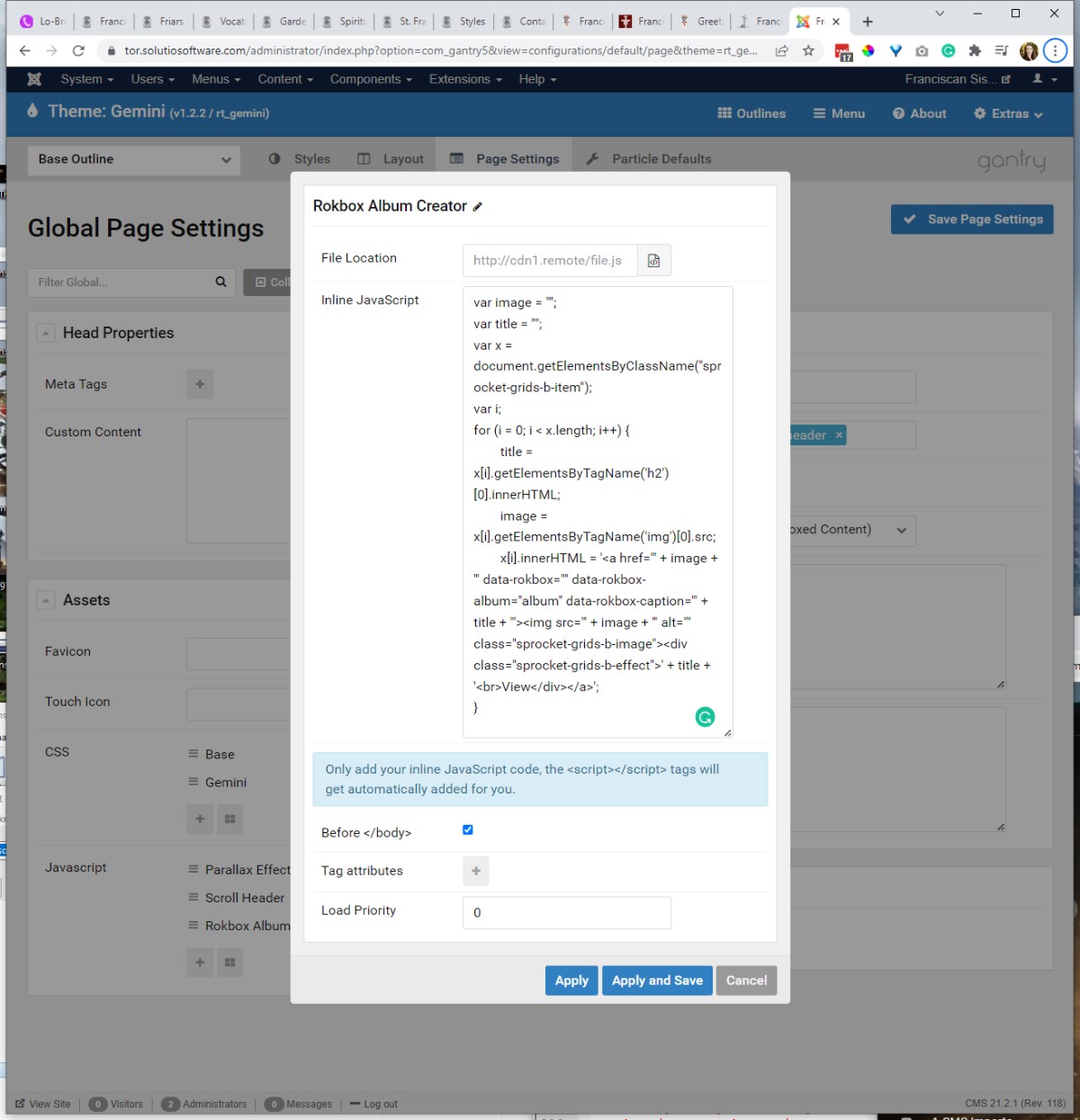
Create and assign javascript module to gallery menu item --- this makes it so the images function like a rokbox gallery
<script>

window.addEventListener("load", function(){
 setupGalleryPics();
});

 </script>
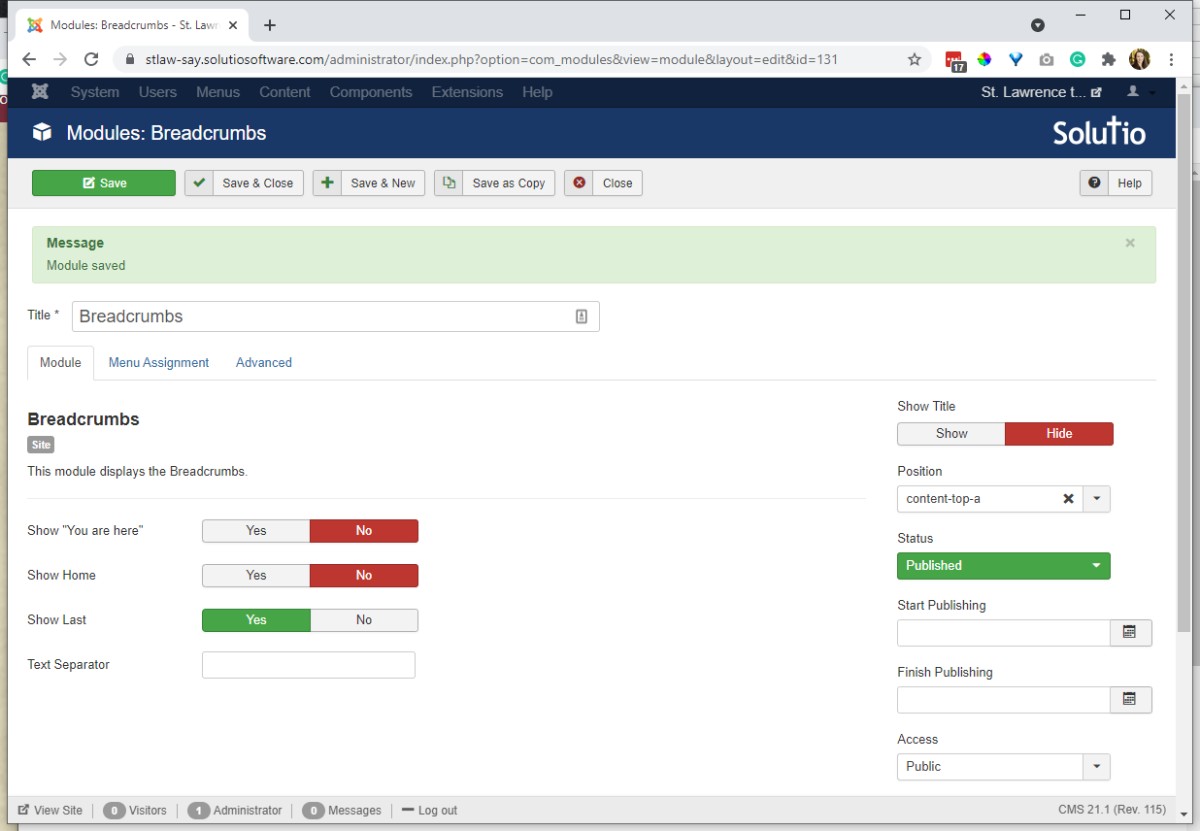
Apply Breadcrumbs module to page: allows for easy navigation back to the parent gallery.
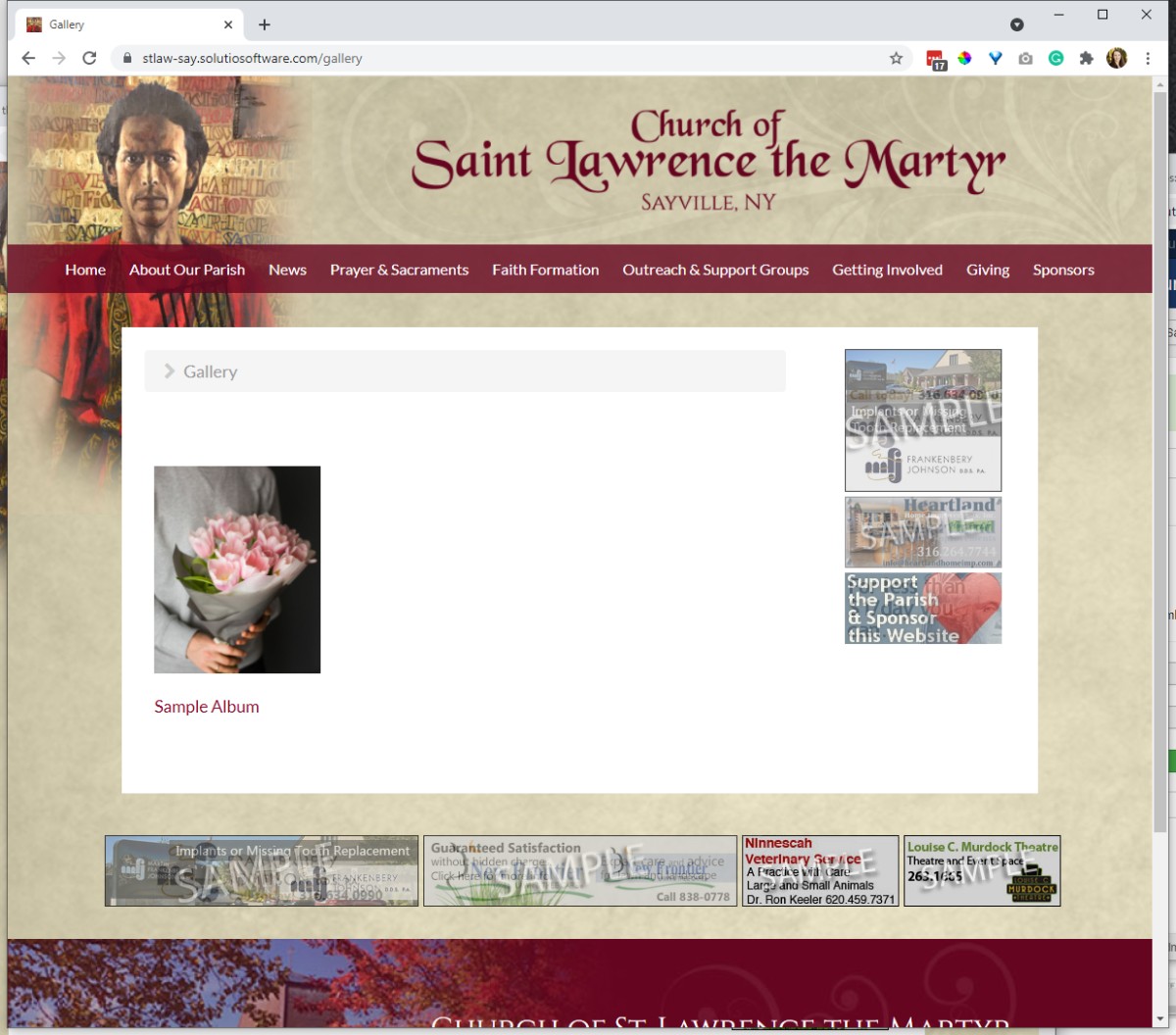
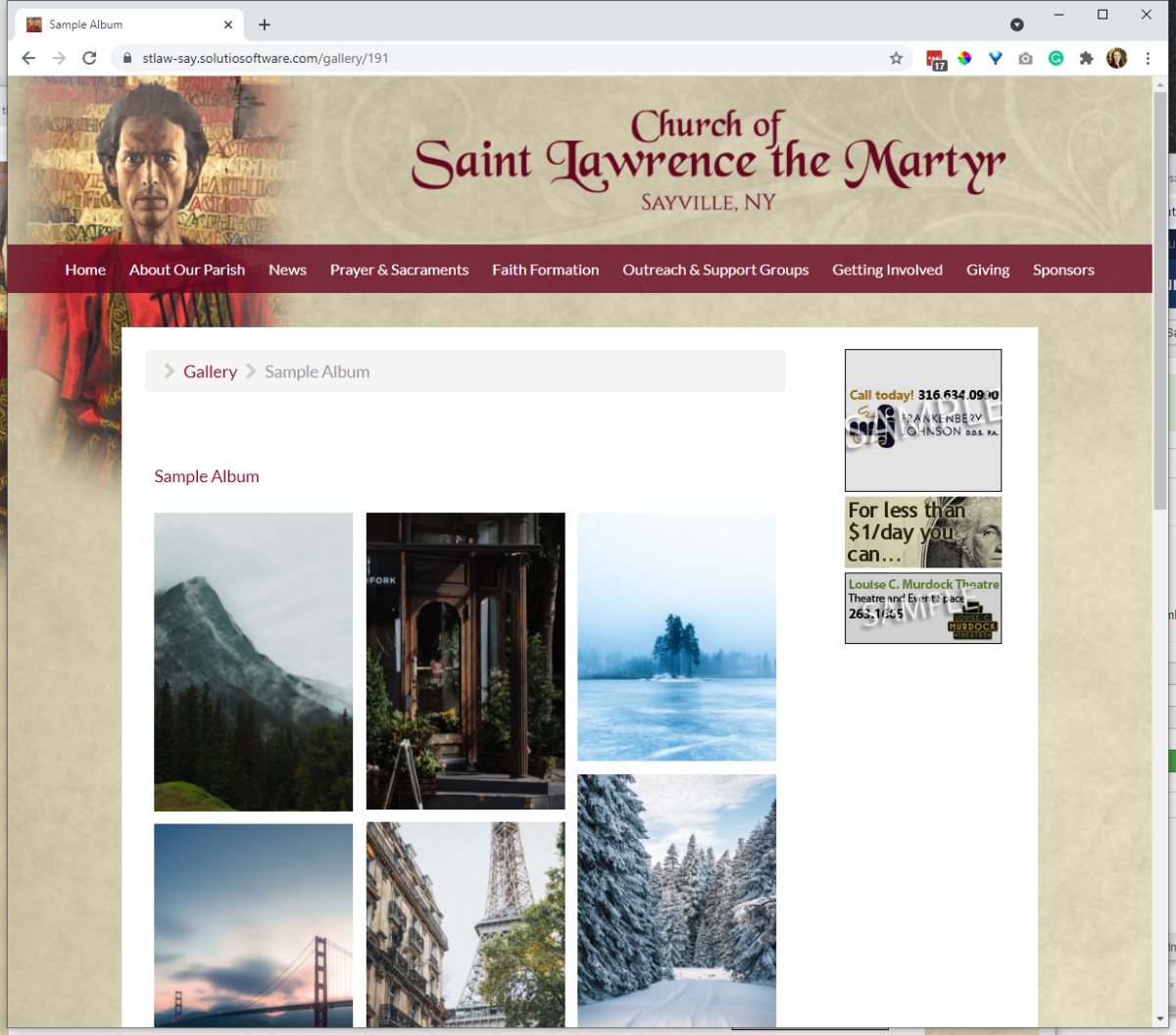
May have to CSS the hover over text color
Javascript Asset -- until Al moves this...
var image = "";
var title = "";
var x = document.getElementsByClassName("sprocket-grids-b-item");
var i;
for (i = 0; i < x.length; i++) {
 title = x[i].getElementsByTagName('h2')[0].innerHTML;
 image = x[i].getElementsByTagName('img')[0].src;
 x[i].innerHTML = '<a href="' + image + '" data-overlay-box="" data-rokbox-album="album" data-rokbox-caption="' + title + '"><img src="' + image + '" alt="" class="sprocket-grids-b-image"><div class="sprocket-grids-b-effect">' + title + '<br>View</div></a>';
}
Opening a New Project
- Details
- Jackie Riddel

After Travis or Jacob has input a project into SBS, take these steps
- Who is reaching out?
a. New site = Jackie
b. Redesign = Jackie or Dakota (Jackie normally meets with any religious orders). - In the Working Sites - On Deck folder in Dropbox, copy the Z Default Folders and rename the copy to site code. If redesign add *RD and the year to the end of the folder name.
- Create a Dropbox request that links to the "Images-Provided" folder that is within the respective folder you copied.
- Visit the Details tab of the project - past the dropbox request link in the respective field
- Project moves from New to Build only AFTER a consultation has been set
a. Note dates in the Project Dates tab. Project Completion is likely 5-6 months from the consultation date - leave training and launch dates blank -
Before the meeting, review the Style Quiz Responses
-
Domain Lookup, whois.com or https://lookup.icann.org/
a. Note if the domain will stay put or transfer to our registrar, and the name of who will be the primary contact -
Input the contacts, etc, into the Domain Hopper
-
Send Client the timeline estimate at the end of the email, consider last consultation's dates, any date restrictions of the client, and the mockup / artwork timelines -
Post Consultation Email Draft --- send to main contacts, or all those attending the consultation plus all of the Solutio BS team
- After the consultation
a. A new clone can be created in FORGE. Usually we wait a month or two to allow any clone updates to be made as needed and batch multiple ones at a time. (Because the default template used can change between the consultation and build, maybe wait to install the new template. )
Bulletin Widgets
- Details
- Dakota Taylor
Menu & Content
- Details
- Tori Schippers

Slideshow
- Details
- Jeremy Meyer
Navigation
- Details
- Jeremy Meyer
Component Library
- Details
- Jeremy Meyer
Closing Out a Project To Dos
- Details
- Jackie Riddel
Users should also be added to Email Lists Spreadsheet so Lori can input them into MailChimp.
To do in SBS
- Make sure a date is in the launch field
- check Launched checklist
- remaining scrum points should be 0
- please clear the project caution and project warning fields (the yellow field)
- project can be set to "Finished"
To do in a Site
- If there are multiple domain names, links between subsites need to be absolute URLS (the whole domain name), not relative
- For Redesigns, update control panel icons to SVGs (only blocker is if the site is till on the moria server)
- For Redesigns, check that administrators have access to redirects, user logs and quick galleries
To do in Google Calendar
- If a site is pay for, confirm via contract if they have 3 months of unlimited support before paid support begins. Then add a Paid Support Begins item to the Solutio B/S calendar with a notification for yourself 2-3 weeks prior to remind them via email that paid support will begin
When notifying client of a site launch, it is courteous to also remind them that they can cancel website hosting services with existing providers when they are ready.