


Updated 1.19.2024
- After CSS is complete, go through RD Pre-Training Audit checklist in SBS
- Email Client a live preview link. Express excitement for their redesign'd site. Our "Solutio style" is at least a little upbeat, and excited for the client. See sample draft below.
- note any missing elements
- The most common one of late has been flocknote RSS which is specific to the respective parish.
- The most common one of late has been flocknote RSS which is specific to the respective parish.
- if only the homepage and styles is built, note that the subpages will take on the new look after it goes live
- give them a go live date of about a week out (as long you can accommodate that) to keep it from dragging on and on without launching
- note any missing elements
-
Launch
- This is different from a new site launch, since the old site and the new site are in the same software install.
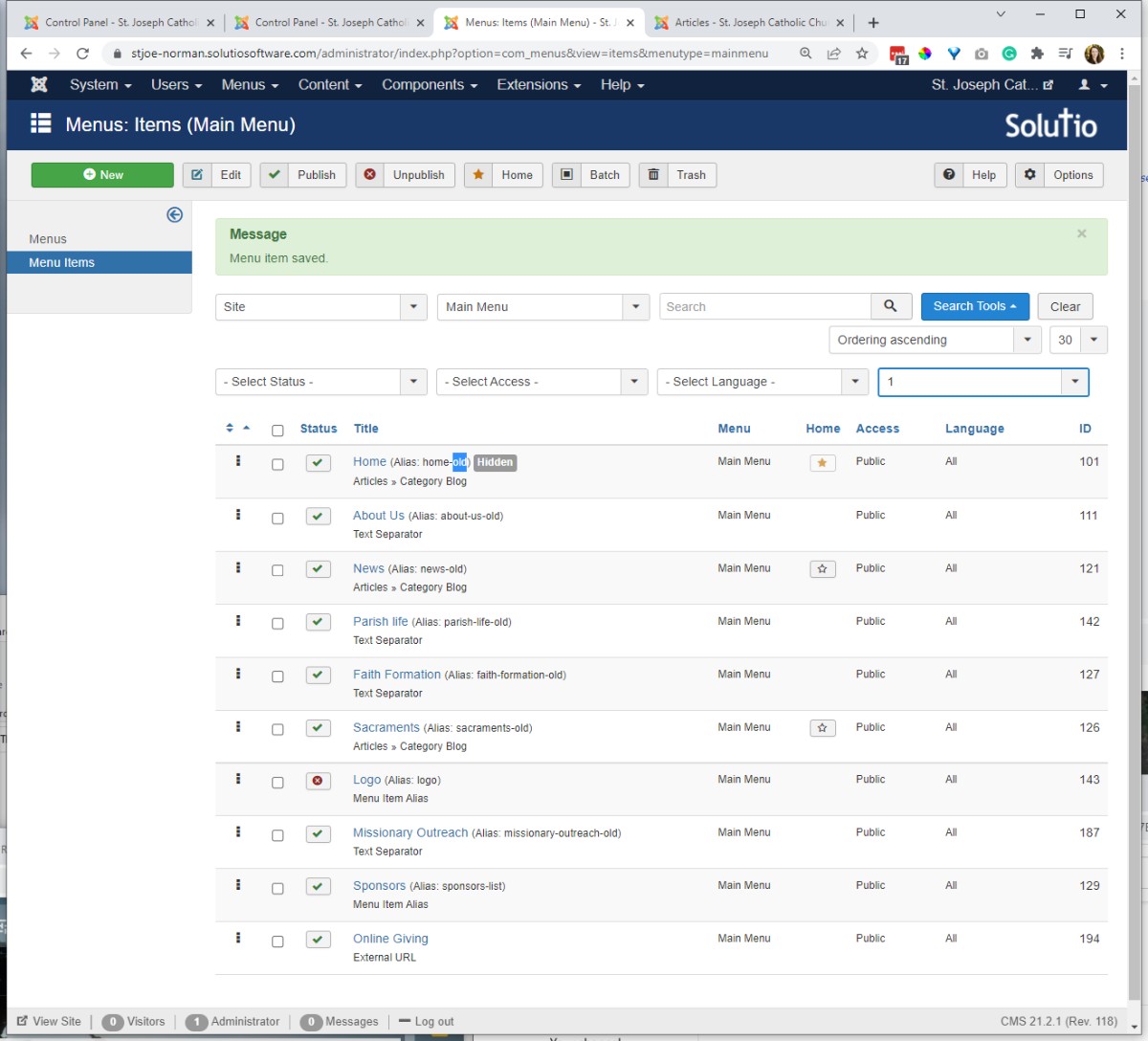
- First, update the URLs on the current main menu set of menu items that will not move to the new menu by appending -old i.e. home-old, about-old.
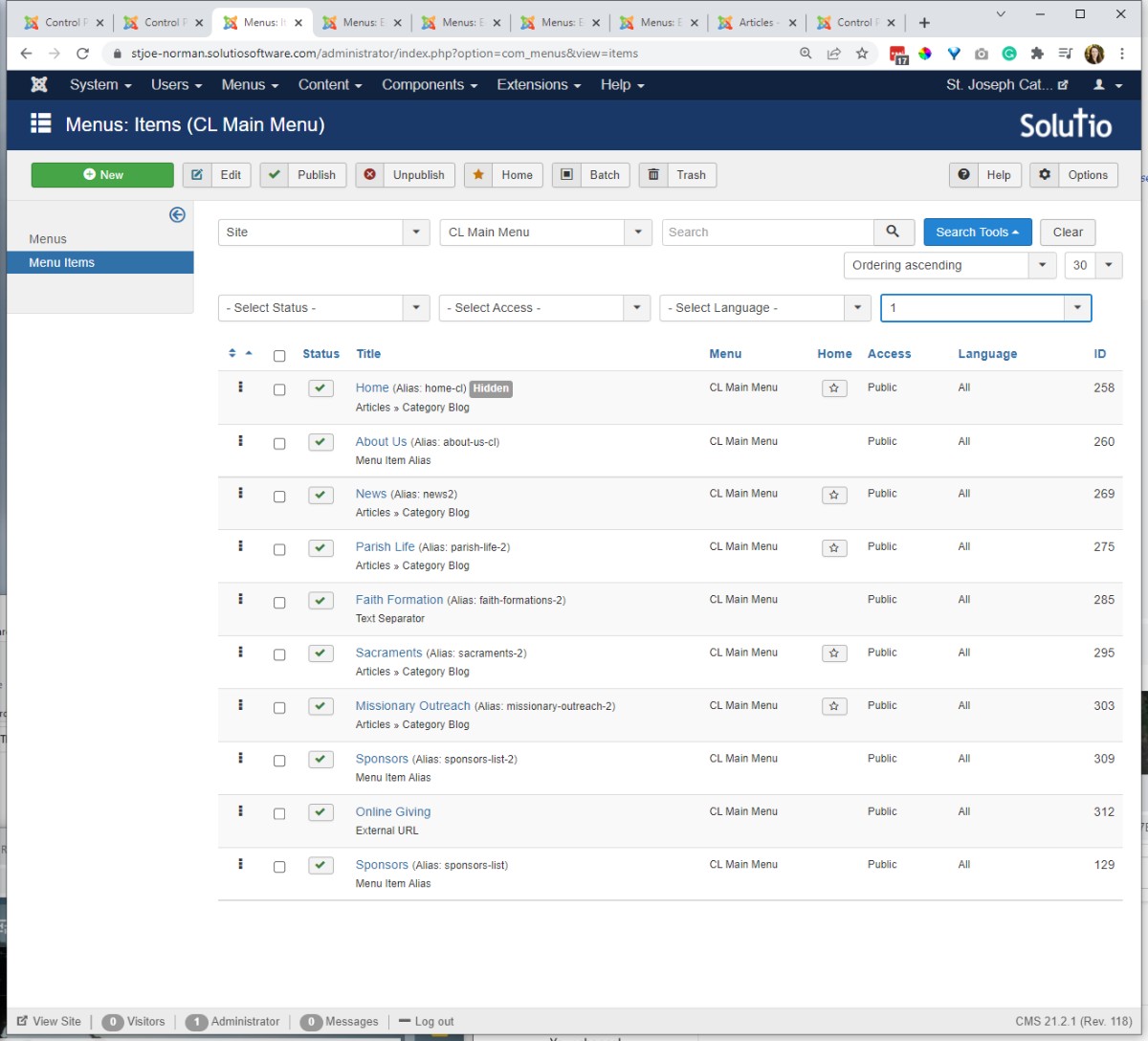
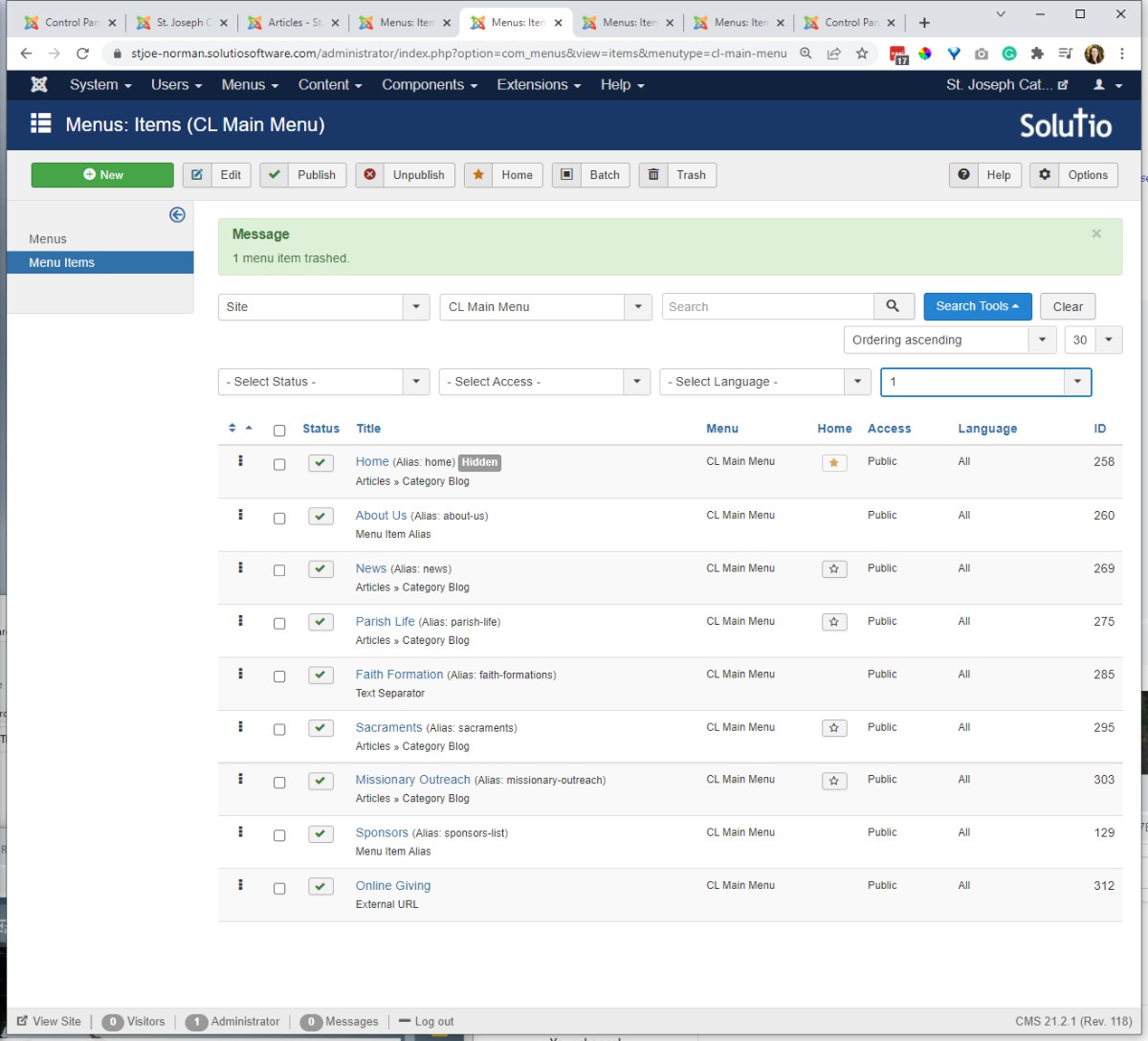
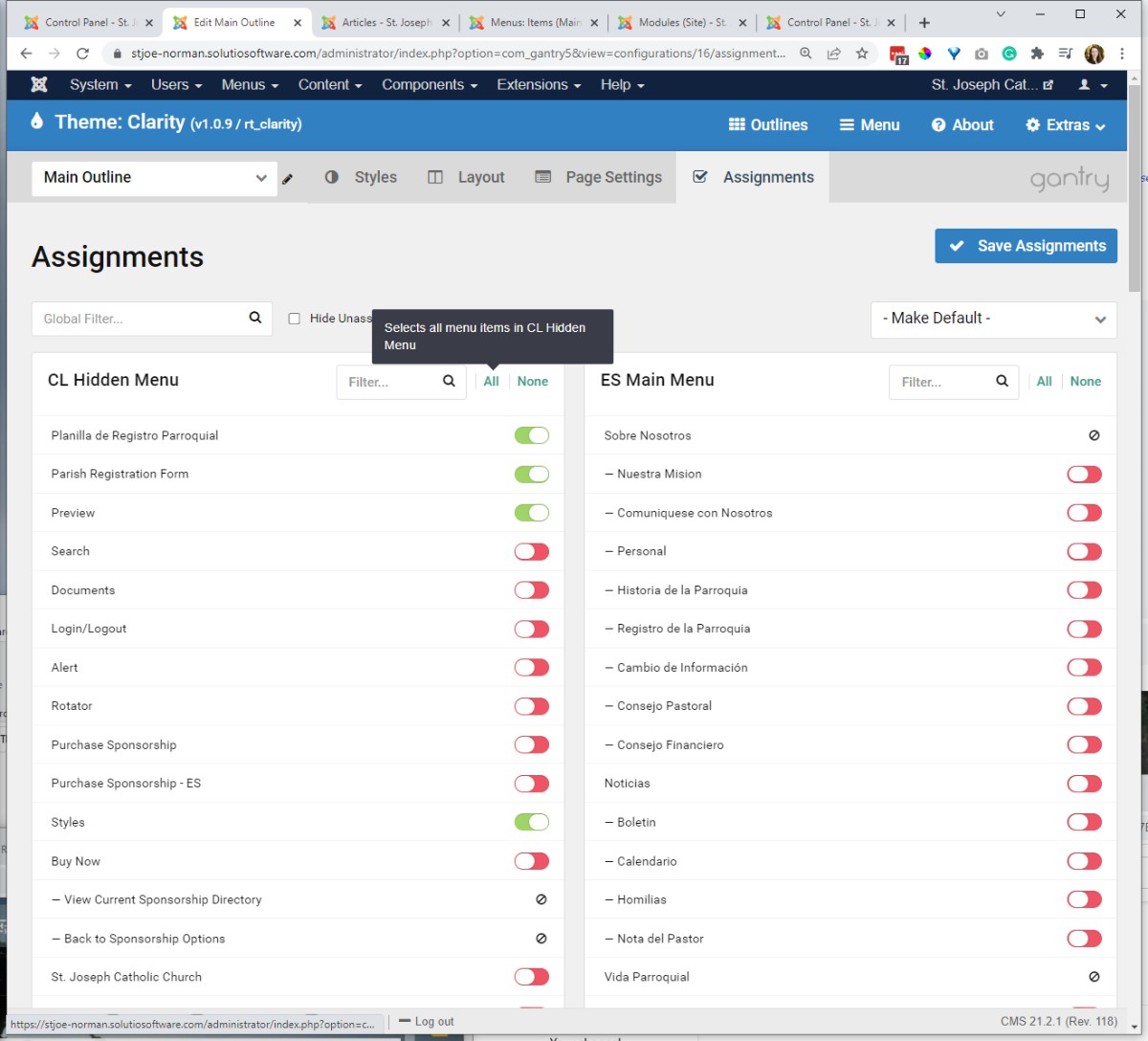
except for Sponsors / Business Directory -- keep these and move (via Batch Process to carry children with top men item) to new menu set to retain the respective URLS. I usually keep/move over all the sponsor and hidden menu items. -- at some point be sure to assign the Site Sponsors outline to the respective menu items. - On the new menu set, clear any -cl or -2 from the top level menu items. Set the default page to the new home page.
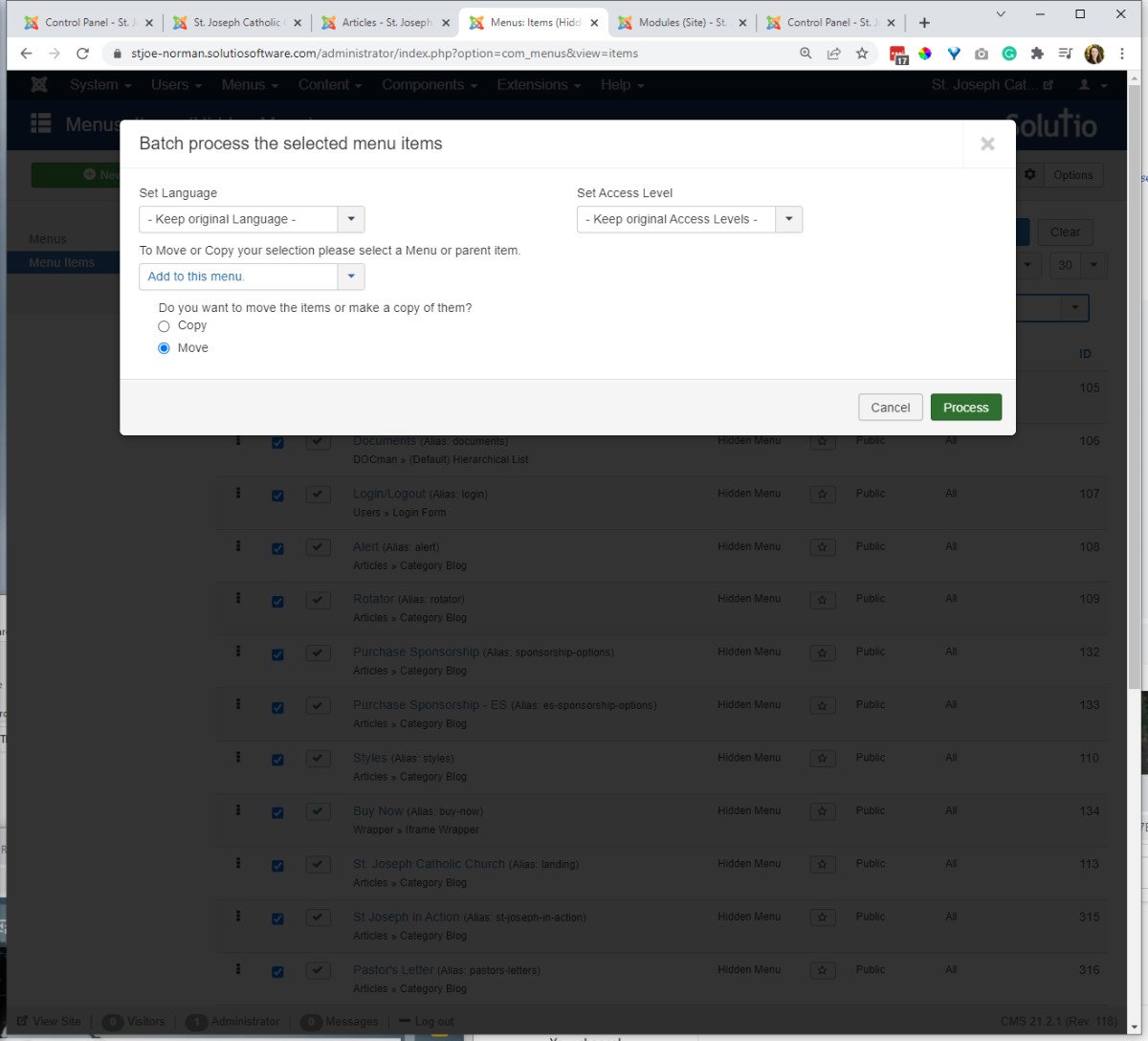
trash any unnecessary placeholder menu items (a copy of Sponsors - CL) - IF MOVING CURRENT MENU ITEMS -- set the max level view to 1 - batch process any menu items that are coming from the existing main menu to the new menu. Do the same for the hidden menu items (search, documents, login, alert, rotator, buy now, etc)
- -- update any QL that were using -cl in their URL (alias) / check the homepage for broken links.
- spot check subpages for correct modules - ads, menus, etc and outlines on the right pages.
- add a redirect source: /home-cl to destination: / so if anyone visits the working URL they get redirect to the new homepage.
- check the outline assignment on the regular default menu items: or set default outline to site outline
- search
- documents
- alert
- rotator
- styles
- login / logout - CHECK to see the the news and rotators are relevant (check bulletin for new news, corresponds to the liturgical season)
- Complete the main site launch first, then repeat the steps for any subsite, respectively.
- This is different from a new site launch, since the old site and the new site are in the same software install.
-
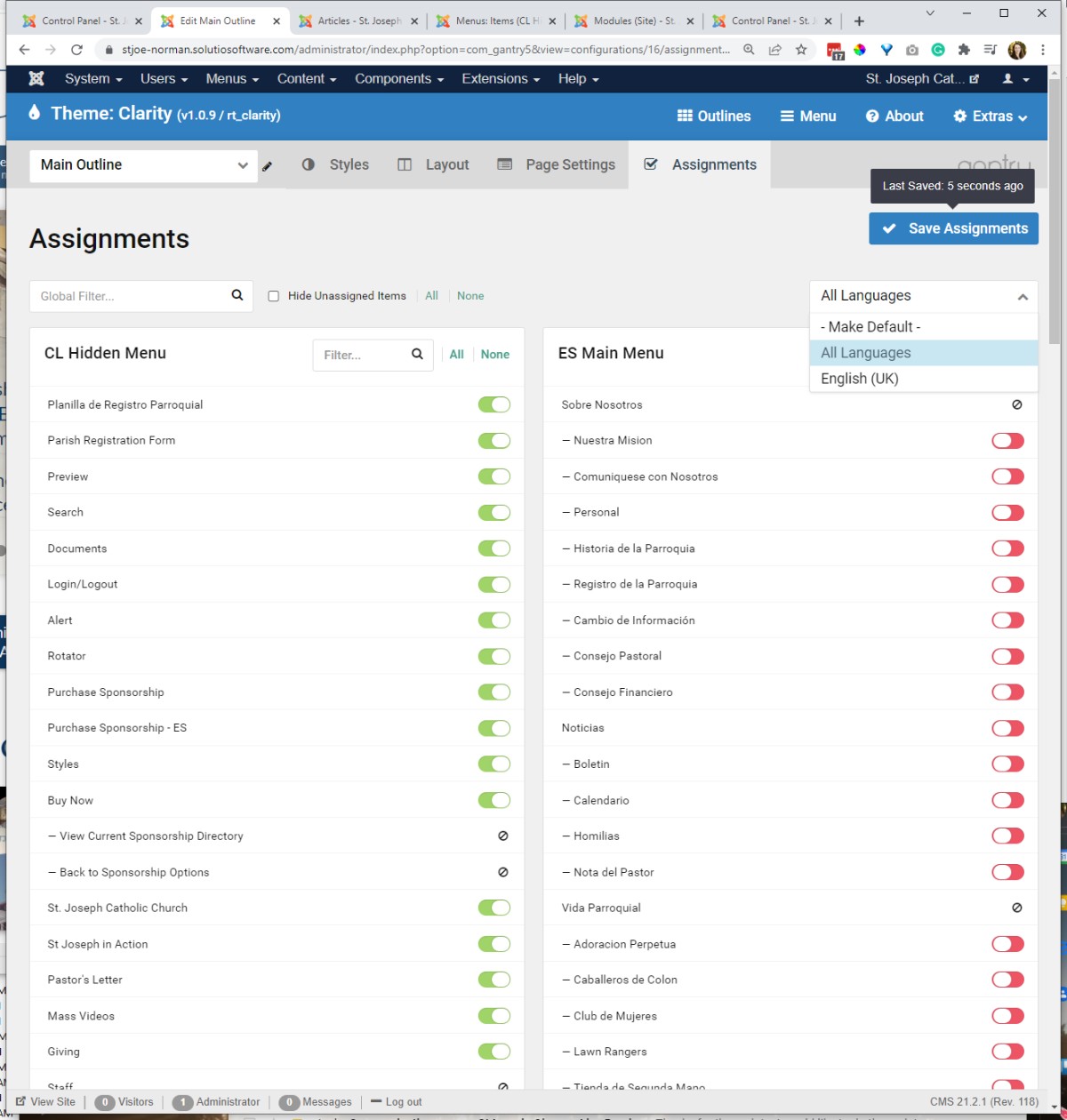
- Assign the new template / outline to any other menu items.
- Only set the All Languages default to English if all subsites have taken on the new look as well.
- Assign the new template / outline to any other menu items.
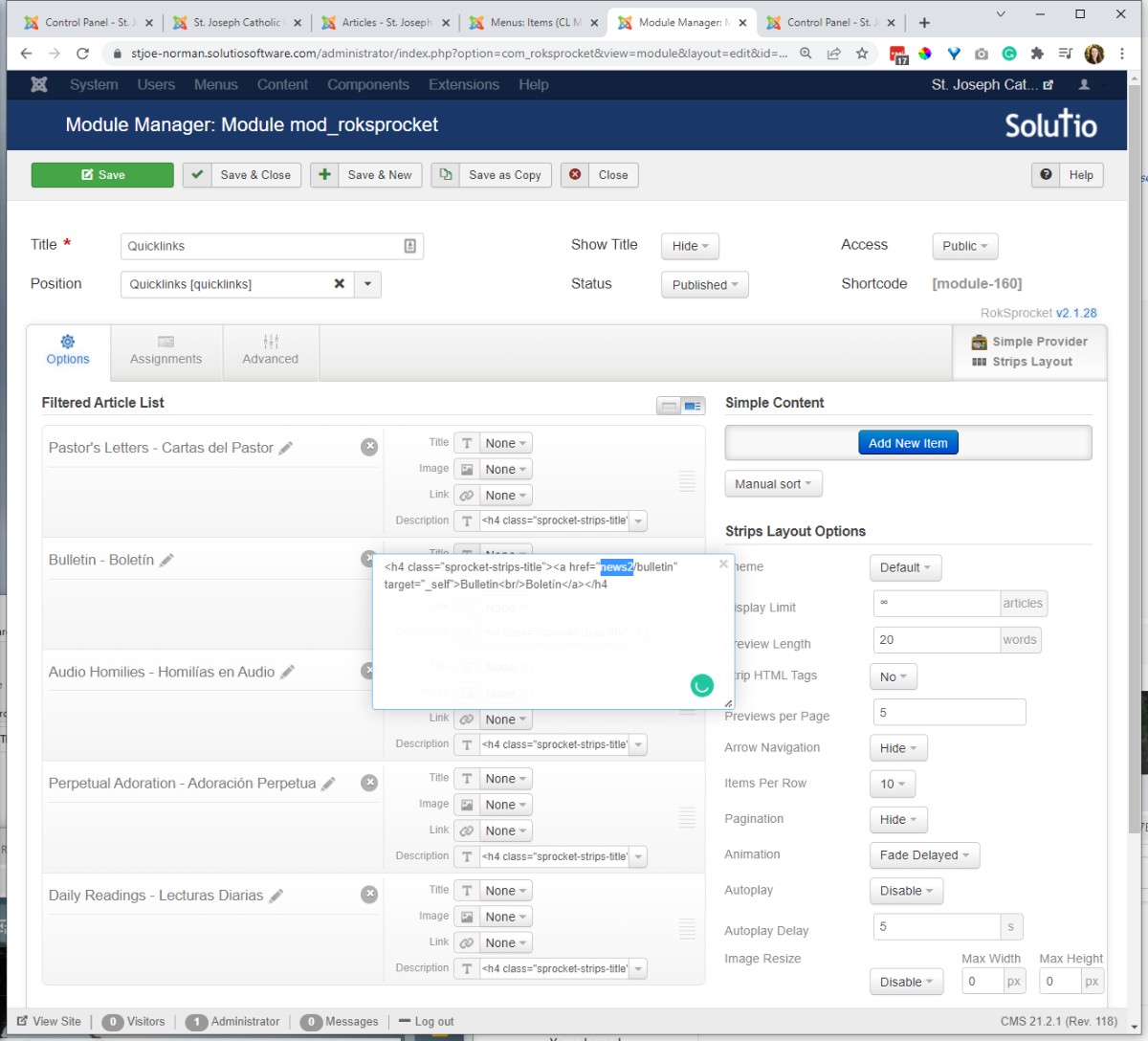
- Check ALL of the homepage links, quicklinks, headlines, calendar, footer links to make sure they are linking correctly. Don't wait for the audit for this to happen.
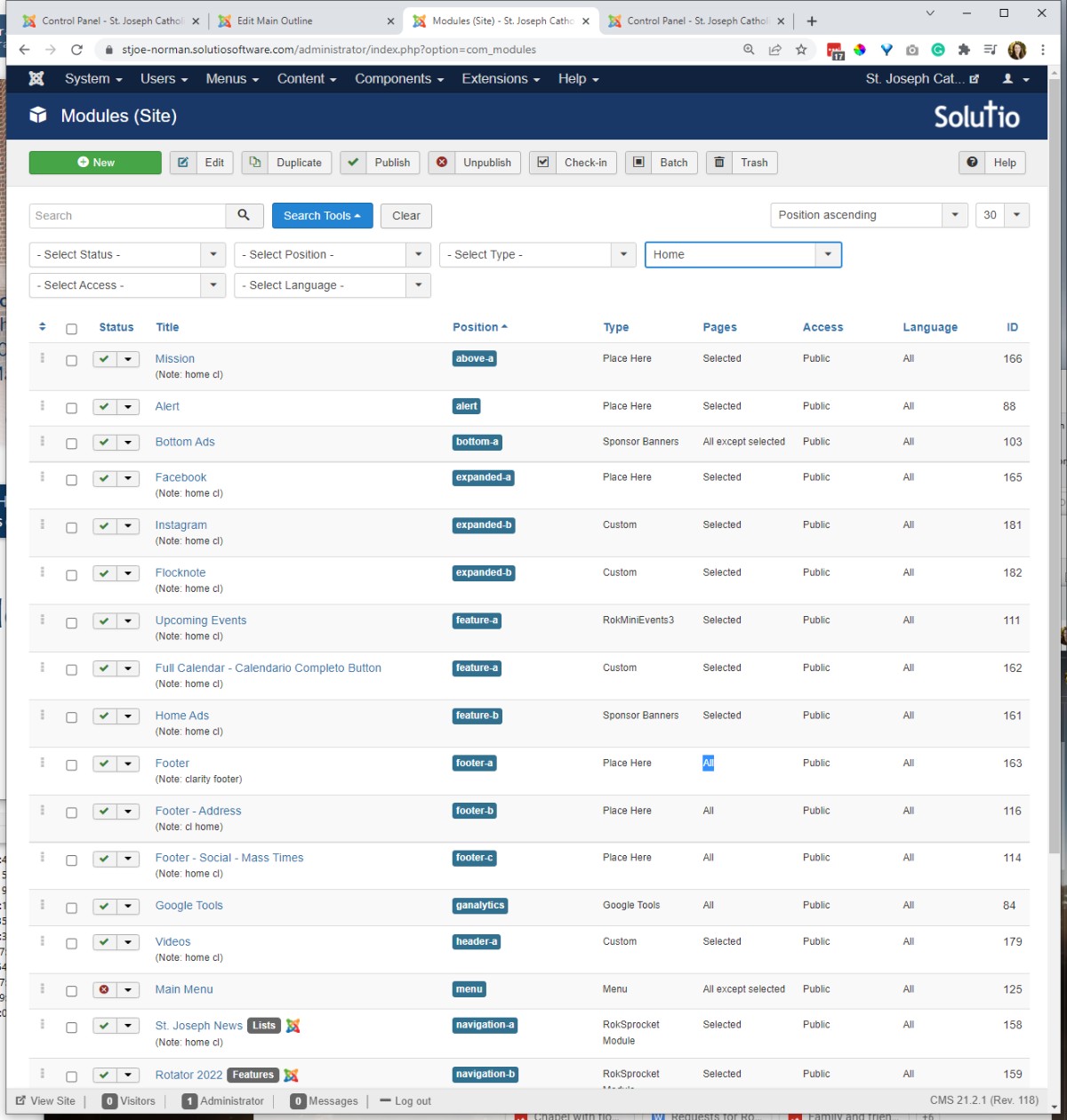
- Assign modules to the new pages respectively. Especially check ads (bottom, side, calendar), side menus, and footer and header modules
- Bottom Ads -- all pages
- Side Ads -- all pages -- set ID in base outline
- Calendar Ads -- set in Site Grid outline -- should NOT be the same module as the footer ads (only 5 across, not 7)
- Footer and top right links.
- remove Box1 from side menu modules (for Clarity template) ----- unassign position, assign to all menu items
- side menu -- hidden menu -- only apply to Buy Now page, start at 2nd level items
- check Document & Contact (school) side modules format, clear or update module class suffixes
- Sponsors need to retain the same URL (/sponsors-list/sponsors-list)
- Click headlines -- make sure it goes to a subpage and doesn't try to load on the homepage
- Be sure to at least click through all the menu items to be sure they are functioning / that the new outline is assigned respectively.
- if Calendar was an iframe menu item, I will often update to an article in a single article menu item
- Bottom Ads -- all pages
- Repeat for any subsites.
- Be sure to check the link from a main site to a subsite -- that it is not going to the old pages and if it goes to a whole different domain set as ext URL instead of a menu item alias
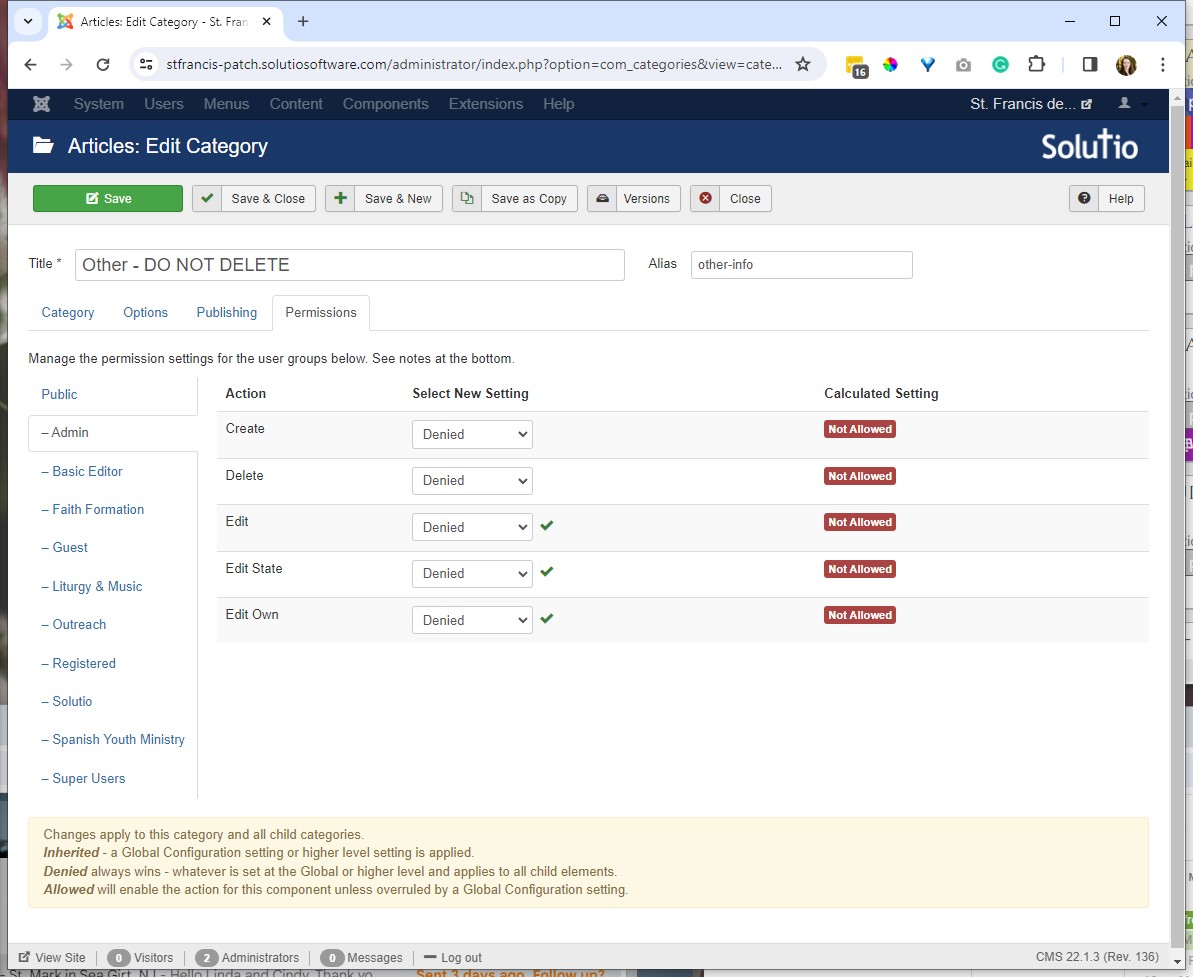
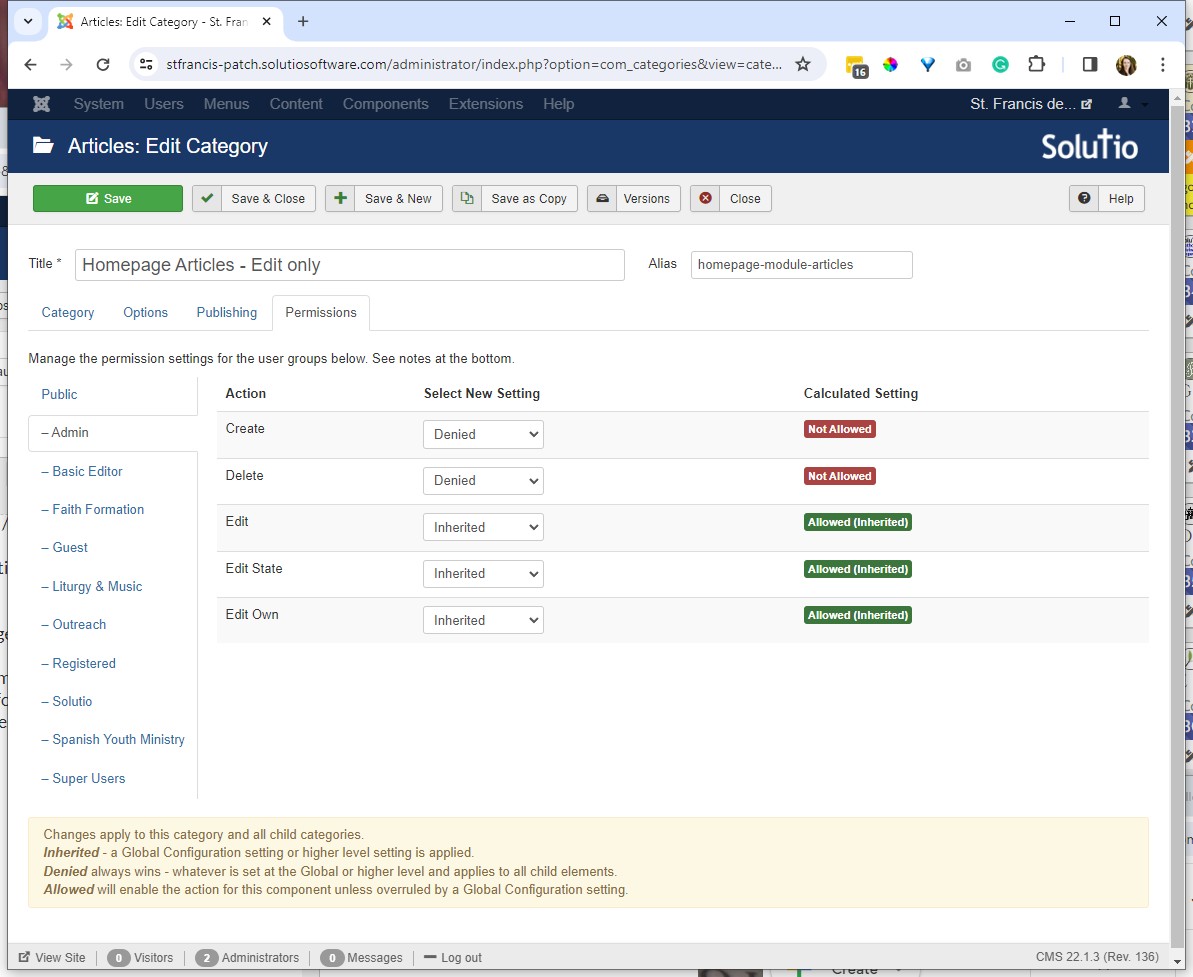
- CATEGORY reorganization -- especially if moving from category blogs to single article menu items -- rearrange the categories so the new Headlines, Rotator and Alert categories are at the top of the list followed by page content, items and then homepage articles, finally OTHER DO NOT DELETE -- and set permissions to denied for admin on this last category:
Delete and gantry 4 modules and templates -- especially rokgalleries (and empty from the trash)
Sent launched email to client that the new look is live.
Send slack to All Solutio with screenshot and domain / site code has a new look!